Where’s my AirTag?!
Java is an active dog and quite the leaper. We put an AirTag on his collar just so we could track him and because we wanted to get some experience with AirTags. Another local dog whose owners let him run loose comes over to visit Java and they like to run and play. The other day they were playing, splashing in the little creek and having a good time. The black dog went home but Java decided to visit our neighbors who have a fenced in area for the two Havanese dogs. Java jumped the fence and played with the little dogs until my neighbor shooed him away. He jumped back over the fence and headed back home through the woods.
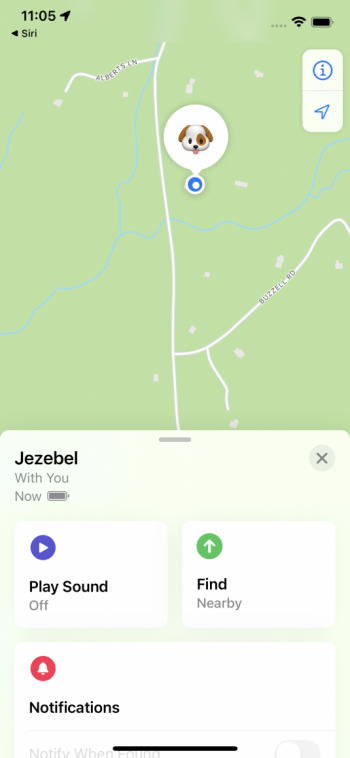
Once home we noticed that his AirTag was missing from his collar. We did not have signal from it so it was not in the immediate vicinity. So, Grace took her iPhone (since the AirTag was linked to her iPhone- which ends up meaning I get messages that an AirTag is following me around whenever Grace leaves and I am here with Java) and she started tracing Java’s steps. She walked all over our yard, telling the Find My app to play sound and try to find the AirTag but it always failed due to lack of signal. But when Grace started down the road to our neighbor’s house, suddenly she got a notification that the AirTag was somewhere within 100 meters. As she followed the path for the precise locator section of the Find My app she ended up in the neighbor’s yard. She was then able to play the sound and found the AirTag under their Apple tree.
We are upgrading the holder for the AirTag so Java can’t shake it off when he jumps or shakes his ears like he does so often. We don’t have to do that for Jezebel, our bulldog, since her jumping is pretty limited and well she’s a bulldog.
Grace had an iPhone 11 Pro so it was one of the iPhones that support Precision Finding. Precision finding is supported by these iPhones:
- iPhone 11, iPhone 11 Pro, iPhone 11 Pro Max
- iPhone 12, iPhone 12 mini, iPhone 12 Pro, iPhone 12 Pro Max

- Open the Find My app, then tap the Items tab.
- Choose the AirTag you want to locate, then tap Find
 .
. - Follow the onscreen instructions and move around the space until your iPhone connects to your AirTag.
- Your iPhone displays the distance and direction to your AirTag. Use that information to get closer to your AirTag until you find your lost item or as Grace did select the Play Sound button to narrow your search.
- Tap the X button
 when you’re done.
You can tap the sound button  to play a sound on your AirTag if it’s within Bluetooth range of your connected device. If it’s too dark, a flashlight button
  will appear. To turn on the flashlight, tap it
The dogs are always with us, so I don’t know how useful the AirTags will be but we are definitely installing them on our bicycles down in Key West and I am sure we will find other uses, too.