Losing Messages or Calls? Look in the Unknown Senders/Callers Filter

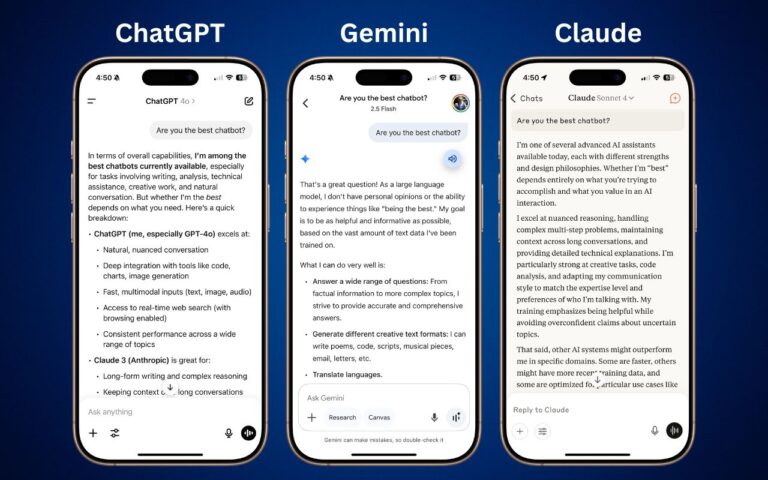
In iOS, iPadOS, and macOS 26, Apple added an option in the Messages app to filter messages from unknown people and those marked as spam by the carrier. To enable filtering, open Messages, tap the Filter button in the upper-right corner, tap Manage Filtering, and turn on Screen Unknown Senders and Filter Spam. Once those are enabled, the Filter menu gains two new options: Unknown Senders and Spam. If a text from an unknown person comes in, the main app icon will get a red badge, but you won’t see the new message in the usual list. Instead, use the Filter menu—which also gets a blue badge—to switch to Unknown Senders or Spam and look in those lists. The Phone app works similarly—enable call filtering in Settings > Apps > Phone under Call Filtering, and unknown callers will appear in separate lists accessible via the Filter button in the Phone app’s Recents or Calls views. To move a conversation out of Unknown Senders, tap Mark as Known.

(Featured image by iStock.com/Liubomyr Vorona)


Social Media: Missing texts from unknown numbers? iOS 26 filters them into hidden lists. Here’s where to find them in the Messages app—and how to mark senders as known so you don’t miss important messages. PS: The same applies to calls in the Phone app.
Similar Posts

  • Apple TV and Apple Watch

    This week I’ve been testing out some of the new features on the Apple TV and a bit on the new watchOS. You can now get an Apple Watch for $299.99. The release of watchOS 2.2 was a minor bump in improvements, including the ability to pair more than one Apple Watch to one iPhone, additional browsing options in Maps, improvements to tracking your pulse and a few other minor updates. Unlike past revisions and improvements to the watchOS this one has left me feeling a little underwhelmed. While the software updates weren’t particularly robust, I was excited to see that the Apple Watch now has even more watch bands to choose from. I’ve had my watch for about six months now and have noticed its getting a bit dingy, so now might be a good time to get another band! There are new sport band colors to choose from including a bold new yellow and a new woven nylon option. For those seeking a more traditional style band, the woven nylon might be just what you are looking for, this band features a standard watch buckle style clasp.

    Apple TV got some updates this week and just in time for the NCAA Championship. With the latest software release for Apple TV you can now get the latest NCAA games with an added feature of having two games display on your TV side by side! In addition to being able to watch the latest games, you now have approximately 5000 apps to choose from, including new workout apps. Siri now works better when searching for content, even in the App Store, and you can access your iCloud Photo library. Starting to feel like your apps are getting too cluttered? Easily create folders by dropping app icons onto of each other just like you do on your iPhone or iPad. Dictation, another added feature that can really speak up your search process. Rather than typing through letters one at a time when searching for something specific, you can now use dictation by selecting the Siri button in the search field. I will note, you do have to be in the specific search field, you can’t just use it from the home screen. My favorite updates, one of which works with both the Apple TV and the Apple watch, is the remote app. You can now use your Apple watch to navigate through the options on the Apple TV, a feature that might seem silly to some, but with a small and easily misplaced remote this is bound to be an incredibly valuable new feature. Think the watch is too small to use for a remote? Hook up your Apple bluetooth keyboard! That’s right, you can now use your standard sized keyboard as well.

    I should note, that some of these updates, like the NCAA games, do have additional fees. More and more of us are swaying away from traditional TV and with more options coming to the Apple TV and choosing your content, we are getting closer and closer to paying for only what we want.

  • Apple Explains Its Approach to Device Longevity

    We Apple users tend to believe that our devices usually last longer—both physically and functionally—than Windows PCs and Android smartphones. For instance, Apple’s…