Classical Music Fans Take Note: Apple Music Classical Is Now Available

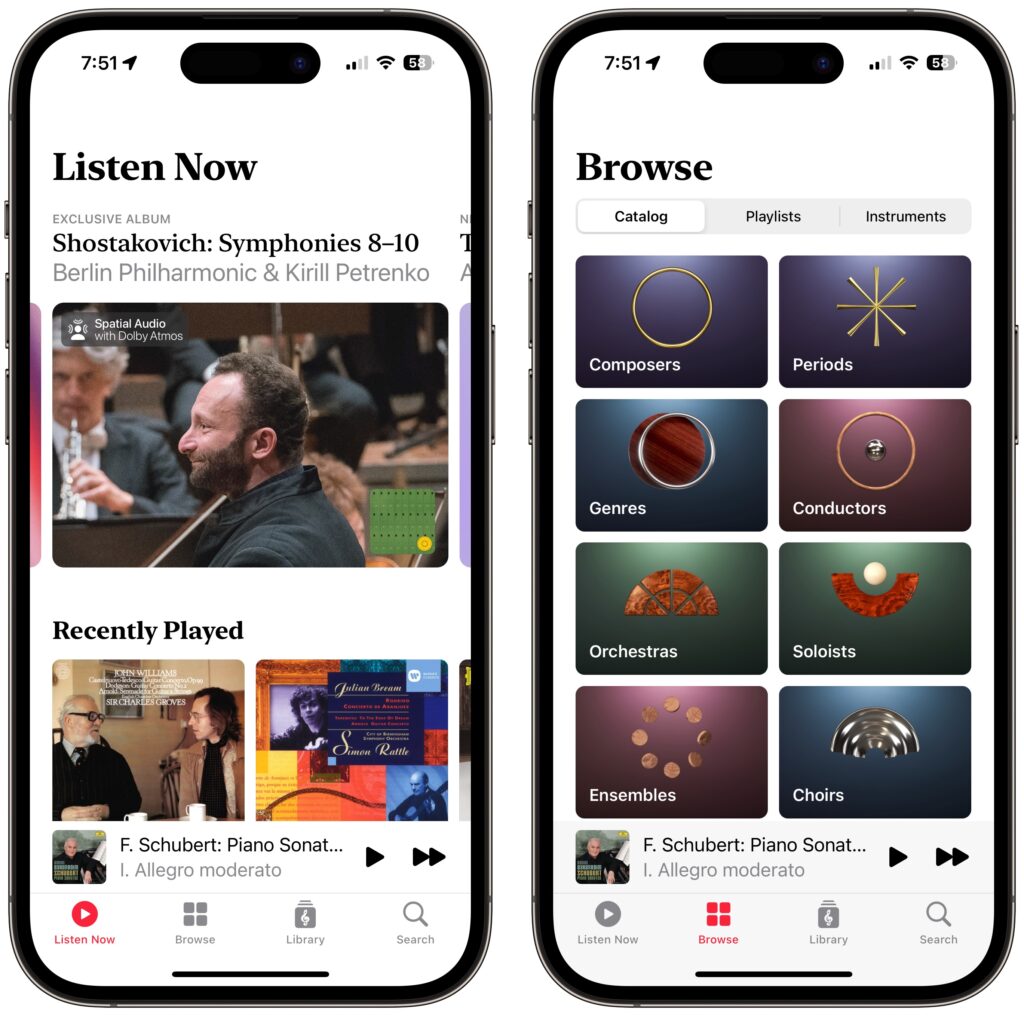
Apple has at long last released the promised Apple Music Classical app. It’s a free iPhone app for Apple Music subscribers that looks and works much like the standard Music app. However, Apple has adjusted it extensively under the hood to work better with classical music, where there are many recordings of the same work by different artists. Apple also improved the metadata—normalizing composer names and adding work and movement tags—for the 5 million classical tracks in Apple Music. For instance, you can search by work, composer, conductor, opus number, and key, something that worked poorly before. Apple Music Classical is a significant improvement for classical music fans, and it provides expert recommendations and playlists for those interested in getting started. Alas, there’s no Mac version yet, and the iPad is limited to using the scaled-up iPhone app.
(Featured image by iStock.com/cyano66)

Similar Posts

  • Expand your mind…er..text

    Speed Up Your Fingers with Text Expansion

    With all the advances in computing and communications, it’s amazing that–after nearly 150 years!–we still use the keyboard layout from the world’s first practical typewriter for entering text into our Macs, iPhones, and iPads. Sure there are some improving dictation solutions out there but typing is by far how we input text. But we have not gotten that much better as typists, nor do we enjoy typing more–if anything, we increasingly abbreviate to avoid typing, hence “LOL, BRB, etc.” Text messaging aside, wouldn’t it be nice to be able to type less without compromising meaning or making your text look like it was composed by a trained monkey? Thanks to text expansion features built into OS X and iOS, and extended with third-party utilities, you can.

    For basic text expansion capabilities in OS X, look in System Preferences > Keyboard > Text, and in iOS 9, go to Settings > General > Keyboard > Text Replacement. For both, you can enter a phrase, and a shortcut that expands into that phrase when typed and followed by a space or punctuation character. (Tip: If text expansion doesn’t work in a Mac app like Mail or Safari, make sure Edit > Substitutions > Text Replacement is selected.)

    If you’re signed into the same iCloud account on both your Mac and your iPhone, for instance, the text expansions sync between them automatically. So, you can type “smh” and tap the Space bar to get “Shaking my head!” typed out for you, regardless of what device you’re using. (Another tip: don’t create abbreviations that you will also want to type normally. It might seem like a good idea to use “np” for “No Problem,” but that will get in the way of talking about Nurse Practitioners.)

    With such a useful feature built into OS X and iOS, why would you want to spend money on a third-party utility, like “**TextExpander**”:https://smilesoftware.com/textexpander (Mac and iOS), “**Typinator**”:http://www.ergonis.com/products/typinator/ (Mac), or “**TypeIt4Me**”:http://www.ettoresoftware.com/products/typeit4me/. Unfortunately, OS X’s text expansion feature doesn’t work in all apps (it likely won’t work if the app lacks the Edit > Substitutions > Text Replacement menu command). The interface for creating new substitutions is cramped and hard to work with, you can’t configure the trigger characters that cause abbreviations to expand, and you can’t include text with styles, variable text like the date, or even graphics.

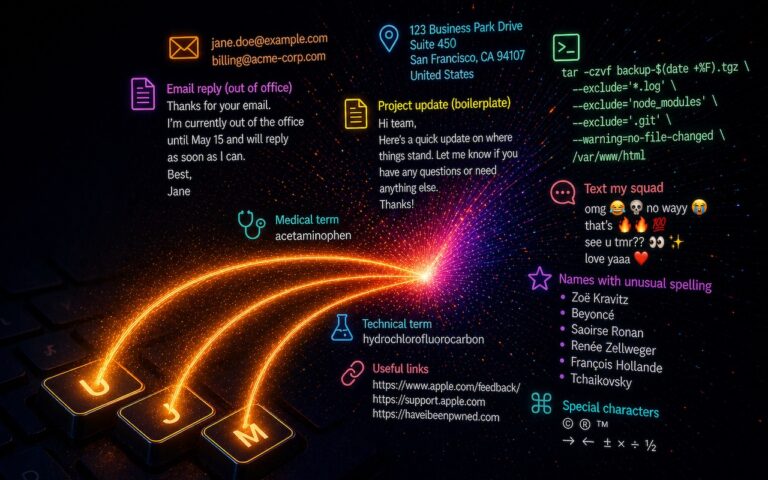
    That’s where text expansion utilities shine. They can include styled text and graphics in expansions, insert the current date and time, respect case when expanding abbreviations, include the contents of the clipboard in expanded text, automatically fix common typos, create fill-in-the-blanks snippets that you customize on each expansion, and much more.

    Here are some ideas for the kinds of things you might want to turn over to your computer for typing:
    Long or complex words or phrases, such as scientific names. Aedes aegypti, anyone?

    *Your address, phone number, and email address. One of my favorites is “@d” which inserts my email address. I get real tired of typing email address, phone numbers, etc. Text expansion speeds that up!

    *Boilerplate text for common email replies.

    *The current date and/or time.

    *Special characters, so blb could expand to the British pound symbol £.

    *Unix commands for Terminal, such as using ssh to log in to a remote computer.

    I am sure you can come up with dozens that might work for you and speed up your typing. So think about what bit of text you might want expand automatically and give text expansion a try today!

  • Droids, Drones, Scooters, Cars and USB C

    I remember only a couple years ago when drones were new and cutting edge technology. Now, there are huge sections of the show devoted to drones of all sorts: fighting drones, mini drones, paper airplane drones and dancing drones. I don’t know if it is the Star Wars influence but droids were everywhere, including “laundroids” for folding your laundry, grill cleaning droids, window washing droids and all kinds of robots.

    3D printers were new and unique and again whole sections of the show were devoted to “replicators” making everything from iPhone cases to clothing to spare body parts. Several companies were there just to show their filaments for these 3D printers.

    Scooters were everywhere. You know, the ones in the news that have the batteries that blow up. Well, literally dozens of companies were showing their versions and the original Segway had a booth, too. Some one-wheel scooters were there as well as shoes with wheels that zipped you around.

    p{text-align: center;}. !http://blog.smalldog.com/images/4638.jpg!

    Self-driving cars and technology for self driving cars dominated the North Hall and some concept cars were shown, too. My favorite was the Faraday electric car that looked like a single seat batmobile.

    USB-C made its debut at the show with hubs, cables and some USB display port displays, too. I think we will see a lot of USB-C stuff coming up!

    Less prevalent this year was the huge variety of iPhone and iPad cases. There were huge sections last time but while there were several companies showing cases it was toned way down. In their place, power banks of all sorts were being shown in every imaginable shape and size. The Apple battery case, aka the hump, was universally panned but several companies had slim battery cases for the iPhone.

    p{text-align: center;}. !http://blog.smalldog.com/images/4641.jpg!

    I did walk through the TV section but it was not as notable as in past years. The 3D fad has sort of expired and 4K displays are common. I still love the OLED displays, though.

    Other areas that were huge were health care and fitness with a lot of wearable fitness devices and health monitors or all sorts from implantable blood glucose devices to blood pressure cuffs, thermometers and scales. The home automation section was larger than previous years and there were some new HomeKit compatible devices. I liked the NoLok offering of bluetooth compatible padlocks and bike locks that work similar to the Kevo system.

    It was a quick trip out to Vegas but it was certainly worthwhile. I will follow up next week with a bit more.

  • New Features in iOS 26.1

    The first feature update to iOS 26 is now available—go to Settings > General > Software Update to install iOS 26.1. It doesn’t…