Falling in Love with the iPod touch

When the iPod touch first came out, I dismissed it as a gimmicky iPhone-lite, and never saw myself using it. I already had a 160GB iPod classic, which holds all my music, movies, photos, etc., and I didn’t see myself using the fancy coverflow music scrolling, since my most-listened-to music is in the form of DJ mixes with no cover art. As a consultant, I already carry around a MacBook Pro almost everywhere I go, so I didn’t see the appeal of any of the computer or organizing features.

When the 2007 holiday season rolled around, SDE rewarded each of its employees with an engraved 8GB iPod touch. When I loaded mine up and started using it, I quickly changed my opinion. With Apple’s $20 software upgrade to add Mail and Google Maps among other things, the iPod touch is now an indispensable part of my personal organization and daily workflow. I only take my iPod classic with me occasionally, and I take my MacBook Pro with me when I’m working, but my iPod touch never leaves my side!

I love having instant access to my email, address book, iCal schedule, Google Maps, and web browsing via Safari. I can keep track of all aspects of my work life and home email whenever I want. I can check my iCal for my next consult, map it with Google Maps, dock the iPod in my car and follow the directions to the appointment, play music along the way, check email from my manager and clients, and browse the web to research problems. In my personal life, I can keep up with email from friends, check sports scores, or browse the web if I’m bored somewhere.

I’m really looking forward to 3rd-party applications officially appearing on the iPod in June, but it’s already my favorite gadget ever! If you haven’t already, give one a try and see if you fall in love as much as I did!

View all iPod touch models here.

Similar Posts

  • Winter Olympics and Your iPhone & iPod touch

    Everyone is buzzing about the 2010 Vancouver Winter Olympics starting tonight. Some people love to watch Alpine Skiing, Figure Skating or Snowboarding. This year the Olympic Games are being held right in our own backyard, plus we have a lot of contenders, so it’s especially exciting.

    Cowbell2010 is your perfect new app for the iPhone or iPod touch. This new app is created by Rage Digital and it allows you to cheer for your home country while watching this year’s Winter Olympics.

    Cowbell2010 also lets you follow hundreds of tweets from athletes all over the world. It has a real-time medal counter and even a “Live Wall” so you can share photos and text your experiences with all of your Facebook and other Cowbell2010 friends.

    At only .99 cents, it’s a cool and affordable app to keep track of all of the Olympic excitement!

  • Automate Your Mac

    The other day, my boss said to me, “You know what a great article topic would be? Automator, because it seems like powerful…

  • August View First Impressions

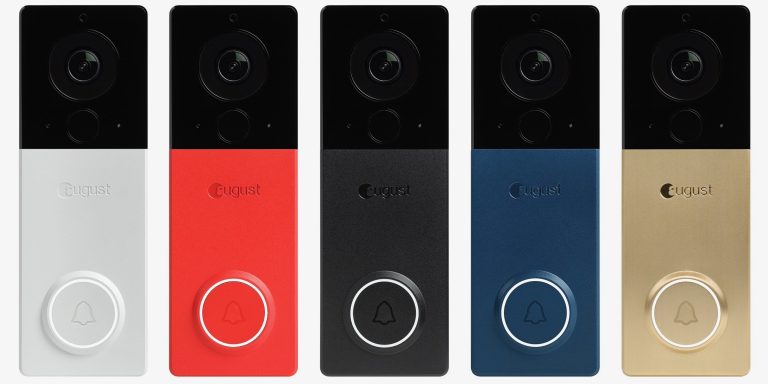
    This past weekend I installed a new smart home device, the August View. During my travels last month for various events and vendor…

  • Need to Charge Multiple iPhones or iPods?

    This day in age a vast majority of us have iPods–and now many of you have iPhones. As much as we love our gadgets, it can sometimes be a pain to charge one at a time, so which one do you pick?

    Leave it to Griffin Technology to solve that issue–one that I am surprised was not figured out sooner! The “PowerDock 2 Charging Cradle for iPod and iPhone”:http://www.smalldog.com/product/73013 will let you charge two iPhones, two iPods or an iPod and an iPhone at once! It can sit on your desk, beside, by the front door, wherever you will remember to charge it. This gadget won’t hook up to your Mac–it has no ports other than the AC on the back–but I like the fact that you don’t have to have everything plugged into your Mac at all times.

    I also like the “Griffin PowerDock 2”:http://www.smalldog.com/product/73013 because the thought of having my iPod or iPhone in the dock is more calming to me than just leaving my Apple gadget on the desk (in case it fell off–iPhone screen replacements are expensive!). A $39.99 price point seems fair to charge your devices to me! Most single iPod/iPhone chargers are about $19.99-$29.99 and this way you don’t have to worry about buying a sync cable as well. It’s also made out of brushed aluminum, which matches the MacBook Pros and iMacs very nicely (which is obviously super important!).

    “Check out the Griffin PowerDock 2 here!”:http://www.smalldog.com/product/73013