Dear Friends,

Well I didn’t win the Powerball so I guess I have to stick with my day job a bit longer. Vermont finally got some winter weather and more snow is in the forecast. It has even gotten a bit cooler down here in the Keys where when it dips below 70° F the down coats and shoes come out.

I am still struggling a bit with tropical gardening. A large caterpillar ate the leaves off one of my tomato plants overnight and for some reason I cannot get my citrus trees to blossom. I keep feeding and watering them in the hopes that my Key Limes, Myers lemon and Naval oranges will blossom but they seem to just make greenery. We did discover that bananas love coffee grounds and since Grace and I produce a lot of coffee grounds those plants are doing well.

I upgraded myself from the original iPad mini to the iPad mini 4 before I went to Las Vegas and the differences are remarkable. Not only is it thinner and lighter but the screen is much better, the speed is a lot faster and I simply love the Touch ID. I had been trying to activate my old iPad mini with my finger after being used to that with my iPhone so it is a welcome addition for my primary reading device. I prefer the iPad mini to the full-size iPad or the iPad Pro because of the size. It feels like a paperback book in my hand and even on a crowded airplane it is comfortable to use.

Do you know about tethering? I don’t know how many people I have talked out of buying a cellular iPad by explaining tethering. I guess that is a bit against my interests as you pay an extra $130 for cellular versions of the iPad. If you buy that cellular version you also need a cell contract which might be another $30 a month. Tethering is a much better idea. Tethering is where you share the cellular connection from your iPhone with your iPad. You activate Personal Hot Spot and boom you have your own private wireless network over cellular. The other day Comcast had an outage here in the Keys and I used tethering with my Mac to work all day. Most carriers will charge you a little more for tethering but it is less than the $30. With my iPad, I simply choose “donphone” from the wireless setup and I am connected with the same speed as if I had the cellular version of the iPad.

This week’s Kibbles & Bytes exclusive is a fully configured 13-inch MacBook Air. This Apple factory reconditioned MacBook Air carries the same 1-year Apple warranty as new Macs and we are bundling it with AppleCare so you actually get 3-years of warranty protection and 3-years of free Apple technical support instead of the normal 90-days. This MacBook Air is the same as the one I use and love. It features a 1.7GHz i7 processor, 8GB of ram and a big 512GB SSD drive. I am going to take $50 off and include a free Hammerhead neoprene case for this MacBook Air. Regular price is $1639.97 but for Kibbles & Bytes readers this week only (while supplies last) the price for this bundle is $1559.98.
Similar Posts

  • Motorcycling down here is sort of boring. I have my bike all tuned up but there is literally only one road and the fastest speed limit in Key West is 30mph. I think we may have to trade in Grace’s Vespa to get a real motorcycle for her so we can take some longer trips down here.

    Pitchers and catchers reported for spring training and the Cubs Kyle Schwarber is already breaking windshields in Arizona at the Cubs park. Maybe this year?

    Thank you so much for reading this issue of Kibbles & Bytes!

    Your Kibbles & Bytes Team,

    _Don, Emily, & Hadley_

  • Back up for the Holidays

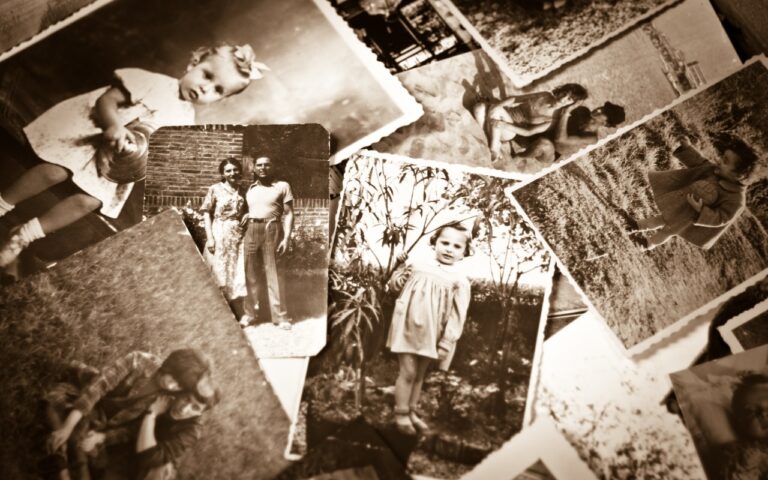
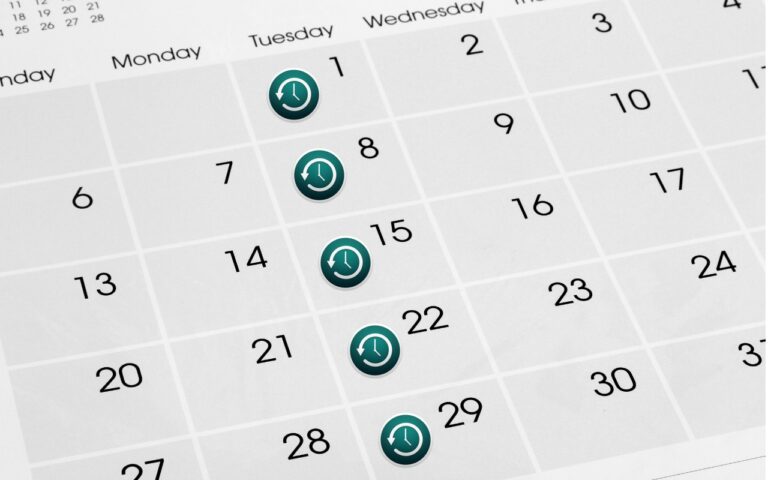
    The Holidays are here and I am sure many of your are busy making memories, thinking about others and capturing as many picture-perfect moments that you can. While you’re busy bustling around, are you taking the time to think about these memories? What would happen if you couldn’t go back and look up those moments? Perhaps now is the time to think about a gift for yourself and taking the time to ensure that all of the perfect moments you are capturing on video and in pictures are being safely stored on your computer.

    I know we talk about this all the time, but it’s surprising how many of us out there keep putting this important step of backing up to the side! The Holidays are the time with some of the best memories, and so many of us are capturing once in a lifetime moments. The last thing anyone wants is to have something happen to those photos. There are so many options for backing up your computer and your important files it can be a little overwhelming. There is iCloud, cloud-based storage solutions from countless companies, traditional external hard drives for back up and more! My preferred backup solutions are a combination of cloud backup and physical hard drives. It might seem a little redundant, but better to be safe than sorry when it comes to important documents and memories.

    For me, iCloud and an external hard drive are my preferred options for backing up. I use my iCloud account to keep my daily life in order, contacts and calendars most importantly. I also use iCloud for storing some of my most important memories and files, select baby photos of my kids and some important documents. The kind of things that should the worst case happen and I lost my computer or drives due to theft or fire I still have copies in the cloud. My preference for my backups is using Time Machine and my “**Seagate**”:http://www.smalldog.com/product/85305/seagate-backup-plus-slim-portable-drive-usb-3-0-2tb-blue hard drives. I keep a different drive for each of my computers and perform fairly regular backups, I am not perfect, so sometimes they are not as regular as I would like. But utilizing these drives allows me to ensure that I have entire backups of my files and data readily available. Before I started to use iCloud I would also have back ups drives of my Time Machine back up, yes, I was and am that paranoid about loosing photos of my kids. I still have a small 20gb drive that contains my oldest daughter’s first year of photos, even though I know all the photos are on my computer and backed up I still won’t delete that drive.

    In the last year we have seen a rise in alternative cloud storage and mobile storage solutions. Many companies like “*Seagate*”:http://www.smalldog.com/category/?mmfg%5B0%5D=Seagate and “*LaCie*”:http://www.smalldog.com/category/?mmfg%5B0%5D=LaCie have portable drives that allow users to access information wirelessly while on the go. This is a great solution for families with large media libraries for movies. The “**Lacie Fuel**”:http://www.smalldog.com/product/85520/lacie-fuel-wireless-battery-powered-mobile-hd-wifi-usb-3-0-1tb is great for just this. Have a long road trip? Load up the drive and the family can access the files from their iPhones or iPads quickly and easily without taking up storage on their devices. Another and perhaps more practical solution is the “**Seagate Personal Cloud**”:http://www.smalldog.com/wag900002041/mac-the-halls-save-20-on-seagate-personal-cloud-home-media-storage-3tb. This drive allows you to back up everything on your computer and access it from anywhere! No need to carry that back up drive along with you, and with tons of storage options little worry about not having enough space. So this holiday season remember, backing up is just as important as capturing those memories.