Use Your Apple Watch to Approve Password Requests
You probably know that you can use your Apple Watch to unlock your Mac if you set it up right. You may also know that you can use your Apple Watch to unlock your iPhone if you are wearing a mask. But did you know that you can approve some password requests, too? I didn’t, but this handy trick will definitely get some use from me!
To do any of these things you need to be running the latest Mac OS (at least Catalina) and then when you’re wearing your Apple Watch, you can use it to automatically unlock your Mac and approve authentication tasks—such as entering passwords, unlocking notes and preferences, and authorizing installations—without having to type a password. These features use strong encryption to provide secure communication between your Apple Watch and Mac.
To use the Auto Unlock and Approve with Apple Watch features:
- Sign in on your Mac and Apple Watch with the same Apple ID.
- Make sure your Apple Watch is unlocked and running watchOS 3 or later to automatically unlock your Mac; approving authentication requests requires watchOS 6 or later.
- Turn on two-factor authentication.
Once you have your Apple Watch set to unlock your Mac you are all set to use it also for Auto Unlock tasks.
If you’re not sure your Mac supports Auto Unlock and Approve with Apple Watch, choose Apple menu > About This Mac, then click System Report. In the sidebar, in the Network section, click Wi-Fi, then look on the right for “Auto Unlock: Supported.”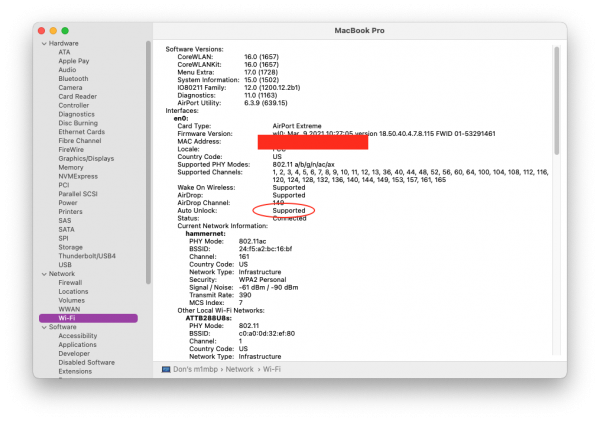
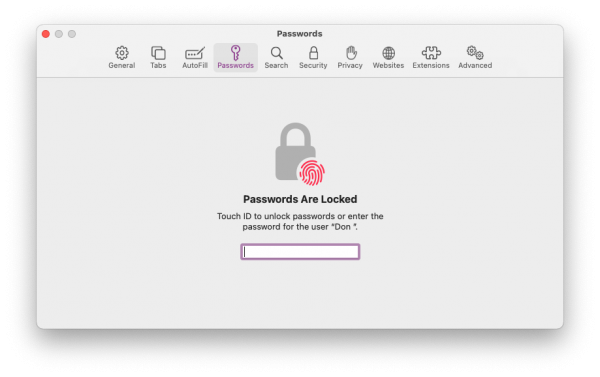
You can test this easiest by going to Safari Preferences and choosing Password. You will get a dialog box like this one and you should also get a notice on your Apple Watch.
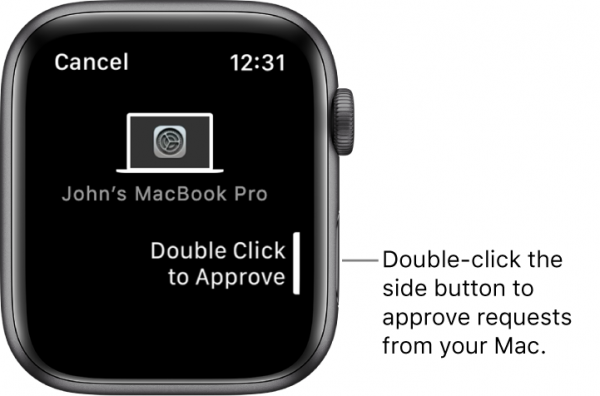
I have a list of other instances where auto approval would be nice. There seems to be way too many times that I am asked for my password. I want to approve requests on my Apple TV, during software installation and a bunch more but this handy trick will take care of a bunch!