Make Apple Watch Apps Easier to Find with List View
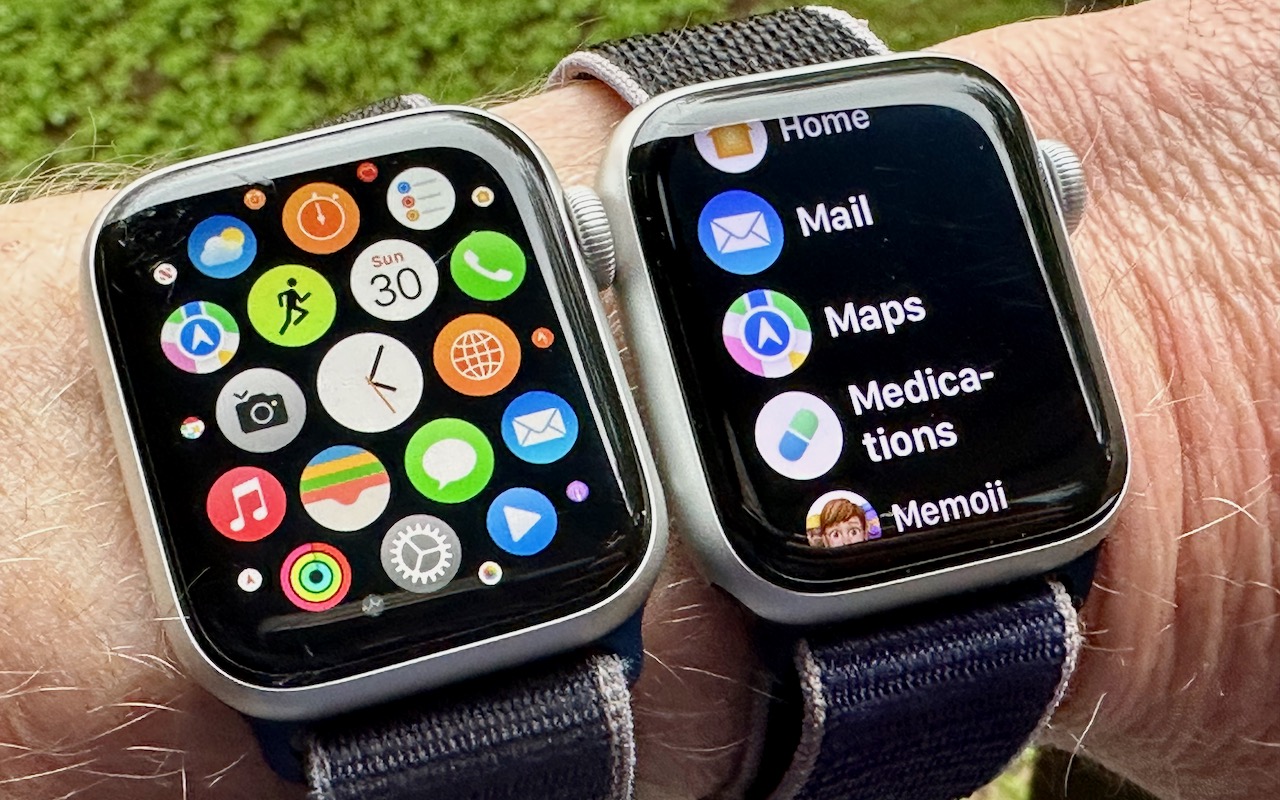
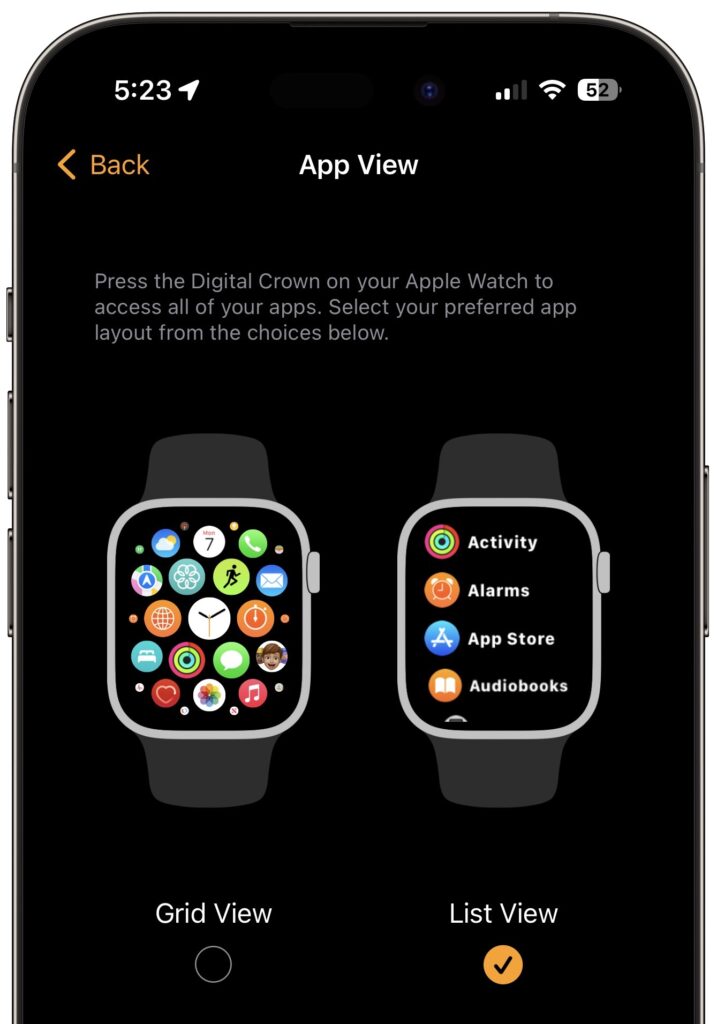
With the original version of the Apple Watch, Apple introduced “grid” view, which shows tiny icons for each app in a random circular pattern, making them difficult to find for most people. Happily, at some point, Apple relented and gave us the more sensible list view, which shows all the apps—with their names—sorted alphabetically. If your Apple Watch shows apps in grid view when you press the Digital Crown, fix it by opening the Watch app on your iPhone, tapping App View, and selecting List View. You can also do this on the watch itself in the Settings app.
(Featured image by Adam Engst)
Social Media: If you have trouble finding apps on your Apple Watch in the randomly arranged “grid” view, you’ll be pleased to learn how to switch to the more sensible list view, which sorts alphabetically.