Display an Album of Photos on Your iPhone or iPad Lock Screen

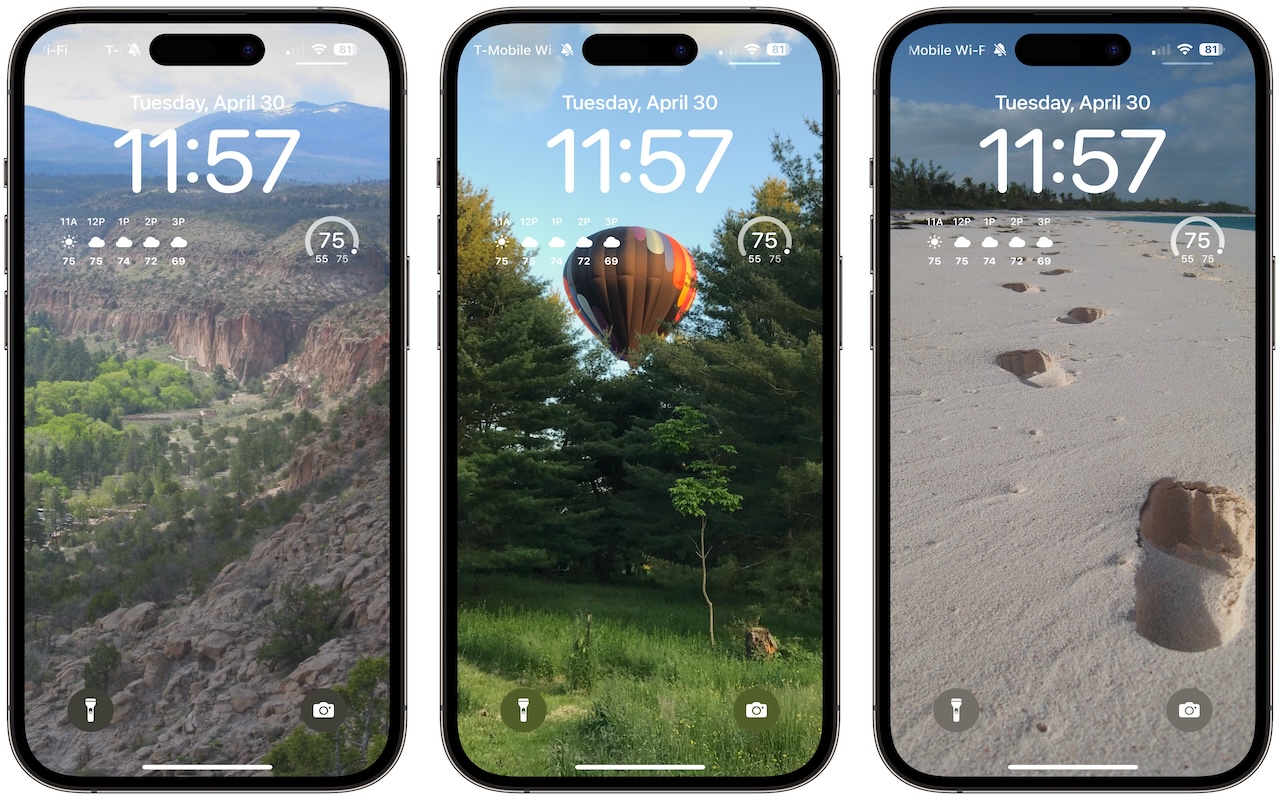
A popular feature of iOS 16 was the Photo Shuffle option for customizing the iPhone Lock Screen. It used machine learning to select photos in four categories—People, Pets, Nature, and Cities—and rotated through them when you tapped, on lock, hourly, or daily. If you didn’t like the automatic selection, you could pick photos manually, but it was clumsy. In iOS 17 (and iPadOS 17, which also added customizable Lock Screens), you can now point the Lock Screen’s Photo Shuffle wallpaper at an album. Touch and hold the Lock Screen, tap Customize, tap the blue ⨁ button to create a new wallpaper, select Photo Shuffle, select Album, choose the desired album from the pop-up menu, set a frequency, tap Use Album, and tap the Add button at the top. Then tap Set as Wallpaper Pair or Customize Home Screen to choose a different image for the Home Screen wallpaper.
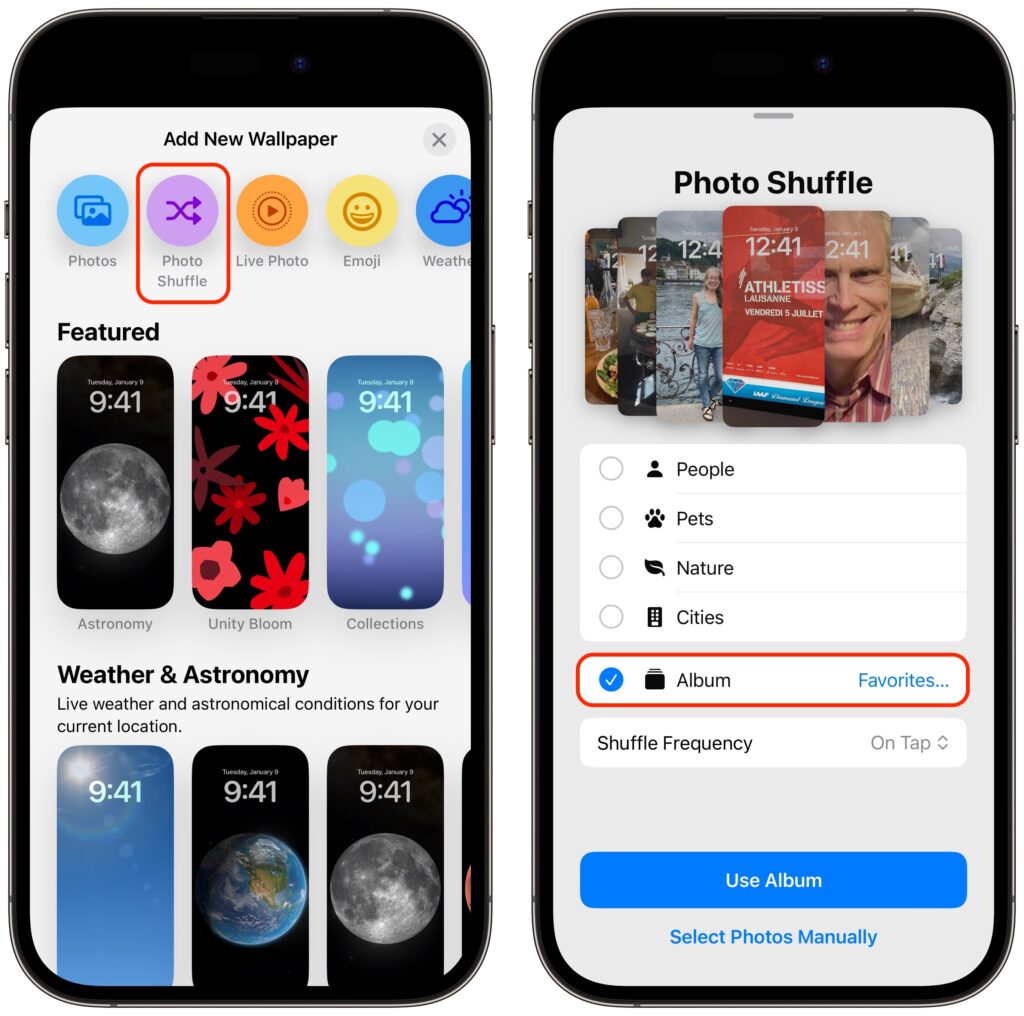
(Featured image by Adam Engst)


Social Media: If you like how the Lock Screen’s Photo Shuffle wallpaper rotates through photos but would prefer that it worked from an album you specified, you’re in luck! That’s now possible in iOS 17 and iPadOS 17.
Similar Posts

  • _Dear Friends,_

    Definitely some weird weather in Vermont. One day it is below 0 F and the next day it is in the 40’s and raining. It makes for some tricky driving as wet pavement can hide some black ice. Hopefully as we enter March there will be some snow because the ski areas and local merchants are suffering from the weird weather. We can take a lot of snow and freezing temperatures but this freeze/thaw cycle is just annoying.

    Apple has very strong hardware sales but their hidden gem may be the recurring revenue streams that they develop. Of course, we know about the 11 million+ subscribers to Apple Music that pay a monthly fee and the iCloud storage fees but there are other much larger streams that provide Apple with consistent revenue. The iPhone is a big one that has two parts to it – on the one hand, people want to upgrade to the latest iPhone and that upgrade business is huge. There is also Apple’s new financing of iPhones that spreads the cost of the iPhone over several months and allows much easier iPhone upgrades. The carriers are also offering these easy upgrade programs which enhances the recurring revenue stream. It is sort of like printing money.

    This week’s Kibbles & Bytes exclusive features the “**Apple Factory Reconditioned 21.5-inch iMac**”:http://www.smalldog.com/wag900002159 with 2.7GHz i5 processor, 8GB of ram and a big 1TB drive. We are bundling this with the AppleCare Protection Plan which extends Apple’s 1-year warranty to 3-years and extends your 90-days of free technical support from Apple from 90-days to 3-years. To complete this bundle because we always want you to have a backup of your personal data, we are including the Apple Factory Reconditioned 2TB Time Capsule. The Time Capsule is the combination of an Airport Extreme base station and 2TB hard drive. Because you are buying it at the same time as the iMac it is also covered for 3-years by AppleCare! Normally, if you bought this bundle new it would cost $1769, bought normally as Apple Refurbished it would be $1399 but this week for Kibbles & Bytes readers you can get this great deal on an iMac with Time Capsule and AppleCare for only “**$1299.99!**”:http://www.smalldog.com/wag900002159

  • It is definitely feeling like spring here in Key West as the flowers are blooming and we wake up each morning to the birds singing (okay and the roosters crowing, too). I get the morning snow (or lack thereof) report from Emily every day and spring hadn’t quite arrived up in Georgia when I was there, either.

    Grace and I are heading up to the 75th Annual Daytona Bike Week for a couple days and then hitting a Cirque du Soleil show in Miami on the way back. Somewhere in there I will be writing Kibbles, perhaps on my iPad mini 4.

    Thank you for reading this issue of Kibbles & Bytes!

    Your Kibbles & Bytes Team,

    _Don, Emily & Hadley_

  • Businesses, Don’t Overlook Email Backup

    Cloud-based email services such as Google Workspace and Microsoft 365 dominate the market for organizational email for good reason. Dealing with the constant…