Screen Time-Getting the Balance Right
In a universe where phones, tablets, and computers are always within reach, it’s easy to lose track of how much time we spend in front of a screen. Apple’s Screen Time feature, built into iOS, iPadOS, and macOS, helps users take control by tracking usage and offering tools to set healthy limits.
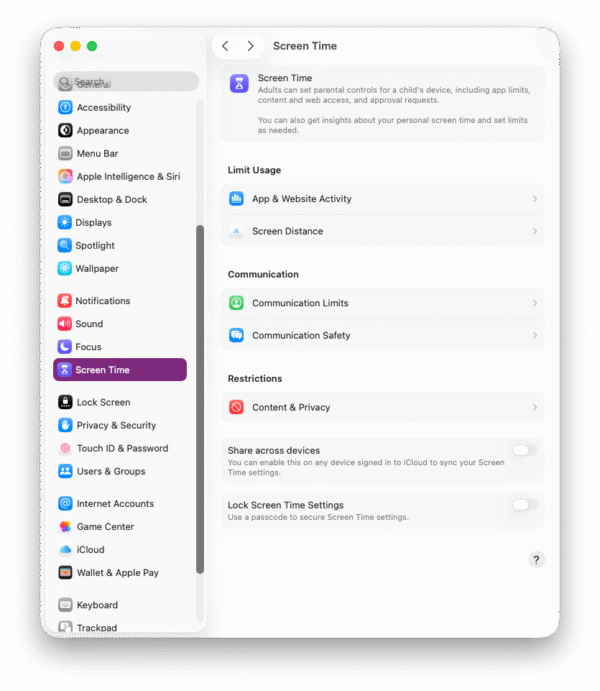
Screen Time monitors how you use your Apple devices. It creates detailed reports showing:
- Total screen time per day or week
- Time spent in specific apps or categories (like social media, productivity, or entertainment)
- How often you pick up your device
- The number of notifications you receive
These insights give users a clear picture of their digital habits.
Beyond tracking, Screen Time allows you to set boundaries:
- App Limits: Restrict time spent on certain apps or categories.
- Downtime: Schedule periods when only essential apps and phone calls are available.
- Content & Privacy Restrictions: Manage access to mature content, purchases, or specific websites—especially useful for parents.
Parents can use Screen Time with Family Sharing to set limits for children’s devices remotely. This ensures kids enjoy technology responsibly while encouraging breaks, sleep, and offline activities.
Why It Matters
Screen Time isn’t about removing technology from our lives. Instead, it’s about creating balance. By offering awareness and control, Apple gives users the ability to make mindful choices—whether that means limiting social media, reducing distractions during work hours, or simply ensuring kids go to bed on time without their devices.