When Should You Subscribe to AppleCare?

With Apple’s recent launch of AppleCare One, which covers multiple devices, and updates to its traditional AppleCare+ plans, you might be wondering what the best strategy is for post-warranty coverage of your Apple devices. Here’s what we suggest.

Your AppleCare Choices

First, to make sure we’re all on the same page, Apple now offers three AppleCare protection plans:

  • AppleCare+: Apple’s traditional protection plan provides coverage for individual devices other than the iPhone, iPad, and Apple Watch, paid monthly or annually.
  • AppleCare+ with Theft and Loss: This plan extends AppleCare+ with up to two annual claims for theft and loss and applies exclusively to the iPhone, iPad, and Apple Watch.
  • AppleCare One: Apple’s new consolidated plan covers up to three devices for $19.99 per month. Additional devices—even those you already own—cost an extra $5.99 per month each. It includes up to three annual claims for theft and loss for the iPhone, iPad, and Apple Watch.

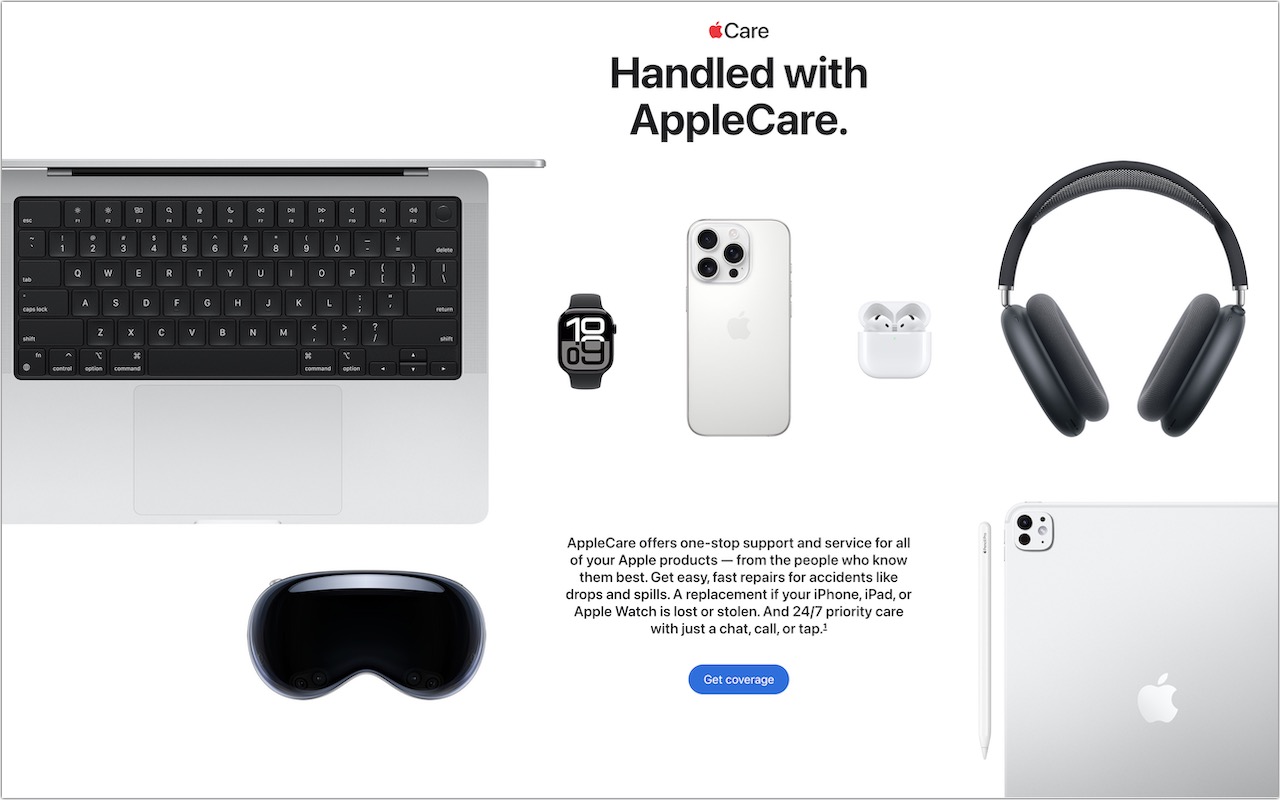
Both plans include unlimited accidental damage protection and battery replacements when capacity drops below 80%. Apple advertises its AppleCare+ and AppleCare One plans as including 24/7 priority support, but it’s worth noting that any customer can call Apple Support for help. Apple reserves the right to limit free phone-based assistance for the first 90 days after purchase to AppleCare subscribers, but in practice doesn’t limit support calls even after that.

Device-Specific Recommendations

As much as Apple would appreciate you paying extra for AppleCare+ or AppleCare One for every device you buy, it isn’t always the best financial choice. Here’s when AppleCare coverage is worth considering for different devices, roughly ordered by how important the coverage is:

  • iPhones: You should strongly consider AppleCare+ with Theft and Loss or AppleCare One. Phones are constantly mobile, easily dropped or lost, and expensive to replace. With coverage, screen or back glass repairs cost just $29, other repairs are $99, and a replacement will set you back only $149. But a protective case is still a good idea.
  • Mac laptops: We highly recommend coverage, especially for students. Laptops are frequently mobile, easily dropped or knocked off desks, and particularly vulnerable to damage when closing the screen. A single repair will almost certainly cost more than a year of coverage.
  • iPads: Consider coverage based on your model and how you use it. For an inexpensive base-level iPad, coverage may be unnecessary unless it’s for a child or paying for a repair would stretch your budget. For an iPad Air or iPad Pro, think about coverage based on how often you use it in situations where it could be dropped or lost.
  • Apple Watches: Coverage is typically unnecessary due to their exceptional durability and relatively low cost. Even with heavy use, a watch is difficult to damage and less likely to be lost than an iPhone since it’s attached to your wrist.
  • Desktop Macs and displays: In most cases, you can skip coverage altogether. These devices seldom move and have low failure rates.
  • AirPods: You can usually skip coverage. While you’ll probably drop them often, they’re pretty durable. More importantly, they’re relatively inexpensive to replace.
  • Apple TV and HomePod: Don’t bother covering them—they’re inexpensive to replace, stay in one spot, and rarely experience hardware failures.
  • Apple Vision Pro: Absolutely get AppleCare+ because the Vision Pro is so expensive, and you’ll be putting it on and taking it off regularly, making it easy to drop or knock off the couch.

When AppleCare One Makes Sense

If you own multiple devices, compare the cost of individual AppleCare+ plans against AppleCare One’s consolidated coverage. The $19.99 monthly fee for three devices could represent real savings, particularly if you have high-end devices. For example, individual AppleCare+ coverage for a 13-inch MacBook Pro ($9.99/month) and iPhone 16 Pro ($13.99/month) would total $23.98 per month, making AppleCare One’s $19.99 fee an attractive option, especially if you add a 13-inch iPad Air ($6.99/month) that you wouldn’t otherwise cover. In contrast, AppleCare One wouldn’t make sense if you had a 13-inch MacBook Air ($6.99/month) and an iPhone 16e ($9.99/month), which together would cost only $16.98 per month.

However, it’s not always straightforward. AppleCare One will cost $239.88 per year ($19.99 × 12). In the MacBook Pro and iPhone 16 Pro example, annual AppleCare+ plans would cost $239.98 ($99.99 + $139.99), essentially the same as AppleCare One. For the MacBook Air and iPhone 16e combination, annual payments would reduce the cost to $169.98 ($69.99 + $99.99) compared to the monthly total of $203.76 ($16.98 × 12), making AppleCare One’s $239.88 even less appealing.

Important AppleCare One Considerations

Before purchasing AppleCare coverage, keep these points in mind:

  • AppleCare One is a per-user plan for devices signed in to your Apple Account. You can’t add devices purchased for family members if they use them with their own Apple Accounts.
  • AppleCare One complains about Macs with multiple accounts; we hope Apple will address this problem soon.
  • All plans include service fees for repairs and replacements.
  • AppleCare One can cover devices up to 4 years old, although they may need to pass a diagnostic check. AppleCare+ plans can be added only within 60 days of the original purchase date.
  • AppleCare One is currently available only in the US, while individual AppleCare+ plans are available more broadly in other countries.

Remember that extended warranties generally benefit the companies offering them more than the customers buying them. Apple wouldn’t offer AppleCare+ or AppleCare One if it weren’t going to make money in the process. Nonetheless, AppleCare can provide valuable peace of mind, especially for mobile devices that face daily risks.

(Featured image by Apple)


Social Media: Wondering if AppleCare is worth it for your Apple devices? Get clear guidance on coverage options, including details about the new AppleCare One plan that could save you money.
Similar Posts

  • Droids, Drones, Scooters, Cars and USB C

    I remember only a couple years ago when drones were new and cutting edge technology. Now, there are huge sections of the show devoted to drones of all sorts: fighting drones, mini drones, paper airplane drones and dancing drones. I don’t know if it is the Star Wars influence but droids were everywhere, including “laundroids” for folding your laundry, grill cleaning droids, window washing droids and all kinds of robots.

    3D printers were new and unique and again whole sections of the show were devoted to “replicators” making everything from iPhone cases to clothing to spare body parts. Several companies were there just to show their filaments for these 3D printers.

    Scooters were everywhere. You know, the ones in the news that have the batteries that blow up. Well, literally dozens of companies were showing their versions and the original Segway had a booth, too. Some one-wheel scooters were there as well as shoes with wheels that zipped you around.

    p{text-align: center;}. !http://blog.smalldog.com/images/4638.jpg!

    Self-driving cars and technology for self driving cars dominated the North Hall and some concept cars were shown, too. My favorite was the Faraday electric car that looked like a single seat batmobile.

    USB-C made its debut at the show with hubs, cables and some USB display port displays, too. I think we will see a lot of USB-C stuff coming up!

    Less prevalent this year was the huge variety of iPhone and iPad cases. There were huge sections last time but while there were several companies showing cases it was toned way down. In their place, power banks of all sorts were being shown in every imaginable shape and size. The Apple battery case, aka the hump, was universally panned but several companies had slim battery cases for the iPhone.

    p{text-align: center;}. !http://blog.smalldog.com/images/4641.jpg!

    I did walk through the TV section but it was not as notable as in past years. The 3D fad has sort of expired and 4K displays are common. I still love the OLED displays, though.

    Other areas that were huge were health care and fitness with a lot of wearable fitness devices and health monitors or all sorts from implantable blood glucose devices to blood pressure cuffs, thermometers and scales. The home automation section was larger than previous years and there were some new HomeKit compatible devices. I liked the NoLok offering of bluetooth compatible padlocks and bike locks that work similar to the Kevo system.

    It was a quick trip out to Vegas but it was certainly worthwhile. I will follow up next week with a bit more.

  • Spring Fever

    We’re all starting to chat the itch to spend some more time outside around the office. Most of us enjoy winter activities throughout the winter months, but we are coming out of one of the worst winters in a long time. There was little snow and many winter activities were cancelled over the past several months. To help get us out of the winter funk, we thought it was appropriate to celebrate “**Spring Fever**”:http://www.smalldog.com/springfever/spring-fever in our stores by putting together some great deals for accessories that you can use to enjoy the warmer weather that is upon us.

    Recently we have brought in products from several new manufacturers of speakers, headphones and iPhone accessories. One of my favorite new items that we have brought in are new “**Bluetooth speakers from Cambridge Audio**”:http://www.smalldog.com/product/87874/. These portable speakers come in a variety of colors, they easily sync to both your computer and iPhone (though not at the same time) and they have an auxiliary connection if you wish to plug the speaker directly into your device. We’ve all been impressed by the ease of pairing the speakers as well as the sound quality. These speakers normally sell for $99.99 but we have the titanium colored ones on sale for **79.99**. They are an excellent quality at this price point. Last week I introduced new Bluetooth headphones from “**BlueAnt**”:http://www.smalldog.com/category/?mmfg%5B0%5D=BlueAnt and we’ve decided to bundle these headphones with a **FREE** Belkin armband for iPhone 6/6s. We are really liking these new headphones! Check out these great “**Spring Fever deals**”:http://www.smalldog.com/springfever/spring-fever and more.

  • B.B. King – The King of the Blues

    For more than half a century, Riley B. King – better known as B.B. King – defined the blues for a worldwide audience. Since he started recording in the 1940s, he has released over fifty albums, many of them classics. He was born September 16, 1925, on a plantation in Itta Bena, Mississippi, near Indianola. In his youth, he played on street corners for dimes, and would sometimes play in as many as four towns a night. In 1947, he hitchhiked to Memphis, TN to pursue his music career. Memphis was where every important musician of The South gravitated, and it supported a large musical community where every style of African American music could be found. B.B. stayed with his cousin Bukka White, one of the most celebrated blues performers of his time, who schooled B.B. further in the art of the blues.

    B.B.’s first big break came in 1948 when he performed on Sonny Boy Williamson’s radio program on KWEM out of West Memphis. This led to steady engagements at the Sixteenth Avenue Grill in West Memphis, and later to a ten-minute spot on black-staffed and managed Memphis radio station WDIA. “King’s Spot,” became so popular, it was expanded and became the “Sepia Swing Club.” Soon B.B. needed a catchy radio name. What started out as Beale Street Blues Boy was shortened to Blues Boy King, and eventually B.B. King.

    In the mid-1950s, while B.B. was performing at a dance in Twist, Arkansas, a few fans became unruly. Two men got into a fight and knocked over a kerosene stove, setting fire to the hall. B.B. raced outdoors to safety with everyone else, then realized that he left his beloved $30 acoustic guitar inside, so he rushed back inside the burning building to retrieve it, narrowly escaping death. When he later found out that the fight had been over a woman named Lucille, he decided to give the name to his guitar to remind him never to do a crazy thing like fight over a woman. Ever since, each one of B.B.’s trademark Gibson guitars has been called Lucille.

    B.B. was inducted into the Blues Foundation Hall of Fame in 1984 and into the Rock and Roll Hall of Fame in 1987. He received NARAS’ Lifetime Achievement Grammy Award in 1987, and has received honorary doctorates from Tougaloo(MS) College in 1973; Yale University in 1977; Berklee College of Music in 1982; Rhodes College of Memphis in 1990; Mississippi Valley State University in 2002 and Brown University in 2007. In 1992, he received the National Award of Distinction from the University of Mississippi.

    B.B. King came to Vermont many times and I had the pleasure of being at several of his concerts. He died last year at the age of 90 and was performing to sold out crowds right up until he died. B.B. King is gone but the –The Thrill is Gone- lives forever.

  • Black History Month – Thurgood Marshall

    Way before Barack Obama broke the color barrier to become president of the USA, Thurgood Marshall broke that barrier for another of the most powerful and important positions in the country, that of Supreme Court Justice. After graduating from high school with honors he applied to the University of Maryland law school where he was not accepted because he was black. Instead, he went to Howard University and received his law degree in 1933.

    Before being appointed Supreme Court Justice, he had a stellar career from 1934 to 1961 as a lawyer for the NAACP where he won landmark civil rights cases. Beginning in 1940, Marshall won 29 of 323 US Supreme Court cases. One of his first big cases was Smith vs. Allwrite in 1944 which overthrew the South’s “White Primary”. The White Primary was a practice of excluding African Americans from the Democratic Party. It was most common in a state where that party controlled the state government.

    In 1954 Marshall achieved a landmark victory with the case of Brown vs. Board of Education of Topeka. This Supreme Court decision demolished the legal basis for segregation in the USA. It also made state-enforced racial segregation in public schools invalid.

    In 1961 he was appointed the the US Court of Appeals by President Kennedy. He was the first African American on the Court of Appeals and went on to be appointed to the Second Court of Appeals. President Johnson made him the Solicitor General in 1965 and later in 1967 President Johnson nominated him for the Supreme Court.

    On the Supreme Court he was a steadfast supporter of positive gender and racial action policies and in his 24 years on the court he became a vocal liberal on a conservative-dominated court. He was an ardent supporter of Constitutional protection of individual rights, in particular the rights of criminal suspect versus the government. Marshall’s backing of Affirmative Action led to his strong dissent in the Regents of the University of California vs. Blake in 1978. Justice William Brennan was Marshall’s most reliable confederate who voted with him against the death penalty.

    Citing poor health, Thurgood Marshall stepped down from the court in 1991 and remained a vocal critic of the court until his death in 1993 at the age of 84.