How to Disable Inline Predictive Text Suggestions

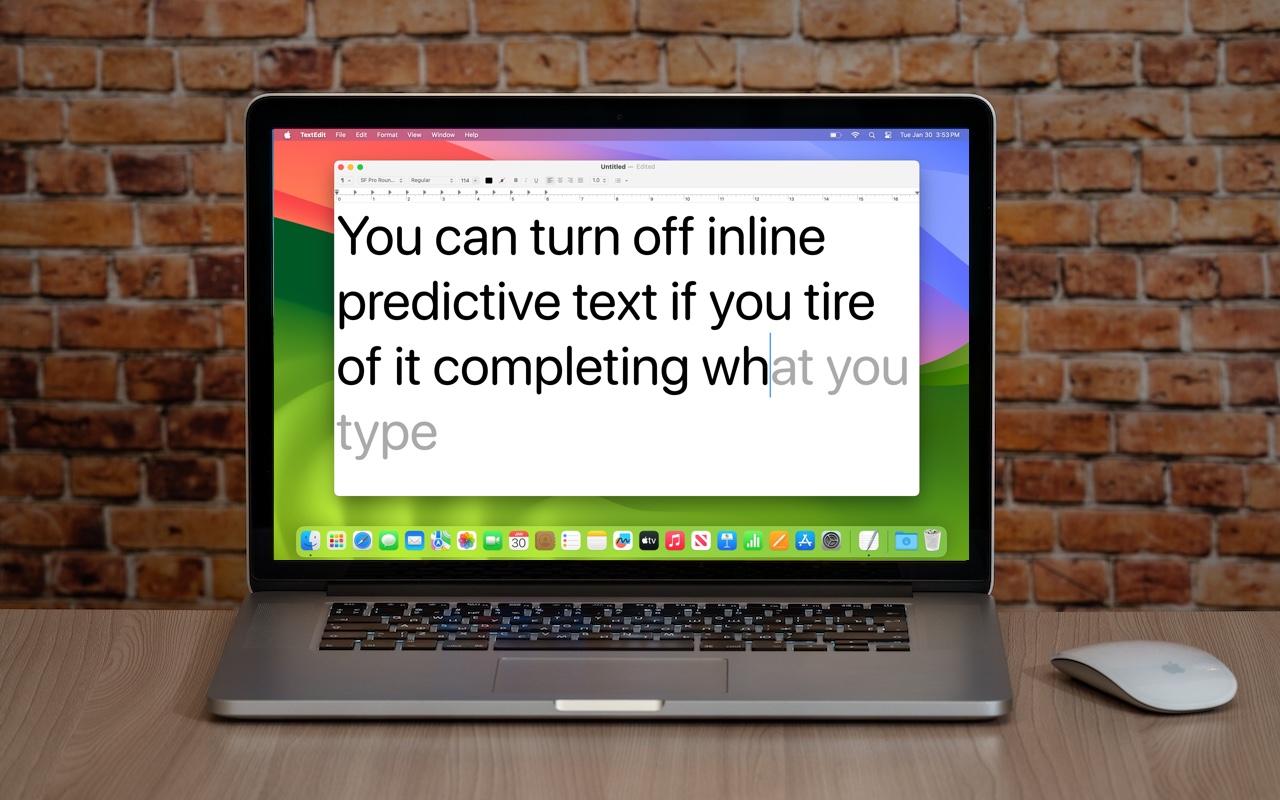
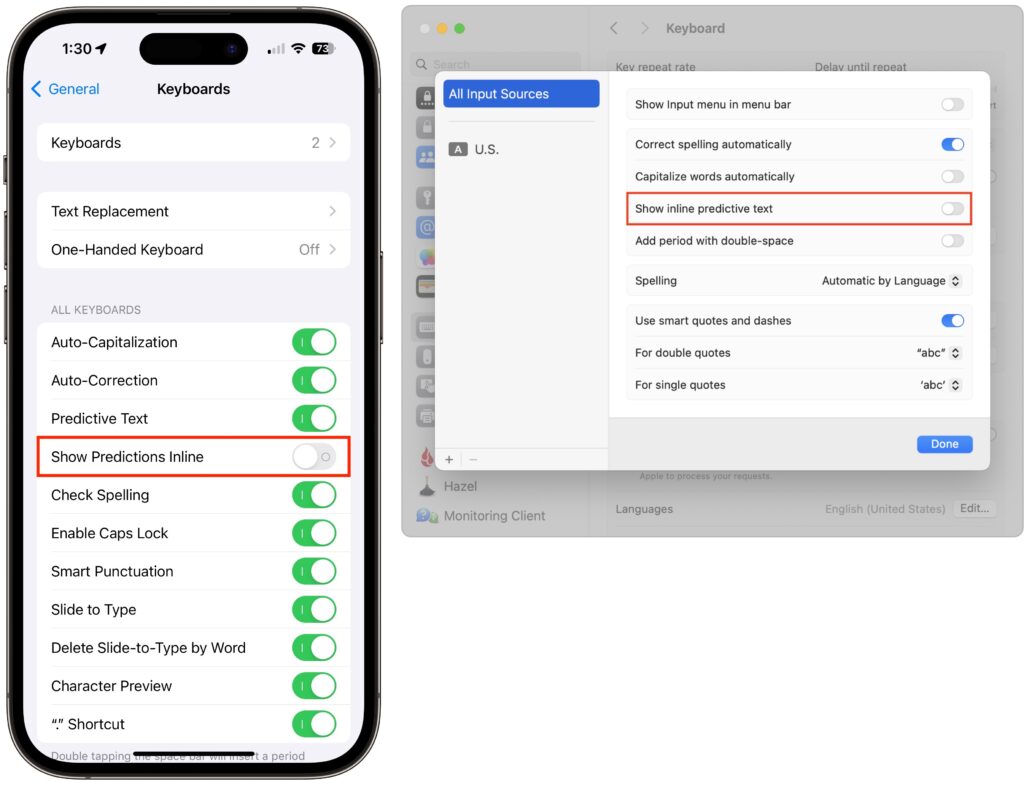
In a slight nod to the hype surrounding generative AI, Apple added inline text prediction capabilities to the iPhone, iPad, and Mac. They can be helpful, particularly on the iPhone and iPad, where it’s often much easier to tap the Space bar than to finish typing a word or sentence. But that’s less true on the Mac, where a fast typist can be slowed down or derailed by the suggestions, and some people dislike having an AI finish their thoughts. The feature is easily turned off. On the iPhone and iPad running at least iOS/iPadOS 17.2, go to Settings > General > Keyboard and switch off Show Predictions Inline. (Leave Predictive Text on to continue to get suggestions above the keyboard.) On the Mac running macOS 14.2 Sonoma or later, open System Settings > Keyboard, click Edit under the Text Input header, turn off “Show inline predictive text,” and click Done.
(Featured image based on an original by iStock.com/Armastas)


Social Media: If you’re not a fan of the new inline text predictions on your iPhone, iPad, or Mac, you can easily turn them off and get back to typing only the words you want to appear.


Similar Posts

  • _Dear Friends,_

    Vermont is back in the freezer as April becomes the most frustrating month for the Green Mountains. The days are longer, there is sun but it is too early to work in the garden. The roads are muddy and while the black flies haven’t awoken yet, it is hard to stay in the house but challenging to go outside.

    The iPad Pro 9.7-inch model has arrived at our stores and the initial sales have been strong. While this new iPad, at first glance, looks like the old iPad, once people start using it, playing with the Apple Pencil and realizing the advancements of this latest iPad they are hooked. Size-wise, I think that it might be ideal. The iPad Pro 12-inch model is, well it is big. The iPad mini is good for reading or checking your email abut the 9.7-inch iPad Pro is just right.

    I am very pleased to introduce the latest member of the Small Dog Team, Amy Farnsworth, who joins us as our Marketing and Design manager. Amy has strong marketing and graphic design background from her work in Utah and has recently relocated to Vermont with her husband. She says “I am a graphic designer, daydreamer, dog lover, wife, sister, best friend, Netflix junky & secret dad joke lover.” I think she will fit in fine! Please join me in welcoming Amy!

    This week’s Kibbles & Bytes exclusive features the Apple Certified Refurbished MacBook Pro. This is not a stripped down MacBook Pro but a fully-configured unit ready for your toughest challenges. It features the 2.8 GHz i7 intel processor, 16GB of ram, a 1TB hard drive and the NVIDIA 750M graphics chip driving the awesome “15-inch Retina display.”:http://www.smalldog.com/wag900002189 This Macbook Pro comes with the same 1-year warranty as new Macbook Pros but we are bundling it this week with Applecare that not only extends that 1-year warranty to 3-years but also extends your 90-days of free tech support from Apple to 3-years as well. “Kibbles & Bytes readers save $100 on this bundle at only $2925.98!”:http://www.smalldog.com/wag900002189