Choosing the Best Mac for a College-Bound Student in 2026
If you have a college-bound student, it’s time to think about whether they need a new Mac. Perhaps their current computer is showing its age, or it was a high school loaner, or it would be better handed down to a younger sibling. Whatever the reason, navigating Apple’s current Mac lineup can feel overwhelming, especially given the wide range of price points. Here’s how to choose.
First, you (or your child) will need to do some homework. Check with the college for any technical requirements. Some programs or majors mandate specific processor types, memory amounts, or storage capacities based on the software their students use. Current Macs can usually meet or exceed these specs without issue. A more pressing concern is whether a particular field of study requires Windows. If so, dig deeper—is the requirement driven by specific Windows-only software, or is it simply the IT department’s preference for a uniform support environment? It’s also worth checking if the college offers educational pricing. Most do, and you can usually save a few hundred dollars. Apple also typically runs a Back to School promotion that may be interesting.
For college students, a laptop makes far more sense than a desktop Mac. Students rarely stay put—they work in lecture halls, libraries, the quad, coffee shops, and wherever they can find a seat. There’s also the matter of breaks: when students head home, they need a computer that travels with them so they can keep working on assignments. A student who’s already comfortable taking notes on an iPad with a keyboard and Apple Pencil could potentially supplement that with a desktop Mac, but for the vast majority, a laptop is best.
Apple’s MacBook Choices
Happily, Apple’s current lineup offers something for nearly every student. We see four primary scenarios:
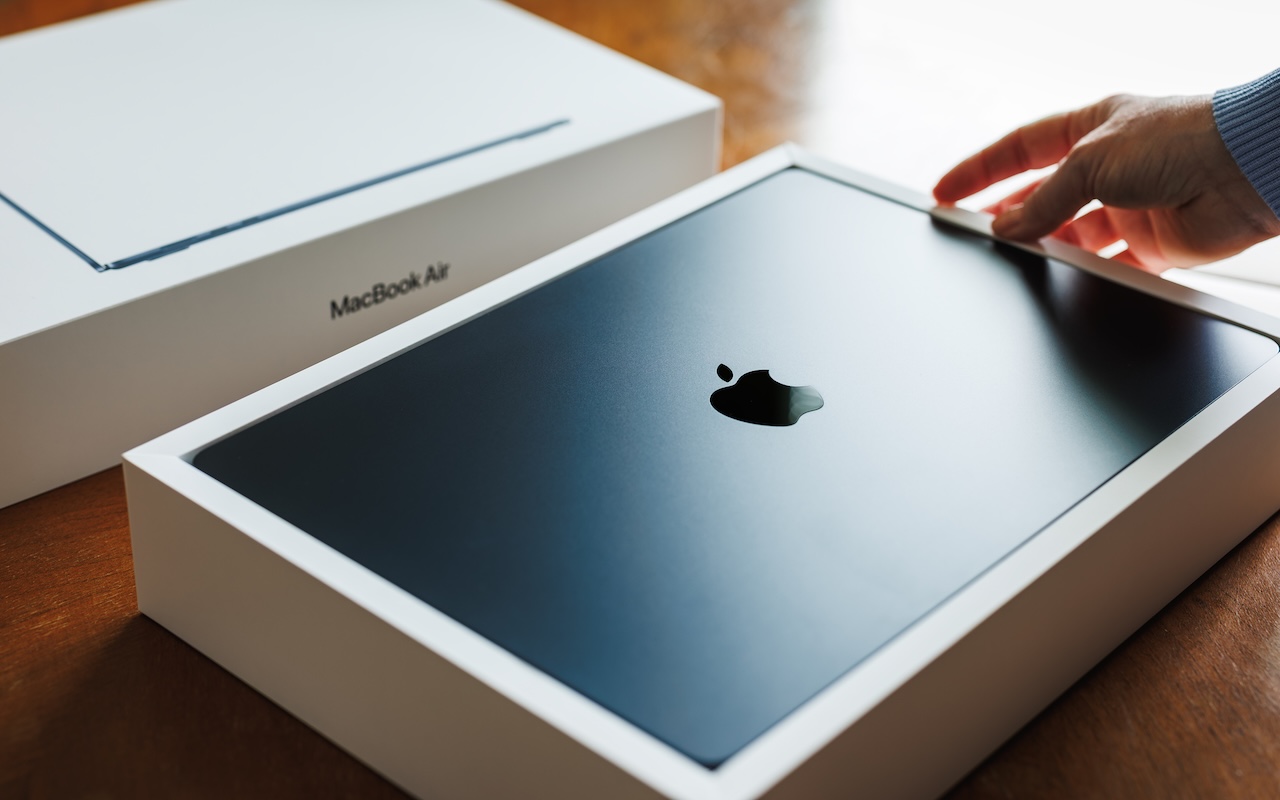
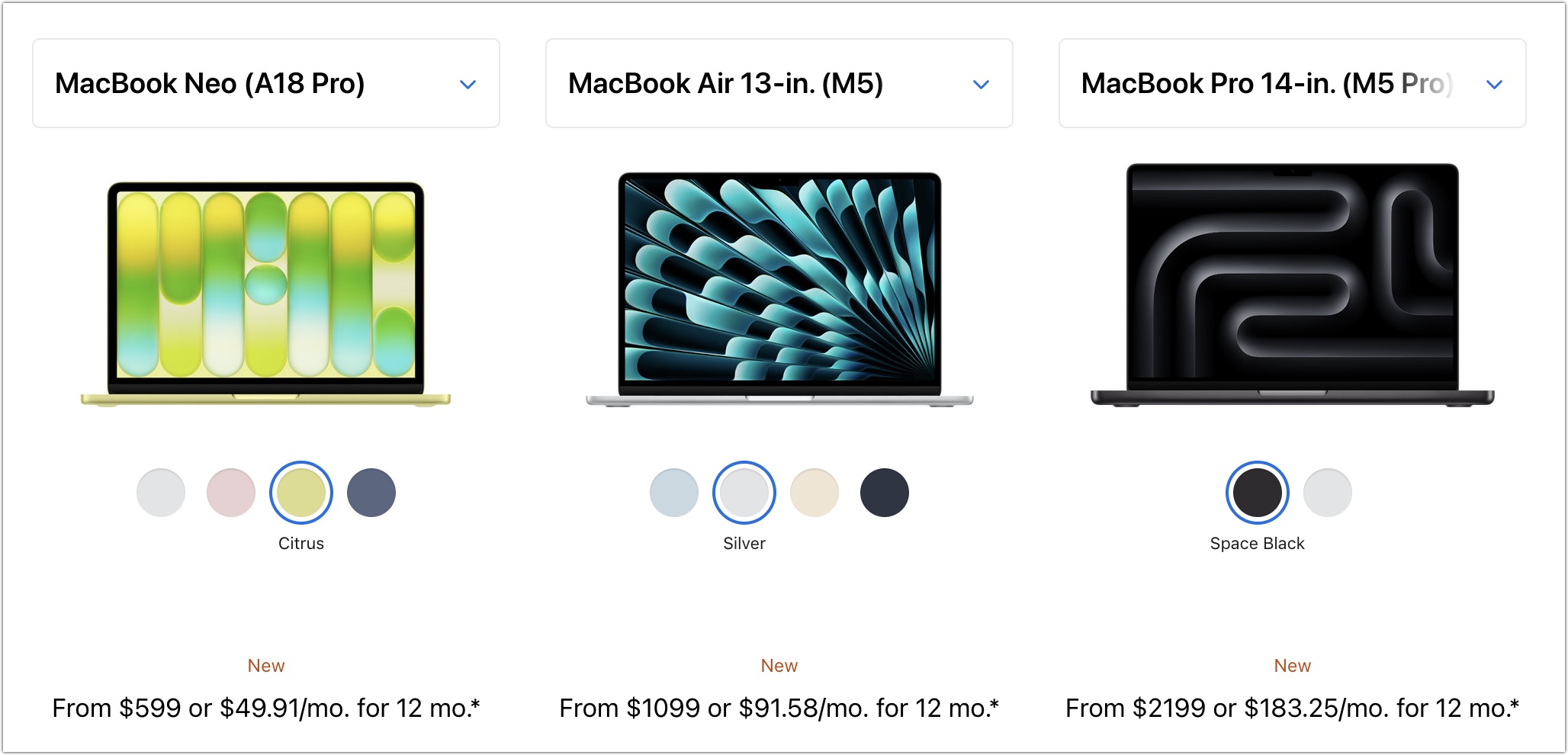
- Most students: Buy Apple’s MacBook Air, the company’s most popular laptop. The 13-inch and 15-inch M5 MacBook Air models, refreshed in March 2026, now start with 512 GB of storage and feature faster SSDs. The 13-inch M5 MacBook Air features a 13.6-inch screen, a memory ceiling of 32 GB, and up to 4 TB of storage, starting at $1,099. For those who want a larger display, the 15-inch M5 MacBook Air is a great choice, starting at $1,299. Otherwise, it’s nearly identical to its smaller sibling.
- Better specs: If performance is more important than price, consider the 14-inch MacBook Pro. It features M5, M5 Pro, or M5 Max chips. The entry-level M5 model starts at $1,699, but there’s little reason to choose it over the M5 MacBook Air. For students who need more power, the M5 Pro ($2,199) and M5 Max ($3,599) can be configured with significantly more memory—up to 64 GB with the M5 Pro or 128 GB with the M5 Max. Students majoring in film production, computer science with a focus on machine learning, or other fields involving heavy computation may benefit from an M5 Pro and more memory. (There’s also a 16-inch MacBook Pro in M5 Pro and M5 Max configurations—the larger screen is nice for video work, but it’s heavy and way more expensive.)
- Budget choice: If budget is the primary constraint, look at Apple’s new $599 MacBook Neo. It handles basic tasks like Web browsing, writing papers, and video streaming without issue. However, it has significant limitations: only 8 GB of memory, an iPhone-class A18 Pro chip that’s notably slower than the M5, and a limited port selection. The Neo is adequate for students whose coursework involves only word processing, Web research, and light productivity apps—but it won’t suffice for students who discover a passion for video editing, data analysis, or 3D modeling.
- Windows compatibility: The only downside of Macs with Apple silicon is that it’s more challenging to run Windows using virtualization software like Parallels Desktop (available at half price for students) or VMware Fusion (free for personal use). If Windows is a bonus but not essential, Windows 11 for Arm should work for most apps. However, if Windows compatibility and performance are crucial, your best option is—much as we hate to say it—a PC laptop.
Choosing Processor, Memory, and Storage Options
No matter which laptop you choose, you’ll need to select a processor, memory size, and storage capacity:
- Processor: For the most part, processor choice tracks with model and budget. The low-end MacBook Neo only offers an A18 Pro with a 6-core CPU and 5-core GPU. The mid-range MacBook Air models have an M5 with a 10-core CPU and either an 8-core or 10-core GPU; the extra GPU cores offer a little more performance for an extra $100. The powerful 14-inch MacBook Pro offers a choice between the M5 and multiple configurations of the M5 Pro and M5 Max. The base M5 model performs the same as the M5 MacBook Air, but students with significant computational needs will benefit from an M5 Pro or M5 Max, with price being the main constraint.
- Memory: The MacBook Neo has 8 GB of memory with no upgrade option—sufficient for basic tasks but limiting for demanding apps or heavy multitasking. The M5 MacBook Air models start at 16 GB and offer 24 or 32 GB options. On the 14-inch MacBook Pro, memory capacity varies by chip. The M5 Pro comes standard with 24 GB, with upgrade options to 48 or 64 GB. The M5 Max has a standard memory spec of 36 GB, with upgrade options to 48, 64, or 128 GB. Students can typically stick with 16 GB or choose 24 GB for more demanding tasks—a few will require 32 GB or more.
- Storage: The MacBook Neo starts at 256 GB ($599) or 512 GB ($699, which also adds Touch ID, a welcome feature for a college student using their laptop in public spaces). For both MacBook Air models, 512 GB is the minimum storage option, with upgrades up to 4 TB. The 14-inch MacBook Pro with M5 Pro starts at 1 TB, while M5 Max models start at 2 TB, with upgrades up to 8 TB. Choose the storage capacity based on two factors: budget (storage gets expensive quickly) and anticipated usage (audio and particularly video production can consume a lot of space, as can large numbers of images). It’s easy to offload large, infrequently used files to an external SSD or hard drive, but external storage prices have skyrocketed lately, making Apple’s prices for internal storage less extreme.
Our Recommendation
For most students, the best choice for a Mac likely to last four years of college is the 13-inch or 15-inch M5 MacBook Air, equipped with 16 GB or 24 GB of memory and either 512 GB or 1 TB of storage. While the 15-inch model has a larger screen, it’s heavier and takes up more space in a backpack, so consider portability when making your final decision. Be sure to budget for AppleCare+ as well; it’s almost certain that a mishap will occur with a student laptop, and AppleCare+ covers up to two incidents of accidental damage per year.
Be sure to talk with your child to learn more about what they think they’ll need—and compare it to the college’s recommendations—but if you have any questions afterward, feel free to reach out to us.
(Featured image by iStock.com/Zbynek Pospisil)
Social Media: Which Mac is best for a college student now? The 13-inch or 15-inch M5 MacBook Air hits the sweet spot of performance, portability, and price. If budget is a constraint, consider the MacBook Neo; for more power, choose the 14-inch MacBook Pro.