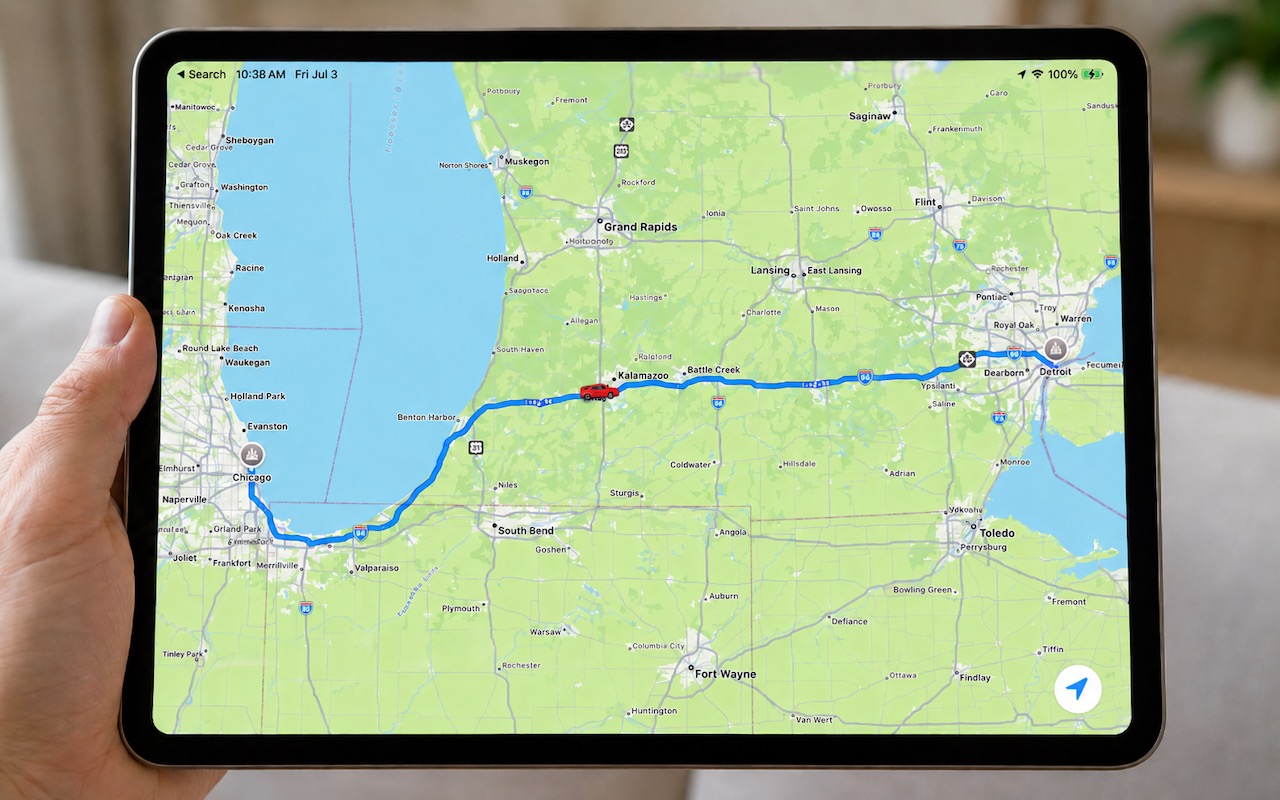
Share Your Location Temporarily While Traveling

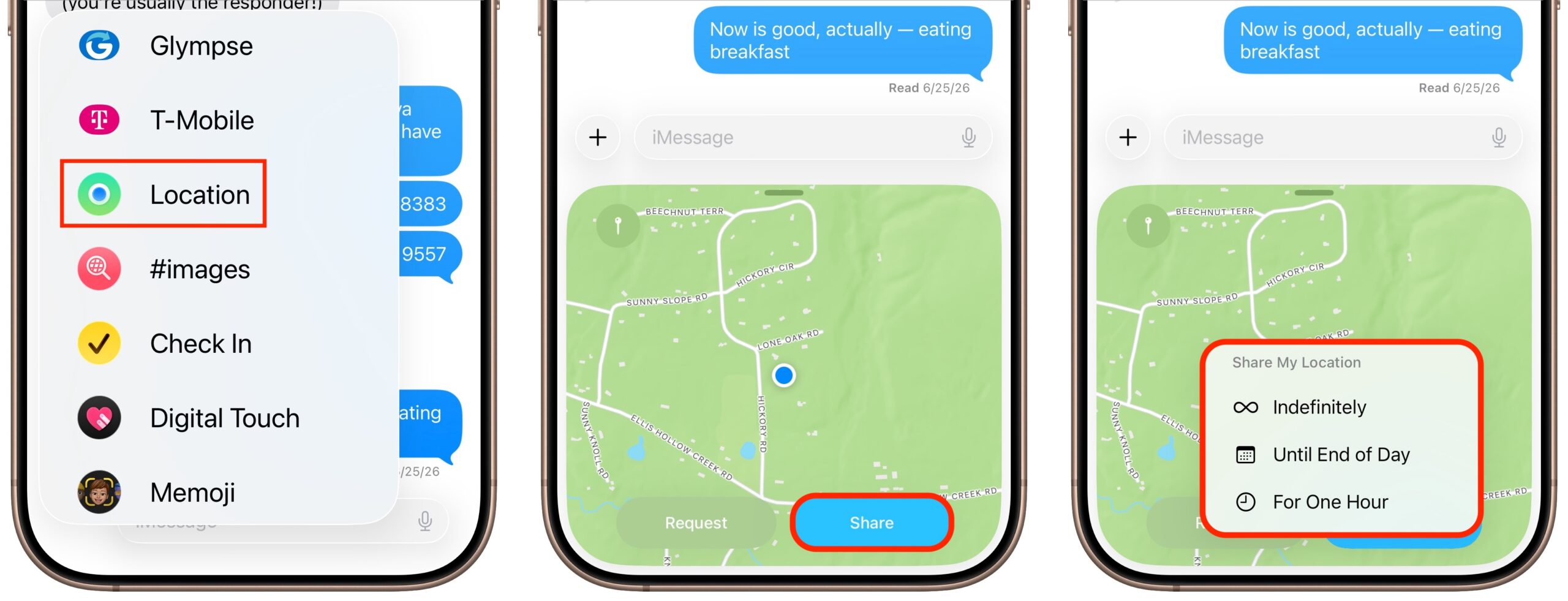
The next time you’re flying, driving, or biking to visit an iPhone-using friend or relative, try sharing your location temporarily so they can check in on your progress without constant “where are you now?” texts. In iOS 17 and later, open a Messages conversation with that person, tap the ⊕ button to the left of the message entry field, and tap Location. In the location-sharing control that appears, tap the Share button, then choose Until End of Day or For One Hour. You can also tap the Request button to ask the recipient to share their location with you. If you pick Indefinitely for the sharing duration and later wish to revoke it, open the Find My app, tap the People list, select the person, and tap Stop Sharing My Location.
(Featured image generated by Adam Engst with ChatGPT)


Social Media: Put an end to the “where are you now?” texts. iOS lets you temporarily share your location with friends and family while traveling—here’s how to set it up in Messages.
Similar Posts

  • _Dear Friends,_

    The trip up the the Everglades was pretty uneventful although we did see alligators and eagles as we were watching nature go by. Grace wants to go back up for an airboat ride so we will have to put that on the list.

    I am very happy to report that Small Dog Electronics now offers Go-Pro cameras and accessories. It took us many tries but I was able to meet with someone that could make a decision at CES in Las Vegas so we are now all set and Go-Pro should be in all of our stores. We’ll feature skiing and motorcycling kits up in the Green Mountains and some surf-oriented bundles down in Key West.

    I guess this should be in a soapbox but I just want to make a quick statement that I feel that Tim Cook and Apple are 100% correct in resisting the government’s attempt to force them to create software to defeat the encryption inherent in the iPhone. One of Apple’s most valuable commodities is safety. You know when you buy an Apple product that your data is safe. Safe from most viruses, malware, ransomware and also that your private data remains just that…private. While I certainly sympathize with those investigating the horrible San Bernadino terrorist actions, I do not feel that we should pay an even higher price and sacrifice our liberty and privacy as a result. Bravo to Tim Cook and Apple.

    This week’s Kibbles & Bytes exclusive is the “**Tempus Pro Weather Station.**”:http://www.smalldog.com/wag900002092 This complete wireless weather station has been one of out best selling devices. It combines an indoor monitoring station with an outdoor instrument and an iPhone or iPad App to give you complete weather information. It includes sensors for indoor and outdoor temperature, humidity, barometric pressure, rainfall and wind speed. It is simple to install and works by Bluetooth between the outdoor and indoor sensor and Wi-Fi to your iPhone. This is normally $159.99 but for this week for Kibbles & Bytes readers it is “**$25 off at $134.99!**”:http://www.smalldog.com/wag900002092

  • Choosing the Best AI Chatbot for Your Needs

    Questions about AI from our clients keep coming in, with many asking which tools to choose. It’s understandable confusion—the number of AI chatbots…

  • BlueAnt Mini Wireless

    No, not some new invasive species, but rather some really cool wireless headphones! BlueAnt audio is one of our newest headphone lines that we have begun to carry here at Small Dog. The “Pump Mini”:http://www.smalldog.com/product/87884/blueant-pump-mini-wireless-hd-audio-sport-buds-purple Wireless HD Audio Sports Buds have become my latest must have! These are lightweight, hold a great charge and come in several colors.

    When I first saw these headphones I was a little skeptical. I actually hadn’t ventured into wireless earbuds before trying these headphones and had heard customer complaints in the stores about different varieties over the last year or so. The biggest issue that I had heard was comfort and how well they stayed in your ears, so I had no idea what I about to experience! I charged up the headphones and tested them out on some morning runs before work and was very pleased with them. I easily connected the headphones to my iPhone and enjoyed great sound out of them. They were comfortable and stayed in my ears easily. I was even able to take phone calls with them and those I was talking to could easily hear me. I also connected them to my Apple Watch and as you might guess, preferred this over carrying my iPhone with me.

    I’ve begun using these earbuds in the office as well with my MacBook Air. I unfortunately have to wear glasses, so I find that many over the ear headphones (and I’ve used countless ones!) inevitably give me a headache from the pressure the headphones put on my glasses behind my ears. Contacts aren’t an option for me so I have found these headphones have begun to serve a truly universal role!