Rescue a Stuck iPhone or iPad with iOS 27’s Built-In Recovery Screen

If your iPhone or iPad running iOS 27 or iPadOS 27 won’t finish starting up after an update, you can now try fixing it without a computer. Apple’s new iOS Recovery may appear automatically after a failed update. To start it yourself, shut the device down (force-restarting it if necessary), unplug it, and press and hold the side button (the top button on an iPad) past the Apple logo until “Loading recovery options” appears. You’ll see up to five choices, most of which need your passcode, Wi-Fi, or a second iPhone or iPad. Start with Recovery Assistant, which downloads software over Wi-Fi to repair startup problems. Use Recovery Mode, which requires connecting the device to a Mac or PC, only if nothing else works.

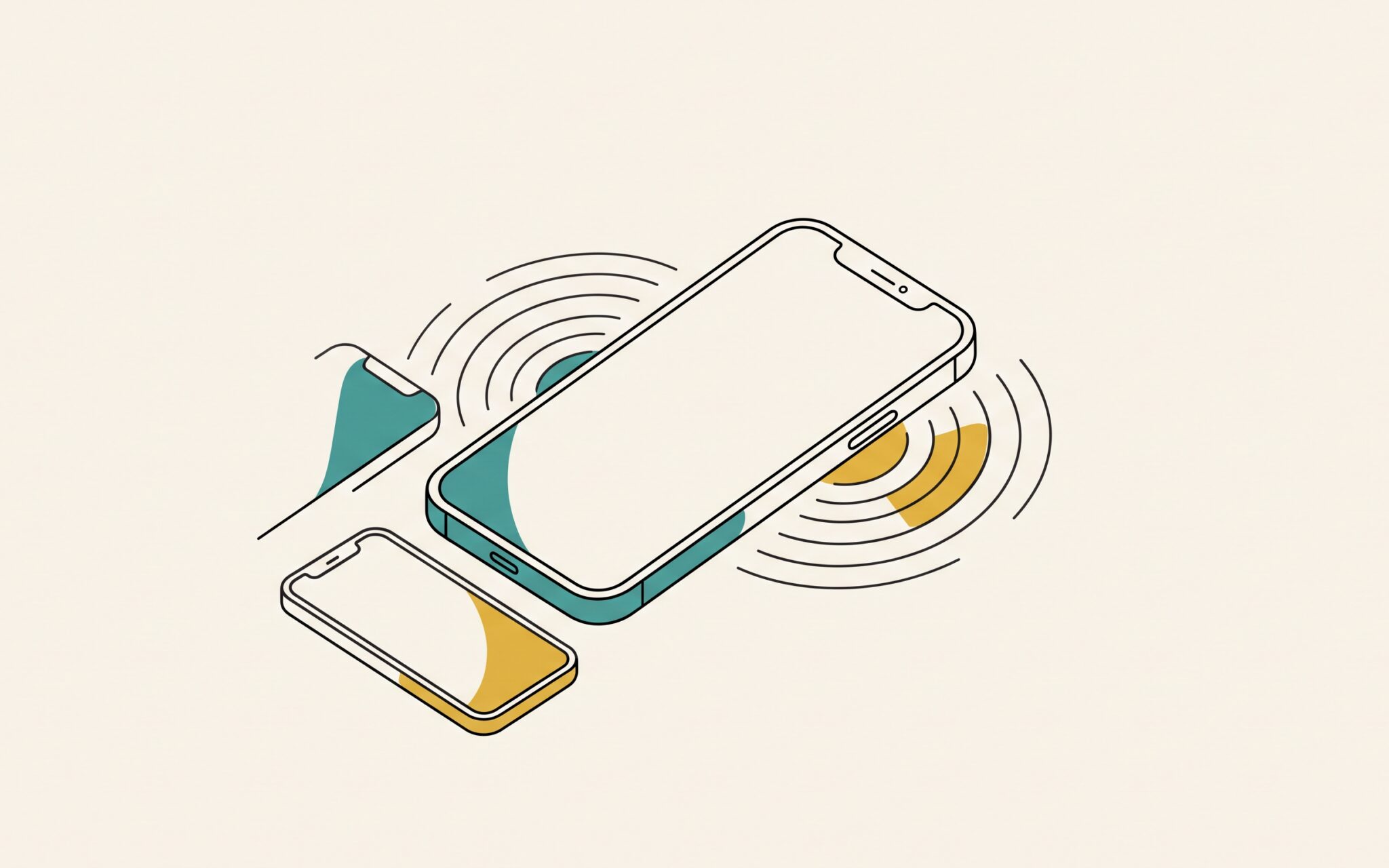
Pressing and holding the button again on that screen reveals a hidden sixth option, Nearby Device Recovery, which restores the stuck device’s software with help from a second iPhone or iPad that’s unlocked, on Wi-Fi, and running iOS 18 or later. Plug the stuck device into power, set it next to the other device, and enter the six-digit code that appears on the stuck device into the other one to share its Wi-Fi connection. Nearby Device Recovery works only on the iPhone 15 Pro or later, iPad Pro 11-inch (3rd generation) or 12.9-inch (5th generation) or later, iPad Air (5th generation) or later, iPad mini (A17 Pro), and iPad (A16). Neither Recovery Assistant nor Nearby Device Recovery can use Wi-Fi that shows a sign-in page, as in many hotels, or enterprise Wi-Fi that asks each person for a username and password. A typical home or office network with one shared password is fine. Erase All Content and Settings deletes all your data, so choose it only if you have a recent iCloud or computer backup. For a company-managed device, check with IT first—we’re also happy to help.
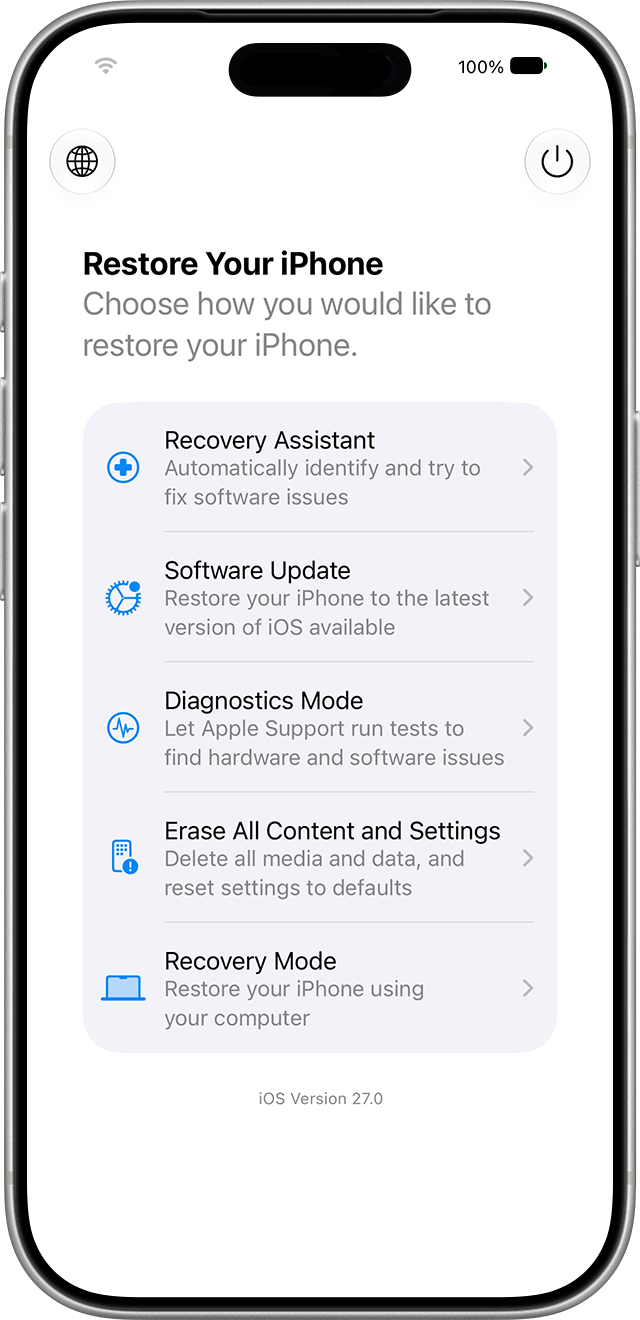
iPhone iOS Recovery screen listing Recovery Assistant, Software Update, Diagnostics Mode, Erase All Content and Settings, and Recovery Mode

(Featured image by Trusted Content Network)


Social Media: Is your iPhone or iPad stuck at the Apple logo after an update? In iOS 27 and iPadOS 27, holding the side or top button at startup opens a recovery screen that can try to fix it without a computer.


Similar Posts

  • Beware Fake “Sextortion” Scams

    All those data breaches are coming back to haunt us. Once our phone numbers and addresses began to be leaked, it was only…

  • _Dear Friends,_

    Don’s making the voyage home this week from Key West back to the Green Mountains. He’s in for a bit of a shock when he gets back. Mother Nature seems to have gotten a bit confused this week. I mentioned in the fall that I was taking a new stance on winter and was going to embrace it this year and I truly did my best though we didn’t see much snow. But when we get a snow in late April, I choose to just ignore it. I didn’t bother to shovel off my deck and I left the hose to water my horses just thrown on the ground. In the end both these decisions only made my life harder. I had to lug water buckets for my horses as my hose was not only frozen to the ground, but frozen itself because I didn’t take the time to drain the water out of it. All the slush and snow I ignored on my deck was a sprained ankle waiting to happen and my screen door only opened halfway once everything froze back up. Well, let’s just hope this was finally the last of it and spring will finally show up for real. It always looks a little funny when the trees are starting to bud and there is still snow on the ground.

    The snow this week was a bit of a shock to many of us, and so was the latest financial report from Apple. For the first time in 13 years, Apple’s financial report showed lower than expected sales figures. iPhone sales showed their first decline since their release and iPad sales have been sluggish for several quarters now, but we’ll have more on this later in Kibbles.

    This week’s Kibbles & Bytes exclusive is perfect for the on-the-run Mom on your list or anyone who is on the go and trying to fit time in for themselves between home and the office. This week only, save $40 on this perfect on-the-run bundle. Get the OutDoor Tech Kodiak mini, the BlueAnt Pump Mini headphones and the Belkin Slim-Fit Plus armband for “**$99.97**.”:http://www.smalldog.com/wag900002212 This bundle is perfect for ensuring the mom who does it all can keep can keep her phone going to capture those special moments or squeeze in an important call during her workout.