Which Should You Use—a Mac, iPhone or iPad, or Web App?

Apps are everywhere these days, but it can be hard to remember that many exist in multiple versions. You can often run the same app on a Mac, an iPhone or iPad, and in a Web browser, each of which has benefits.

Generally speaking, Mac apps:

  • Have better-designed, more obvious interfaces that improve the user experience
  • Are easily switched to and managed among many other apps
  • Lend themselves to automation through Shortcuts, AppleScript, and Keyboard Maestro
  • Work best for processor-intensive, text-heavy, and large-screen tasks

iPhone and iPad apps:

  • Give you quick access to functionality away from your desk and on the go
  • Offer small-screen touch interfaces that can be superior for some tasks

Web apps:

  • Are accessible from any computer and many smartphones
  • Can be linked to other Web apps using services like IFTTT and Zapier
  • Can be used in any Web browser instantly without having to download anything

The key takeaway is that there’s no either/or situation here. For any app you depend on, it’s usually best to use the native Mac app on your Mac, the native iOS app on your iPhone or iPad, and the Web app whenever the native Mac or iOS app doesn’t fit the bill. Web apps are particularly welcome when you’re away from your Mac and need a full-fledged interface with a keyboard such that an iPhone version won’t suffice. Web apps can also be lifesavers when you need to get something done but are having trouble with the native versions.

Here is a list of apps that run natively on your Apple devices and are accessible in any standard Web browser. It’s far from comprehensive but should give you a feel for what apps you can use in different forms, often with almost no loss of functionality or access to stored data. Note that you’ll almost always need to log in to use a Web app, so make sure you have access to your stored credentials in a password manager.

Before we get into the list, we want to call out two special categories:

  • Email: Most IMAP-based email services that you can use in Apple’s Mail or another email client also provide access to your stored mail through a Web app.
  • iCloud: Many of the apps that Apple bundles with macOS, iOS, and iPadOS are also available as Web apps at iCloud.com. That list includes Calendar, Contacts, Find My, iCloud Drive, Mail, Notes, Photos, and Reminders.
App Native Apps Web App
1Password Mac, iOS 1password.com
Airtable Mac, iOS airtable.com
Asana Mac, iOS app.asana.com
Basecamp Mac, iOS basecamp.com
Box Mac, iOS app.box.com
Canva Mac, iOS www.canva.com
ClickUp Mac, iOS app.clickup.com
Dialpad Mac, iOS dialpad.com
Dropbox Mac, iOS dropbox.com
Evernote Mac, iOS www.evernote.com
Figma Mac, iOS figma.com
Gmail iOS gmail.com
Google Docs iOS docs.google.com/document/
Google Drive Mac, iOS drive.google.com
Google Sheets iOS docs.google.com/spreadsheets/
Hive Mac, iOS app.hive.com
Keynote Mac, iOS www.icloud.com/keynote/
Microsoft Excel Mac, iOS www.microsoft365.com/launch/excel
Microsoft OneDrive Mac, iOS onedrive.live.com
Microsoft PowerPoint Mac, iOS www.microsoft365.com/launch/powerpoint
Microsoft Teams Mac, iOS teams.live.com
Microsoft Word Mac, iOS www.microsoft365.com/launch/word
Monday.com Mac, iOS monday.com
Notion Mac, iOS www.notion.so
Numbers Mac, iOS www.icloud.com/numbers/
OneNote Mac, iOS www.onenote.com
Outlook Mac, iOS outlook.live.com
Pages Mac, iOS www.icloud.com/pages/
Skype Mac, iOS web.skype.com
Slack Mac, iOS slack.com
Todoist Mac, iOS todoist.com
Trello Mac, iOS trello.com
Wrike Mac, iOS www.wrike.com
Zoom Mac, iOS zoom.us

Again, this list is by no means comprehensive, but you can use it as a starting point for thinking about the apps you use. If you’ve been relying solely on a Web app, some quick searches should reveal whether it has a native Mac or iOS version that might be faster and smoother. It’s also equally worth investigating if one of your native apps has a Web version that you could turn to in a pinch.

(Featured image by iStock.com/Rudzhan Nagiev)


Social Media: Given the choice, should you use a native Mac app, an iPhone or iPad app, or a Web app that’s accessible in any standard Web browser? All have advantages, so the takeaway is that you should be ready to use whichever makes the most sense in the moment.

Similar Posts

  • Do you use iCloud for Safari?

    With all the news surrounding the government’s attempt to force Apple to write software that doesn’t exist to crack an iPhone, iCloud has been in the news, too! Do you use iCloud? Apple has some huge server farms to support this amazing technology and I thought it would be good to do a brief review of some of the features as they relate to Safari.

    iCloud has sort of settled to the back of my mind because it just does its thing in the background and serves up features that I take for granted. But this week, I ran into a dilemma that puzzled me for some time. I noticed that I had accidentally deleted one of my folders in my Safari favorites bar. These were important bookmarks and I needed them back. Well, like a good boy, I have a Time Machine backup and quickly went back in time and restored my Safari bookmarks from a time before I had deleted them. Good stuff, but when I went to look the next morning, the folder was gone again. This happened a few times with me going back in time to get the .plist file. Then I figured it out – I had Safari active in iCloud so my bookmarks were being synced in the cloud. So, every time I restored it, it would eventually be overwritten by iCloud. The solution? Really sort of simple, I turned off Safari in iCloud preferences and turned it back on, problem solved.

    Activating Safari in iCloud gives you some great tools. You can start browsing on your iPad and pick up seamlessly from your Mac or you iPhone. It syncs your bookmarks and tabs and if you also use iCloud Keychain it will remember all those passwords for the websites you visit. If you use the reading list function of Safari it will also keep those current across your devices.

    As with the other features of iCloud, the features only work if you are signed on with the same Apple ID on all of your devices. It won’t know that you are signed onto one AppleID with your Mac and another with your iPhone. Most common issues with iCloud come down to this simple issue. Apple has not made it easy to merge Apple IDs so at least for iCloud you should be consistently using the same Apple ID. Open the iCloud System Preference on your Mac and choose Safari to activate iCloud on your Mac or go to the iCloud Setting on your iPhone or iPad to activate.

    You can also access the Safari tabs that you have open on your Mac on your iPhone or iPad. It is a bit different looking on the iPhone or iPad. Open Safari on your iPhone or iPad and then tap the tabs icon. You will see all of your open Safari windows but if you scroll down at the bottom will be all the tabs open on your Mac and you can click on any of those to make it active.

  • Expand your mind…er..text

    Speed Up Your Fingers with Text Expansion

    With all the advances in computing and communications, it’s amazing that–after nearly 150 years!–we still use the keyboard layout from the world’s first practical typewriter for entering text into our Macs, iPhones, and iPads. Sure there are some improving dictation solutions out there but typing is by far how we input text. But we have not gotten that much better as typists, nor do we enjoy typing more–if anything, we increasingly abbreviate to avoid typing, hence “LOL, BRB, etc.” Text messaging aside, wouldn’t it be nice to be able to type less without compromising meaning or making your text look like it was composed by a trained monkey? Thanks to text expansion features built into OS X and iOS, and extended with third-party utilities, you can.

    For basic text expansion capabilities in OS X, look in System Preferences > Keyboard > Text, and in iOS 9, go to Settings > General > Keyboard > Text Replacement. For both, you can enter a phrase, and a shortcut that expands into that phrase when typed and followed by a space or punctuation character. (Tip: If text expansion doesn’t work in a Mac app like Mail or Safari, make sure Edit > Substitutions > Text Replacement is selected.)

    If you’re signed into the same iCloud account on both your Mac and your iPhone, for instance, the text expansions sync between them automatically. So, you can type “smh” and tap the Space bar to get “Shaking my head!” typed out for you, regardless of what device you’re using. (Another tip: don’t create abbreviations that you will also want to type normally. It might seem like a good idea to use “np” for “No Problem,” but that will get in the way of talking about Nurse Practitioners.)

    With such a useful feature built into OS X and iOS, why would you want to spend money on a third-party utility, like “**TextExpander**”:https://smilesoftware.com/textexpander (Mac and iOS), “**Typinator**”:http://www.ergonis.com/products/typinator/ (Mac), or “**TypeIt4Me**”:http://www.ettoresoftware.com/products/typeit4me/. Unfortunately, OS X’s text expansion feature doesn’t work in all apps (it likely won’t work if the app lacks the Edit > Substitutions > Text Replacement menu command). The interface for creating new substitutions is cramped and hard to work with, you can’t configure the trigger characters that cause abbreviations to expand, and you can’t include text with styles, variable text like the date, or even graphics.

    That’s where text expansion utilities shine. They can include styled text and graphics in expansions, insert the current date and time, respect case when expanding abbreviations, include the contents of the clipboard in expanded text, automatically fix common typos, create fill-in-the-blanks snippets that you customize on each expansion, and much more.

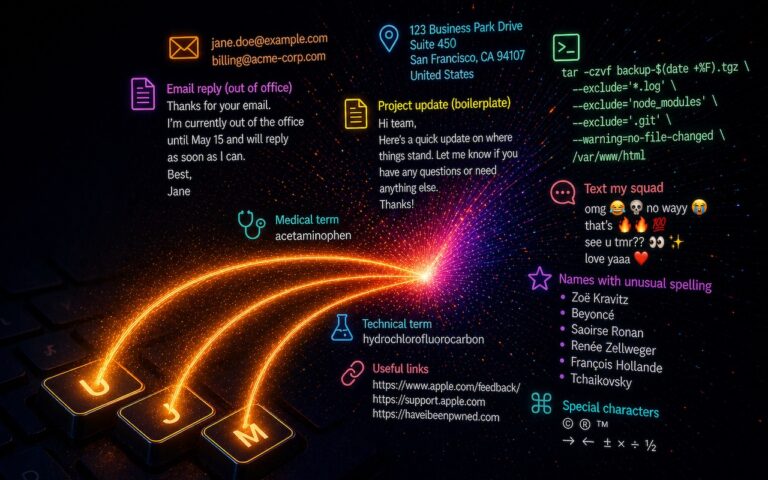
    Here are some ideas for the kinds of things you might want to turn over to your computer for typing:
    Long or complex words or phrases, such as scientific names. Aedes aegypti, anyone?

    *Your address, phone number, and email address. One of my favorites is “@d” which inserts my email address. I get real tired of typing email address, phone numbers, etc. Text expansion speeds that up!

    *Boilerplate text for common email replies.

    *The current date and/or time.

    *Special characters, so blb could expand to the British pound symbol £.

    *Unix commands for Terminal, such as using ssh to log in to a remote computer.

    I am sure you can come up with dozens that might work for you and speed up your typing. So think about what bit of text you might want expand automatically and give text expansion a try today!