Your Kibbles & Bytes Team,
Don, Emily & Dean

More results...
Your Kibbles & Bytes Team,
Don, Emily & Dean

$50.6 Billion in revenue, $10.5 Billion in net profit and $235 Billion in the bank. Let’s get one thing straight, 99.9% of the companies in the world would love to have those kind of numbers. And while this fell into the range of Apple’s forward-looking guidance, it did fall short of the expectations of the analysts.
This was the first time in 13 years (!) that Apple posted lower year-over-year sales. Apple saw lower iPhone sales than last year at this time. However, keep in mind that was when the iPhone 6 was at its peak. Nevertheless, Apple sold 51.1 million iPhones and said they are having difficulty keeping up with the demand for the recently released iPhone 5se.
Mac sales and iPad sales also declined as expected with Apple selling a bit over 4 million Macs and 10.25 million iPads. On the bright side, Services revenue increased 20% to almost $6 billion and “other” products which include Apple TV, Apple Watch, Beats and iPod generated $2.189 billion which is 30% growth.
Apple’s board of directors both increased the dividend paid on Apple shares to $0.57 which is about a 10% raise and increased their share buy-back program. With Apple being so widely held, this dividend increase makes Apple one of the largest payers of dividends in the world. Since the start of their dividend and share re-purchase program, Apple has returned over $163 billion to shareholders, the majority of that being in the form of share buy-backs.
Apple’s guidance for the current quarter which ends at the end of June also projects a year-over-year decline in revenues. They forecast sales in the range of $41-$43 billion which is also lower than analysts predicted.
There is no sugar-coating these results which were for the most part, a miss. Forecasting demand, revenue and margin is tricky and there are a bunch of factors that enter into this calculation and a bunch more that are ready to blow up the forecast. International monetary trends, new product introductions are all a bit of a wild card.
There is some good news hidden in the report. Apple said that the iPhone enjoys an unprecedented 95% loyalty rate, Apple Pay is seeing 1 million new users a week, 13 million people subscribe to Apple Music and Apple’s installed base is 1 billion devices and growing.
Apple had a huge hit with the iPhone 6 and that did push sales to a peak level last year. It was an anomaly, however, and Apple’s business is still incredibly strong, just a bit more down to earth. You can’t hit home runs every time at bat! Tim Cook says the product pipeline is strong and I believe him.
Hey, I didn’t have to come up with a new adjective to describe what Apple did to the street this quarter. That’s a fringe benefit. Putting this all into perspective is important. It is not like Apple is losing money or losing customers. In fact, the opposite is true. In three short months, they made over $10 billion in profit and sold millions and millions of iPhones, iPads and Macs! Now, if Small Dog could just do a tiny fraction of that…
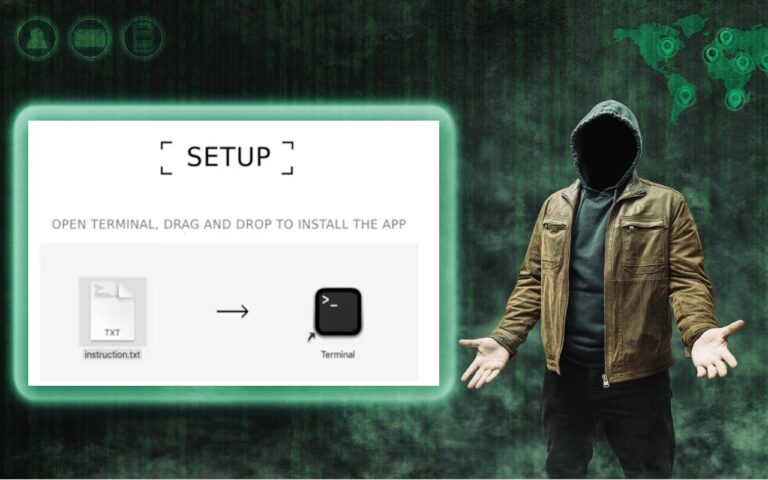
In macOS 15 Sequoia, Apple made it more difficult to bypass Gatekeeper to run apps that aren’t notarized. (Notarization is one of the…
Automatic offloading of seldom-used apps can be a good strategy for recovering space on an iPhone whose storage is almost full, and iOS…

iPhones and iPads are highly personal devices, but you might want to let someone else use a particular app on yours without letting…
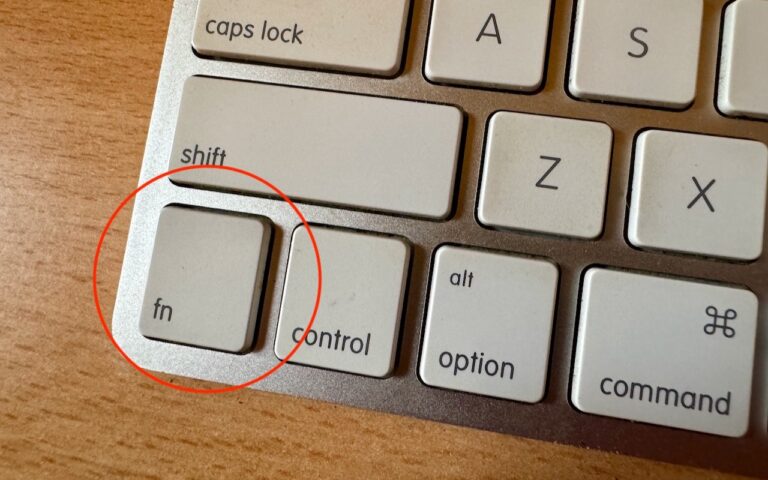
With macOS 13 Ventura, Apple brought Control Center from iOS to the Mac, providing a unified interface for features that users need to…
_Hello Friends_,
It is hard to believe that it is February already. There is almost no snow up in Vermont and Artie is reporting that farmers are already gathering sap from the maple trees to make syrup. The Iowa caucuses have come and gone and on Tuesday the first in the nation primary is next door in New Hampshire. Being a leap year my granddaughter, Gracie, will have her 4th real birthday on the 29th. She was recently chosen as guest composer on Vermont Public Radio. You can hear her interview and one of her “**compositions**”:http://digital.vpr.net/post/student-composer-showcase-gracie-bangoura#stream/0 online.
February is also Black History month and each week in Kibbles and on our “**blog**”:http://blog.smalldog.com we will be honoring Black History. It is fun researching and writing these little bios of Black American heroes and heroines.
Florida’s governor declared a state of emergency in four counties regarding the horrible tragedy unfolding in Brazil with the Zika virus. One thing that is not being widely reported is the apparent link to genetically modified mosquitos and the microcephaly disaster. Apparently, Brazil was the site of a massive experiment with genetically modified mosquitos that were released into the wild. They were proposing a similar release for here in the Florida Keys but it has not happened. The Zika virus has been around since 1947 and this is the first big outbreak of microcephaly. You can “**read more about it,**”:http://www.theecologist.org/News/news_analysis/2987024/pandoras_box_how_gm_mosquitos_could_have_caused_brazils_microcephaly_diasaster.html regardless of whether that analysis is true, I think releasing genetic mosquitos is a bad idea.
I am happy to announce that Small Dog Electronics will be offering GoPro cameras and accessories in our stores this month. We have had lots of requests for these action cameras from our customers and we finally have secured the line for our stores. We will talk more about GoPro as we get them into stock.
This week’s Kibbles & Bytes special is a “**Hammerhead charging bundle**”:http://www.smalldog.com/wag900002149/special-save-20-on-hammerhead-charging-bundle As you know we manufacture rugged braided lightning cables that are certified by Apple with their MFI “Made for iPhone” designation. This means that our manufacturer has passed all the tests with Apple and use genuine Apple lightning connectors. You do not have to worry about compatibility with MFI designation. This bundle includes two of these braided cables, our Hammerhead 2-port home charger and Hammerhead 2-port car charger. Each of these chargers have the capacity to charge an iPhone and an iPad simultaneously. Sold separately, this bundle would be $72.96 but exclusively for Kibbles & Bytes readers this week you can have this handy bundle for only “**$49.99!**”:http://www.smalldog.com/wag900002149/special-save-20-on-hammerhead-charging-bundle