
Apple Is Shutting Down My Photo Stream—Switch to iCloud Photos

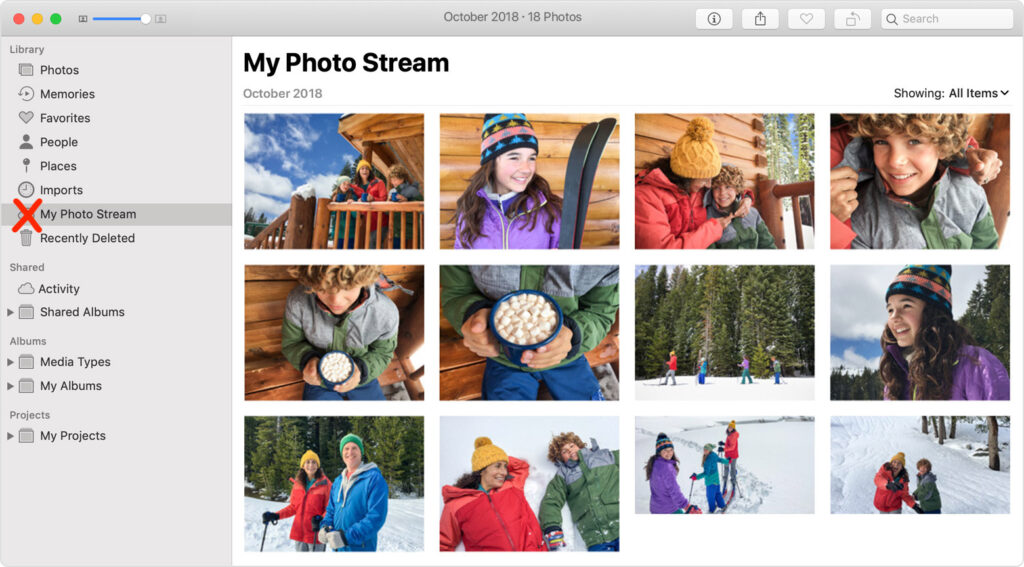
Apple has quietly announced that it is shutting down the My Photo Stream service, the company’s first iCloud-based effort at helping users sync photos between devices. My Photo Stream had numerous limitations but was free and didn’t count against iCloud storage quotas. If you’re still using My Photo Stream, note that photos will stop uploading as of June 26, and all My Photo Stream photos will be removed from iCloud on July 26; they’ll remain on your individual devices. Apple is encouraging all remaining My Photo Stream users to switch to iCloud Photos, which is more capable in every way but might require you to pay for additional iCloud+ storage to hold your photo library. Those who don’t want their photos in the cloud might check out Mylio Photos+. Contact us if you need assistance migrating to iCloud Photos or ensuring all your various photos are backed up securely.
(Featured image by iStock.com/mpiokpee)


Social Media: Still using My Photo Stream to sync photos between your Apple devices? Apple is shutting down the service in late June, and the path of least resistance is to switch to iCloud Photos, though that might require an iCloud+ subscription.


Similar Posts

  • _Dear Friends_,

    It was a long trip up to Daytona using the “avoid highways, avoid tolls” feature of Google Maps. I was using my Blue Ant Pump Lite Bluetooth earbuds connected to my iPhone in my pocket. I not only got the turn-by-turn directions from Google Maps but also some great tunes from my playlists. I even was able to take a phone call, although I pulled over both for safety reasons and so I could hear better. We travelled through Florida’s farm belt, orange groves (hey, their trees are full of oranges!) and Lake Okeechobee before we headed towards the coast.

    It is official, Apple has sent out notices for the special “Let Us Loop You In” event on Monday. It is expected to see some new iPhones and iPads and perhaps other announcements. For those of you with a 4th Generation AppleTV there is a new app called “Apple Events” that you can download for free to watch the event which starts at 10AM Pacific time. The live stream will also be available on Macs and iOS devices through Apple’s event website. iOS 7 or OS X 10.8.5 with Safari 6.0.5 or later is required. We are excited to hear about the latest from Apple!

    I am going to talk about Time Machine and Time Capsules a bit in the article below, however, this week as a Kibbles & Bytes exclusive, I am featuring the Apple factory reconditioned 2 and 3 TB Time Capsules. You can save a bunch on these Time Capsules that have a 1-year Apple warranty. Normally, the 2 TB Time Capsule, new is $299.99 and the 3TB Time Capsule is $399.99. With $20 off for Kibbles & Bytes readers, the “**2TB Time Capsule is only $159.99**”:http://www.smalldog.com/wag900002182/save-20-on-an-apple-factory-refurbished-2tb-time-capsule and the “**3TB is $259.99!**”:http://www.smalldog.com/wag900002183/save-20-on-an-apple-factory-refurbished-3tb-time-capsule This is a great way for you to have automatic wireless backup and the superior Apple Airport Extreme wireless access point!

  • Keep Your Passwords!

    You have a password for the online banking, one for your Apple ID, one to log into your retirement amount. Your password for your bank has to have have at least one numeric number, but can’t start with a number and it can’t have any more than two of the same characters found in your username. Your retirement account must include at least 3 numbers and one special character but they can’t be consecutive.

    Does this sound familiar? In the perfect world we would only need one password, but unfortunately for security purposes and as hackers get better at what they do password strength has become critical and part of our everyday lives. The hassle with this is that most sites have their own sets of rules for password strength leaving many of us to peck away at our keyboards or devices in a sometimes endless game of “remember how you manipulated your favorite password 16 different ways and can’t remember if your banking site used the password with the capitalization or the one with the ampersand”.

    p{text-align: center;}. !http://blog.smalldog.com/images/4644.jpg!

    For a very long time I will admit my method of keeping track of my usernames and passwords was the stickies program on my Mac, much to the dismay of our IT manager! While stickies are easily accessed they are not secure and I do not recommend this method. Where you should keep them is in your keychain. You can access your keychain through applications and then utilities. Once you are in your keychain you can manually add preferred sites, accounts and passwords you wish to store. Another huge benefit is secure notes. Secure notes allow you store additional confidential information. Keychain is safe and secure because in order to view any of the passwords stored there you need to enter your administrator password. Within keychain you can make sure to safely and securely keep your passwords, and when you forget if you needed that capitalization or ampersand in your password you can simply open keychain and enter into the search field the website for which you need to confirm the password.

    Now what if you don’t have a mac? The loss of passwords, and most often your Apple ID password is a huge concern with users of iOS devices only. Luckily there is an easy solution for that, iCloud and “iCloud keychain.”:https://support.apple.com/en-us/HT204085 Simply go to settings, iCloud and then select keychain. Your iOS device will begin to store your logins and websites. Additionally you can add specific websites and passwords manually to your phone or iPad under **safari** and then selecting **passwords**. This is also where you would look if you can’t remember login information.

    Recording safely your logins and passwords is an often overlooked step, especially when users of iOS devices accidentally have the device damaged or lost. Saving your passwords safely and using iCloud keychain can avert your being logged out of accounts.