Six Reasons Why You Should Restart Your Mac Periodically

Long ago, before macOS was as stable as it is today, Mac users restarted their Macs regularly. Back then, Macs couldn’t sleep, either, so it was common for users to shut down at the end of the day and start up the next morning, effectively restarting daily.

With modern Macs using the barest trickle of power in sleep and both apps and macOS almost never crashing, many Mac users have gone to the opposite extreme, letting their Macs run for months between restarts. However, such an approach brings with it new problems, and as with so many things, there’s a happy medium.

Why are we banging this particular drum? As an off-the-cuff estimate, about a quarter of the problems reported to us can be solved by a restart. Really! Just click the Apple menu and choose Restart. As long as you save your work first or when prompted, nothing bad will happen.

Here are our top six reasons you should restart periodically:

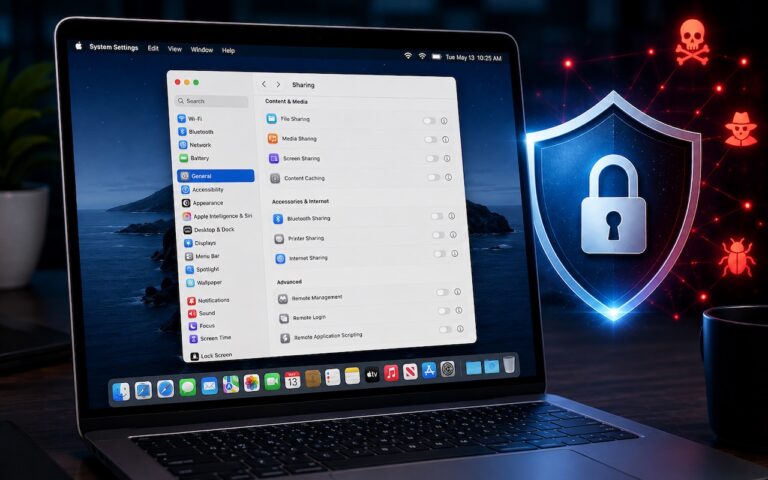
  • Improved security: Restarting itself doesn’t generally improve security (although it could theoretically clear malicious code running in memory). However, installing macOS updates requires a restart, and we strongly recommend installing security-focused updates shortly after they’re released. If you resist installing updates because of the need to restart, you’re increasing your risk significantly.
  • Resolve problems: Modern Macs may be more stable than ever, but things can still get funky. If apps are crashing, peripherals aren’t connecting, you’re seeing visual glitches, or anything else seems wrong, the first troubleshooting step is a restart.
  • Better performance: We all have a feel for how long different tasks on our Macs take. If icons for launching apps bounce longer than usual, windows draw slowly, or you see the spinning pinwheel repeatedly, restart. Performance problems are often caused by a poorly coded app or out-of-control process causing your Mac to run out of physical memory and switch to slower virtual memory. Restarting clears such issues.
  • Recover drive space: Another memory-related bonus of restarting is that it can free up drive space. When macOS starts to rely on virtual memory, it creates swap files that can consume gigabytes of space. Restart, and all that space is returned, at least until your app usage requires it again.
  • Get updates: Most apps notify you of updates at launch, and some automatically download their updates but install them only when you quit. Either way, a restart results in all your apps quitting and relaunching, which ensures they either install or at least notify you of important updates.
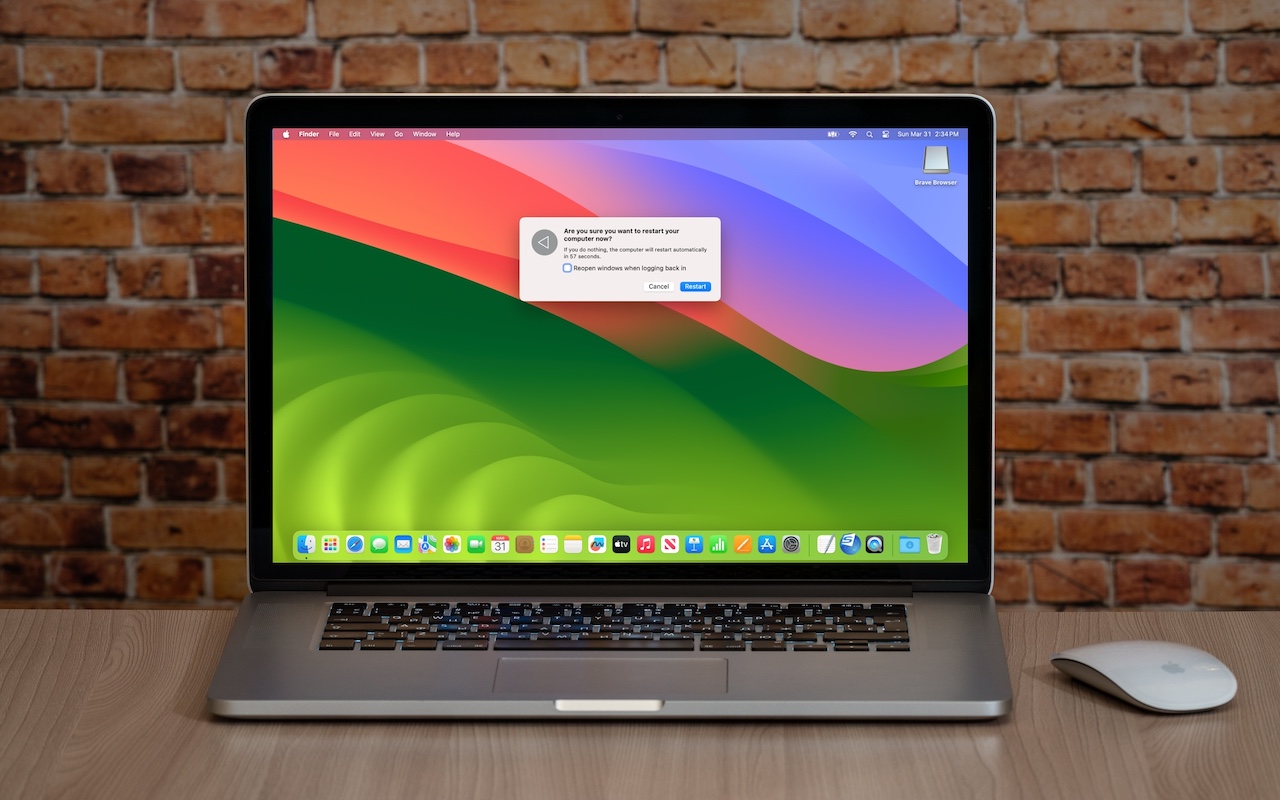
  • Start fresh: Even if having 20 or more apps open isn’t affecting your Mac’s performance, a clean slate can help you focus on your work better. A simple restart quits everything and lets you start over with just those apps set to launch at login. For a completely fresh start, make sure to deselect “Reopen windows when logging back in” in the restart dialog. Of course, if you have a lot of documents open and need to return to them, leave that checkbox selected to pick up exactly where you left off.
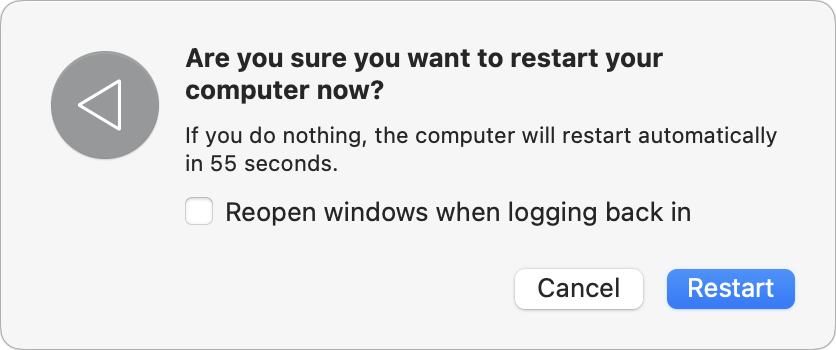
There’s no set schedule on which you should restart, but if you use a Mac at work and like routines, it wouldn’t be problematic to restart on Friday evening as you wind down to leave for the weekend. That way, you’d return to a clean slate on Monday morning. It’s also totally fine to restart whenever it might be helpful.

Just don’t fear the restart—modern Macs, especially those with Apple silicon, restart quickly, and the benefits far outweigh the few minutes of downtime.

(Featured image based on an original by iStock.com/Armastas)


Social Media: You can go for weeks or months without restarting your Mac, but it’s a good idea to restart more frequently to increase security, avoid or resolve problems, get updates, and generally clear your Mac’s decks.


Similar Posts

  • Apple Stands Up The Street

    $50.6 Billion in revenue, $10.5 Billion in net profit and $235 Billion in the bank. Let’s get one thing straight, 99.9% of the companies in the world would love to have those kind of numbers. And while this fell into the range of Apple’s forward-looking guidance, it did fall short of the expectations of the analysts.

    This was the first time in 13 years (!) that Apple posted lower year-over-year sales. Apple saw lower iPhone sales than last year at this time. However, keep in mind that was when the iPhone 6 was at its peak. Nevertheless, Apple sold 51.1 million iPhones and said they are having difficulty keeping up with the demand for the recently released iPhone 5se.

    Mac sales and iPad sales also declined as expected with Apple selling a bit over 4 million Macs and 10.25 million iPads. On the bright side, Services revenue increased 20% to almost $6 billion and “other” products which include Apple TV, Apple Watch, Beats and iPod generated $2.189 billion which is 30% growth.

    Apple’s board of directors both increased the dividend paid on Apple shares to $0.57 which is about a 10% raise and increased their share buy-back program. With Apple being so widely held, this dividend increase makes Apple one of the largest payers of dividends in the world. Since the start of their dividend and share re-purchase program, Apple has returned over $163 billion to shareholders, the majority of that being in the form of share buy-backs.

    Apple’s guidance for the current quarter which ends at the end of June also projects a year-over-year decline in revenues. They forecast sales in the range of $41-$43 billion which is also lower than analysts predicted.

    There is no sugar-coating these results which were for the most part, a miss. Forecasting demand, revenue and margin is tricky and there are a bunch of factors that enter into this calculation and a bunch more that are ready to blow up the forecast. International monetary trends, new product introductions are all a bit of a wild card.

    There is some good news hidden in the report. Apple said that the iPhone enjoys an unprecedented 95% loyalty rate, Apple Pay is seeing 1 million new users a week, 13 million people subscribe to Apple Music and Apple’s installed base is 1 billion devices and growing.

    Apple had a huge hit with the iPhone 6 and that did push sales to a peak level last year. It was an anomaly, however, and Apple’s business is still incredibly strong, just a bit more down to earth. You can’t hit home runs every time at bat! Tim Cook says the product pipeline is strong and I believe him.

    Hey, I didn’t have to come up with a new adjective to describe what Apple did to the street this quarter. That’s a fringe benefit. Putting this all into perspective is important. It is not like Apple is losing money or losing customers. In fact, the opposite is true. In three short months, they made over $10 billion in profit and sold millions and millions of iPhones, iPads and Macs! Now, if Small Dog could just do a tiny fraction of that…

  • Black History Month – Thurgood Marshall

    Way before Barack Obama broke the color barrier to become president of the USA, Thurgood Marshall broke that barrier for another of the most powerful and important positions in the country, that of Supreme Court Justice. After graduating from high school with honors he applied to the University of Maryland law school where he was not accepted because he was black. Instead, he went to Howard University and received his law degree in 1933.

    Before being appointed Supreme Court Justice, he had a stellar career from 1934 to 1961 as a lawyer for the NAACP where he won landmark civil rights cases. Beginning in 1940, Marshall won 29 of 323 US Supreme Court cases. One of his first big cases was Smith vs. Allwrite in 1944 which overthrew the South’s “White Primary”. The White Primary was a practice of excluding African Americans from the Democratic Party. It was most common in a state where that party controlled the state government.

    In 1954 Marshall achieved a landmark victory with the case of Brown vs. Board of Education of Topeka. This Supreme Court decision demolished the legal basis for segregation in the USA. It also made state-enforced racial segregation in public schools invalid.

    In 1961 he was appointed the the US Court of Appeals by President Kennedy. He was the first African American on the Court of Appeals and went on to be appointed to the Second Court of Appeals. President Johnson made him the Solicitor General in 1965 and later in 1967 President Johnson nominated him for the Supreme Court.

    On the Supreme Court he was a steadfast supporter of positive gender and racial action policies and in his 24 years on the court he became a vocal liberal on a conservative-dominated court. He was an ardent supporter of Constitutional protection of individual rights, in particular the rights of criminal suspect versus the government. Marshall’s backing of Affirmative Action led to his strong dissent in the Regents of the University of California vs. Blake in 1978. Justice William Brennan was Marshall’s most reliable confederate who voted with him against the death penalty.

    Citing poor health, Thurgood Marshall stepped down from the court in 1991 and remained a vocal critic of the court until his death in 1993 at the age of 84.