How to locate your PC’s Hard Drive Capacity
Knowing your computer’s hard drive capacity helps you manage storage, decide when to upgrade, and troubleshoot performance issues. It easier than you might think in Windows to find out this information.
Method 1: Using File Explorer
1. Press Windows Key + E to open File Explorer.
2. In the left panel, click on This PC.
3. Under the “Devices and drives” section, you’ll see your hard drives listed.
The bar indicator shows how much space is used.
Below the bar, the drive’s total capacity and available space are displayed (e.g., “500 GB free of 1 TB”).
Method 2: Using System Settings
1. Click the Start Menu and open Settings.
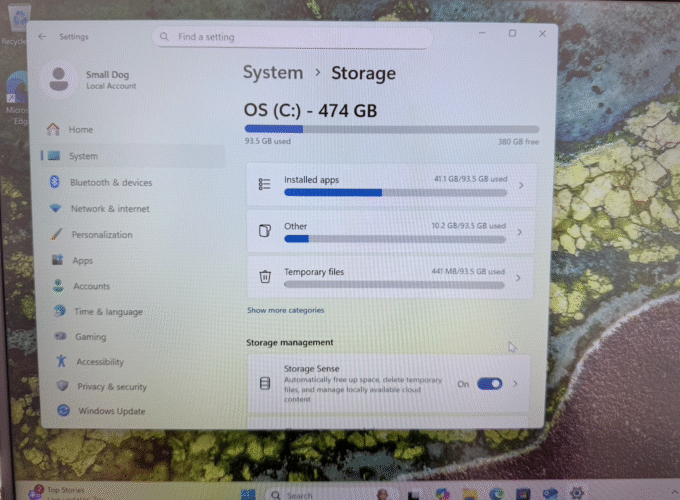
2. Go to System > Storage.
3. Here, you’ll see a breakdown of your total hard drive size and what categories are taking up space.
Method 3: Using Disk Management
1. Press Windows Key + X and select Disk Management.
2. A window will open showing all storage devices, their capacities, and partitions.