Where’s my AirTag?!

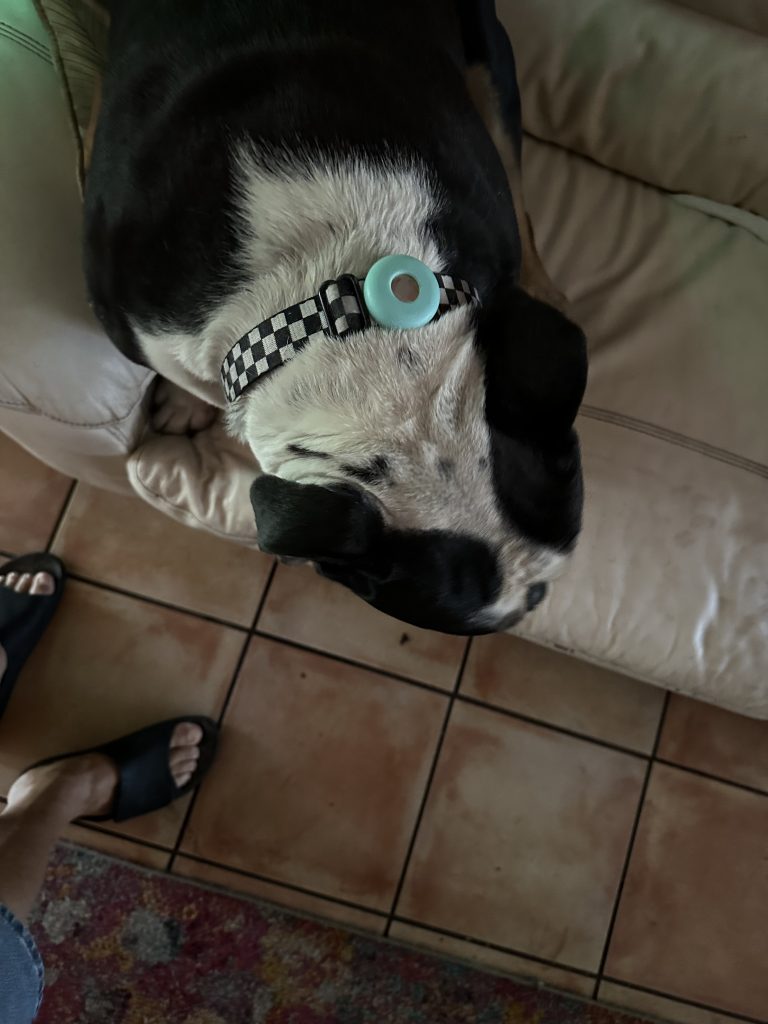
Java is an active dog and quite the leaper.  We put an AirTag on his collar just so we could track him and because we wanted to get some experience with AirTags.   Another local dog whose owners let him run loose comes over to visit Java and they like to run and play.  The other day they were playing, splashing in the little creek and having a good time.  The black dog went home but Java decided to visit our neighbors who have a fenced in area for the two Havanese dogs.  Java jumped the fence and played with the little dogs until my neighbor shooed him away. He jumped back over the fence and headed back home through the woods.

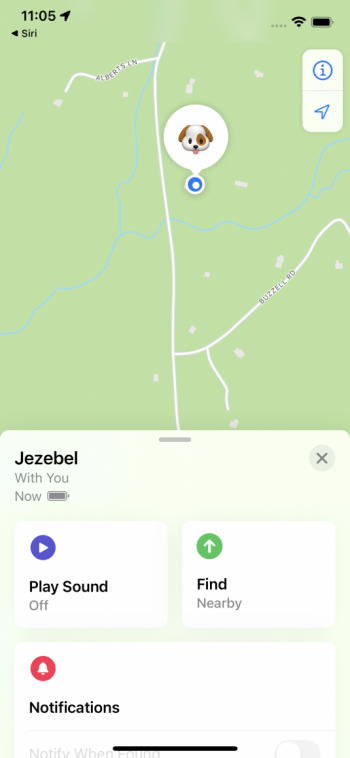
Once home we noticed that his AirTag was missing from his collar. We did not have signal from it so it was not in the immediate vicinity.  So, Grace took her iPhone (since the AirTag was linked to her iPhone- which ends up meaning I get messages that an AirTag is following me around whenever Grace leaves and I am here with Java) and she started tracing Java’s steps.  She walked all over our yard, telling the Find My app to play sound and try to find the AirTag but it always failed due to lack of signal.  But when Grace started down the road to our neighbor’s house, suddenly she got a notification that the AirTag was somewhere within 100 meters.   As she followed the path for the precise locator section of the Find My app she ended up in the neighbor’s yard.   She was then able to play the sound and found the AirTag under their Apple tree.

We are upgrading the holder for the AirTag so Java can’t shake it off when he jumps or shakes his ears like he does so often.  We don’t have to do that for Jezebel, our bulldog, since her jumping is pretty limited and well she’s a bulldog.

Grace had an iPhone 11 Pro so it was one of the iPhones that support Precision Finding. Precision finding is supported by these iPhones:

  • iPhone 11, iPhone 11 Pro, iPhone 11 Pro Max
  • iPhone 12, iPhone 12 mini, iPhone 12 Pro, iPhone 12 Pro Max
If you have a supported iPhone model with Ultra Wideband and your AirTag is nearby (within BlueTooth range which is about 30 feet) , you can use Precision Finding to help find it, even if it’s stuck between couch cushions or hiding under a stack of mail. If your AirTag is out of range of your connected device you can get directions to it first but getting directions will only work if there is some signal to broadcast the AirTag location which out here in the boonies doesn’t work that well but in more urban environments might give you a clue.
But if you do have the right iPhone here’s how you use precision finding:
  1. Open the Find My app, then tap the Items tab.
  2. Choose the AirTag you want to locate, then tap Find .
  3. Follow the onscreen instructions and move around the space until your iPhone connects to your AirTag.
  4. Your iPhone displays the distance and direction to your AirTag. Use that information to get closer to your AirTag until you find your lost item or as Grace did select the Play Sound button to narrow your search.
  5. Tap the X button  when you’re done.

You can tap the sound button  to play a sound on your AirTag if it’s within Bluetooth range of your connected device. If it’s too dark, a flashlight button  will appear. To turn on the flashlight, tap it

The dogs are always with us, so I don’t know how useful the AirTags will be but we are definitely installing them on our bicycles down in Key West and I am sure we will find other uses, too.

 

Similar Posts

  • Be Alert for Deepfake Phishing Scams

    Phishing scams have entered a new, AI-powered phase and can now convincingly mimic real people. Attackers can generate fake voice or video deepfakes…

  • Black History Month – Thurgood Marshall

    Way before Barack Obama broke the color barrier to become president of the USA, Thurgood Marshall broke that barrier for another of the most powerful and important positions in the country, that of Supreme Court Justice. After graduating from high school with honors he applied to the University of Maryland law school where he was not accepted because he was black. Instead, he went to Howard University and received his law degree in 1933.

    Before being appointed Supreme Court Justice, he had a stellar career from 1934 to 1961 as a lawyer for the NAACP where he won landmark civil rights cases. Beginning in 1940, Marshall won 29 of 323 US Supreme Court cases. One of his first big cases was Smith vs. Allwrite in 1944 which overthrew the South’s “White Primary”. The White Primary was a practice of excluding African Americans from the Democratic Party. It was most common in a state where that party controlled the state government.

    In 1954 Marshall achieved a landmark victory with the case of Brown vs. Board of Education of Topeka. This Supreme Court decision demolished the legal basis for segregation in the USA. It also made state-enforced racial segregation in public schools invalid.

    In 1961 he was appointed the the US Court of Appeals by President Kennedy. He was the first African American on the Court of Appeals and went on to be appointed to the Second Court of Appeals. President Johnson made him the Solicitor General in 1965 and later in 1967 President Johnson nominated him for the Supreme Court.

    On the Supreme Court he was a steadfast supporter of positive gender and racial action policies and in his 24 years on the court he became a vocal liberal on a conservative-dominated court. He was an ardent supporter of Constitutional protection of individual rights, in particular the rights of criminal suspect versus the government. Marshall’s backing of Affirmative Action led to his strong dissent in the Regents of the University of California vs. Blake in 1978. Justice William Brennan was Marshall’s most reliable confederate who voted with him against the death penalty.

    Citing poor health, Thurgood Marshall stepped down from the court in 1991 and remained a vocal critic of the court until his death in 1993 at the age of 84.

  • Hey Dora, Follow Orders!

    Last week we talked about how to activate and use dictation to write emails and documents but there is a lot more that you can do. I keep thinking about Scotty from Star Trek when he went back in time and was “**confronted with a Mac Plus**”:https://youtu.be/LkqiDu1BQXY?t=1m8s. He picked up the mouse as natural as can be and said “computer…”. That time is coming and Dictation Commands are already built into your operating system.

    Once you have dictation activated you can activate dictation commands by going to the Accessibility system preference.

    * Choose Accessibility from System Preferences.

    * Choose Dictation from the list on the left side of the Accessibility pane.

    * Click the Dictation Commands button. You can see a list of available commands in the Dictation Commands sheet.

    * A starting set of commands are enabled by default. Additional speakable items like “Open document” and “Click item” are available by enabling advanced commands using these next steps:

    * Select (check) the option to “Enable advanced commands” in the Dictation Commands sheet that appears.

    * Click Done.

    p{text-align: center;}. !http://blog.smalldog.com/images/4710.png!

    After you have enabled advanced commands, you can also create your own commands by clicking the Add Command (+) button. This lets you link a spoken phrase to an app, a menu item, a keyboard shortcut, or an Automator workflow.

    You have enabled Dictation Commands and now you can speak any of the items in this list to perform the related action. Press the Fn key twice, then say a command to make it happen, such as “Search Spotlight for the Cubs score” or “select sentence” or “new document”. Give it a try and pretty soon you will be just like Scotty and the Mac Plus.

    As a shortcut, you can speak the command “Show commands” to see a list of the commands you can say.

  • _Dear Friends,_

    I had a great trip up to Jasper, GA to pick up the 2003 Victory motorcycle. I took almost all two-lane roads and the weather cooperated although it was a bit chilly in the mornings. It got busier as I headed south in Florida but all in all it was a great way to spend the weekend.

    Small Dog Electronics is finishing up our 20th year in business and we are going to be changing out the 20-year anniversary banners and signs. Now that we are going to be 21 we are renewing our commitment to walking the walk as a socially responsible business. We feel that how we treat people, customers, employees, vendors or strangers is an equal measure of our success as to how we treat the planet and the profit we hope to make. Did you know that 100% of the electrical power for our S. Burlington store and about 85% of the power for our Waitsfield headquarters is generated from solar energy?

    When you form a “corporation”, if you tear down the word to its Latin base, it means to “form a body”. My high school latin teacher would be proud. As a body in society, a business has a bigger footprint than any individual. We have buildings, we consume resources, we generate waste and we have a huge impact on peoples lives. With that larger footprint comes a larger responsibility and that is the basis for our commitment to always measure our success by the triple bottom line of People, Planet and Profit.

    This week’s Kibbles & Bytes exclusive features the iPad mini 4. This model in Space Gray includes 64GB of storage and cellular capability. With the Retina display and Touch ID this incredibly thin and light iPad could be a complete solution. Because this model has cellular capability (cell contract required) you can use it anywhere where there is Wi-Fi or Cellular coverage. The iPad Mini 4 is my iPad of choice. I like the way it fits in one hand and is perfect for reading. It feels like you are holding a paperback book. This week, exclusively for Kibbles & Bytes readers we are offering the “iPad Mini 4 in Space Gray with AppleCare Plus”:http://www.smalldog.com/wag900002167 for a special price. AppleCare Plus for the iPad extends the 1-year warranty to 2-years and also provides for coverage for accidental damage (i.e. broken screen, etc.) for up to two incidents for a $49 deductible. It also extends the 90-days of free Apple technical support to 2-years. Normally, this bundle is $729.98 but we are giving Kibbles & Bytes readers the opportunity to save $40 on this bundle. You get the iPad mini 4 64GB Cellular model with AppleCare Plus for only “**$689.98!**”:http://www.smalldog.com/wag900002167