watchOS 10.1 Brings Double Tap to the Apple Watch Series 9 and Apple Watch Ultra 2
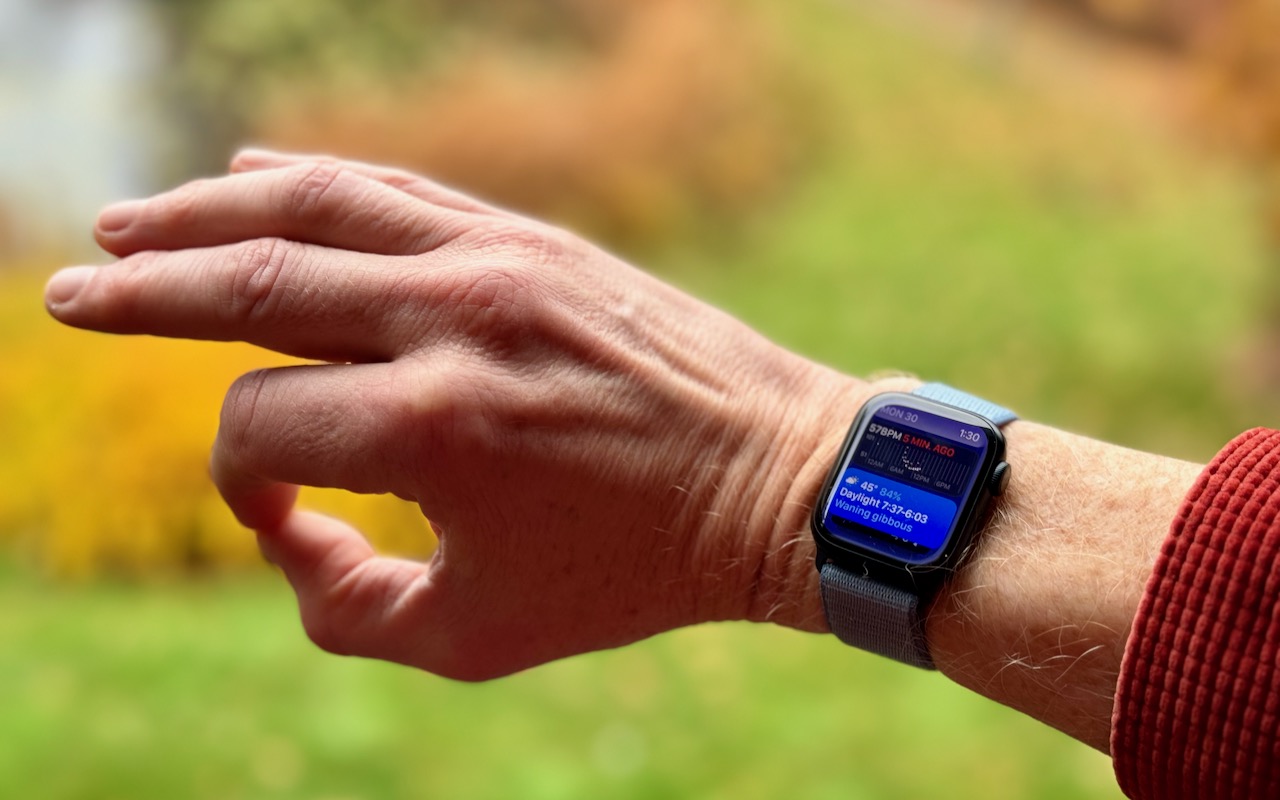
Apple recently released watchOS 10.1, with support for the much-ballyhooed double-tap gesture that selects the primary action in many apps without requiring that you touch the screen!
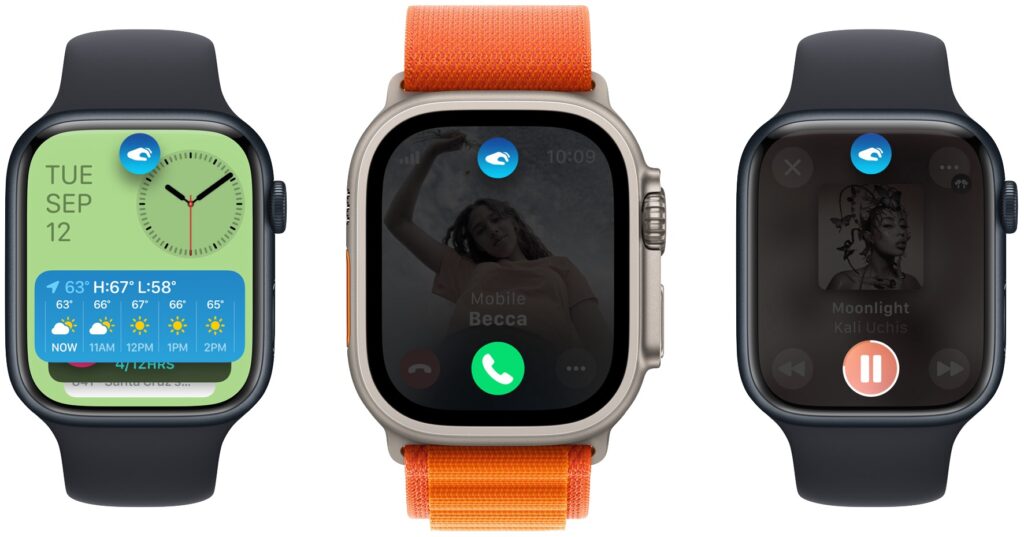
You might think that it is available only on the new Apple Watch Series 9 and Apple Watch Ultra 2, where you activate it by raising your wrist and tapping your thumb and index finger together twice, but I am gonna tell you how to activate it on your older Apple Watch, too. For those with Apple Watch Series 9 or Ultra 2: On the main Apple Watch screen, a double tap opens the Smart Stack of widgets you would otherwise get by turning the Digital Crown, and subsequent double taps advance through the widgets. A double tap also activates the primary action in many apps, such as answering and ending phone calls, playing and pausing media, viewing and scrolling through messages, ending timers, stopping and resuming the stopwatch, snoozing an alarm, responding to reminders from the Workout app, and performing the primary action from notifications. Whenever you double tap, you’ll see this icon  at the top of the screen. If you have a supported Apple Watch model, give it a try!
To activate pretty much the same actions on your older Apple Watch you have to go to Settings > Accessibility > Quick Actions.
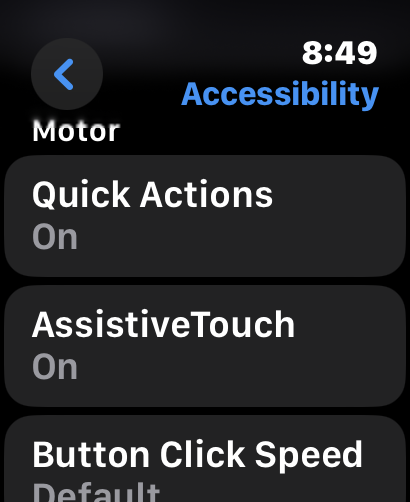
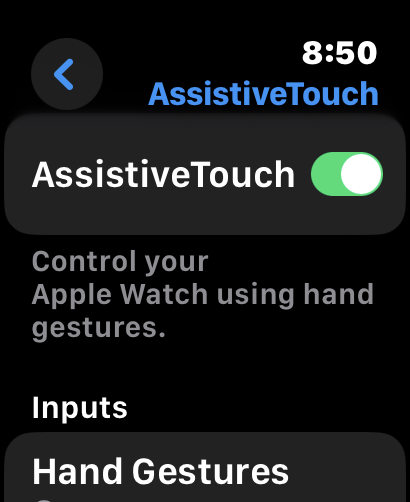
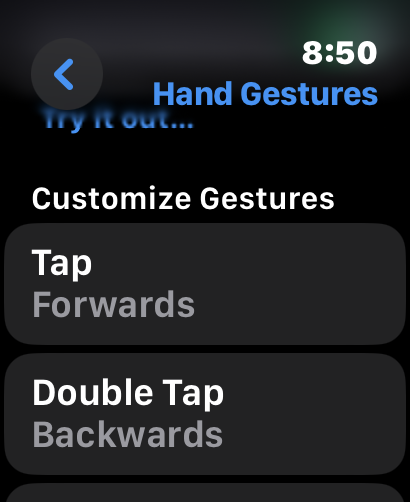
Switch AssistiveTouch on and then Customize actions by choosing Hand Gestures. The Quick Actions feature lets you tap your index and thumb together to dismiss a notification, snap a photo, or answer a call. When in an app or when a notification appears, the edge of the screen will go blue, and an alert will appear on the top that gives directions, like “Dismiss Double Pinch or “Double pinch to take photo.” AssistiveTouch adds more functionality. If you double-clench your fist, you’ll open the Action Menu. The Action Menu houses options for mimicking a Digital Crown press, a side button press, or opening Apple Pay.
You navigate the menu by moving through the list with a single pinch or backward with a double pinch. When you want to mimic a tap on the highlighted button, do a single fist clench. AssistiveTouch would allow you to go from the watch face to the Home Screen with apps, open an app, scroll through it and select further functions, open the app switcher, and move to a previously opened app. Compared to Double Tap on the Series 9 or Ultra 2, Quick Actions seems a bit more limited but it is still very cool to tap your fingers together to dismiss an unwanted message or call.