Don’t Listen to Anyone Who Tells You to Drag a Text File into Terminal

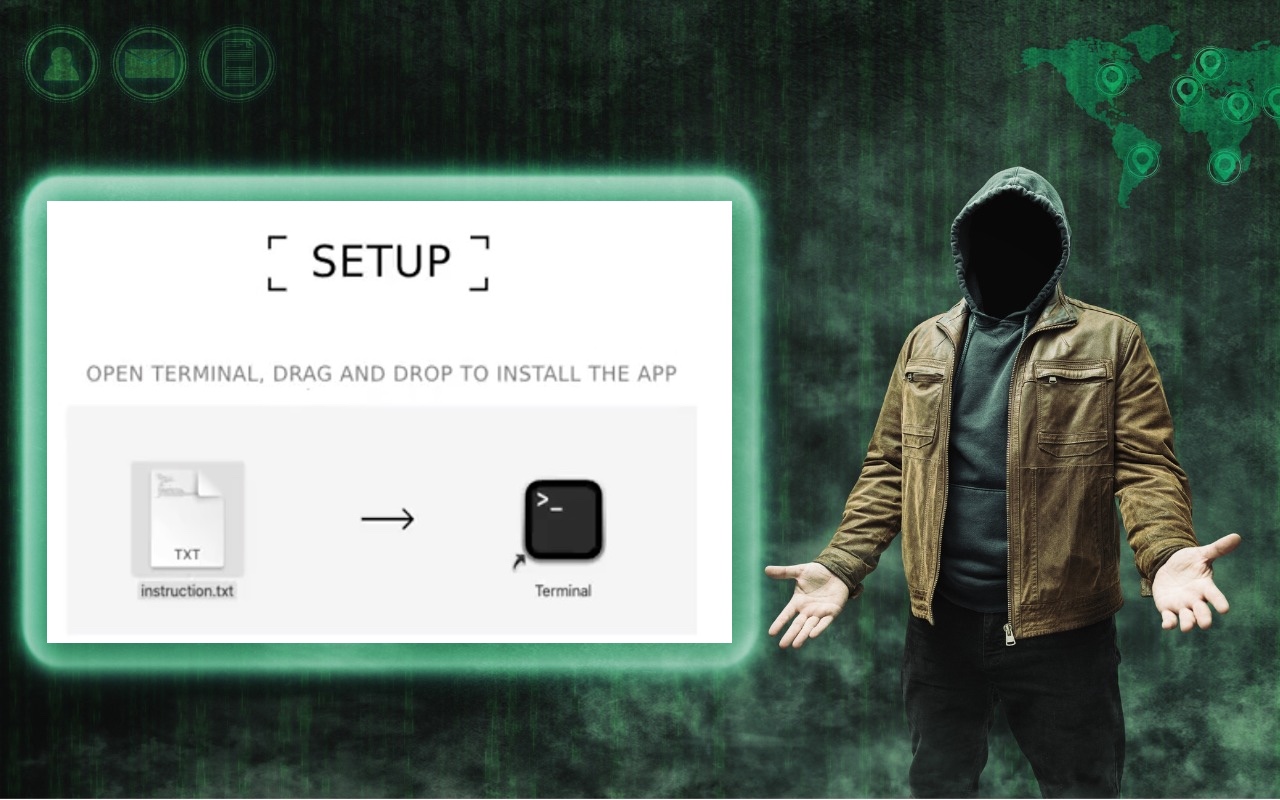
In macOS 15 Sequoia, Apple made it more difficult to bypass Gatekeeper to run apps that aren’t notarized. (Notarization is one of the ways Apple ensures that apps distributed outside the Mac App Store are unmodified and free from malware.) Cybercriminals have responded to this increase in security with a new social engineering attack. They provide the victim with a disk image, ostensibly to install some desired piece of software, instructing the user to drag a text file into Terminal. Doing so executes a malicious script that installs an “infostealer” designed to exfiltrate a wide variety of data from your Mac. The simple advice here is to treat any guidance to drop a file into Terminal with extreme suspicion—no legitimate software or developer will ever ask you to do that.

(Featured image based on an original by iStock.com/Farion_O)


Social Media: Thing #17 to never do: Follow instructions to drop a text file into Terminal. It’s a great way to install malware and let cybercriminals steal your passwords, financial information, and more.

Similar Posts

  • _Dear Friends,_

    New data from Piper Jaffray’s teen survey show that Apple is dominating that market at least as far as mobile devices are concerned. They have 71% of the teen market for smart watches and almost 70% for iPhones and 64% for iPad. Another survey has Apple Mac sales showing positive growth while literally the entire PC market is in decline.

    I have been playing around with Amazon’s Echo and I have to say that I like it a lot. I wake up each morning and say “Alexa, what’s new?” and I get the news reports from NPR, CNN, Huffington Post and BBC as well as ESPN Sports and the local weather report. During the day, I ask Alexa to “play the blues” or “play some classical music” and while the speaker is not as good as my Sonos system it does fill the room. I can be around the corner or across the room and the Echo can hear me. Apple needs to step it up a bit and get Siri on the Mac or even better yet, integrated into their networking gear. I would love to be able to tell my Sonos app to play my music from my iTunes library!

    Speaking of networking here’s a Kibbles & Bytes exclusive! This isn’t for everyone but if you have a big house and your Wi-Fi signal isn’t reaching that far corner of the house this could solve three problems for you! I am bundling the Apple Factory Refurbished 3TB Time Capsule with an Apple Factory Refurbished Airport Express. Both have the same 1-year Apple warranty as new but you can save some bucks. The 3TB Time Capsule gives you the Airport Extreme wireless access point and automatic wireless back-ups to the integrated 3 terabyte drive. The Airport Express allows you to extend that wireless network. Normally “**this bundle**”:http://www.smalldog.com/wag900002195/extend-your-network-and-back-up-your-data-for-only-325-99? is around $500 new, but this week for Kibbles & Bytes readers, while supplies last you can buy this refurbished bundle for only “**$325.99!**”:http://www.smalldog.com/wag900002195/extend-your-network-and-back-up-your-data-for-only-325-99?