Apple Updates Mac Studio with M4 Max and M3 Ultra Chips

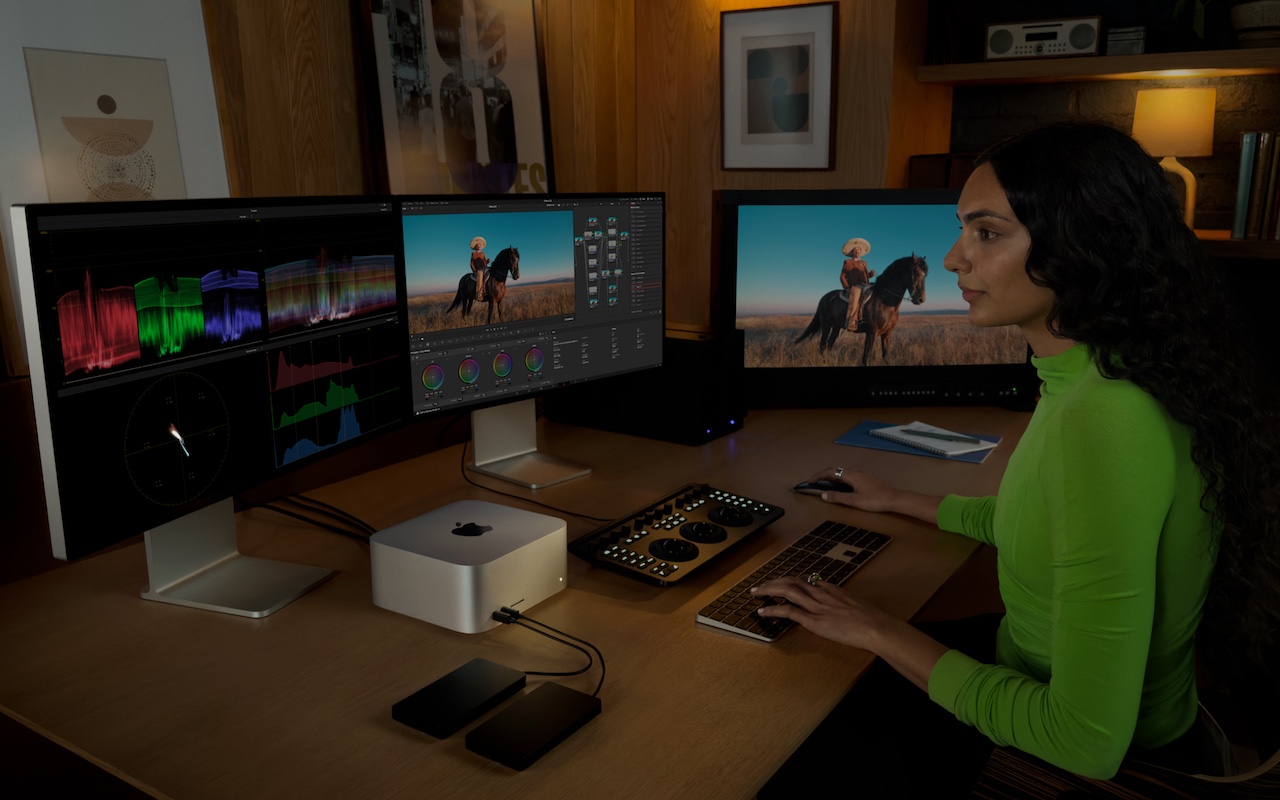
In the first update to the Mac Studio since 2023, Apple has refreshed its professional powerhouse with new chip options and support for speedy Thunderbolt 5 peripherals. Previously, the Mac Studio was powered by the M2 Max and M2 Ultra; Apple has now replaced them with the M4 Max, which debuted last year in the MacBook Pro line, and the new M3 Ultra, which melds two M3 Max chips for the ultimate performance. According to Apple, the M3 Ultra version of the Mac Studio ($3,999) is up to 2.6 times faster than the initial M1 Ultra version and nearly twice as fast as the M4 Max configuration ($1,999) for workloads that take advantage of high CPU and GPU core counts. The M3 Ultra Mac Studio starts with 96 GB of unified memory and can be configured with up to 512 GB, plus up to 16 TB of storage, both more than ever before. If you need the fastest Mac possible, look no further.

(Featured image by Apple)


Social Media: Apple has updated the Mac Studio by swapping the M2 Max and M2 Ultra chips for the M4 Max and new M3 Ultra. The M3 Ultra version also offers a new memory ceiling of 512 GB and a new storage max of 16 TB. It’s a monster machine.

Similar Posts

  • _Dear Friends,_

    I am off to Daytona for the 75th Bike Week. We went out to the 75th anniversary of the Sturgis Bike Week so it is only appropriate for us to hit the one sort of in our neighborhood, too. We will be riding on our 2003 Victory motorcycles and trying to avoid any big roads.

    Sugaring season in Vermont is well underway and this time of the year in Vermont always reminds me when we used to sugar the old-fashioned way. Now it is mostly pipelines and big sugaring operations but back when we lived in North Wolcott, Vermont I had a big work horse. The horse was kind of untrained but hitching her to the sled with the big heavy sap gathering tank made her behave. We would tap the trees by hand, hang buckets and as the sap began to flow we would tramp through the deep snow to empty the buckets into the tank. One horsepower was a lot of power as the horse would make her way through the sugar maples and the tank got full. We would take it to our makeshift sugaring arch and boil the sap into yummy syrup. Some of the best times! I still prefer the “grade b” syrup over fancy grade.

    This week’s Kibbles & Bytes exclusive brings back the “**Chill Pill six-pack special.**”:http://www.smalldog.com/wag900002006/ These little portable speakers have been around for a long time and I need to reduce our inventory. So, you can get 2 Black, 2 Red and 2 White Chill Pill speakers for only $29 this week. They make great gifts and are great for camping or just hanging out in the yard. Normally, they are $9.99 each but this week 6 for “**$29!**”:http://www.smalldog.com/wag900002006/

  • Hey Dora, Follow Orders!

    Last week we talked about how to activate and use dictation to write emails and documents but there is a lot more that you can do. I keep thinking about Scotty from Star Trek when he went back in time and was “**confronted with a Mac Plus**”:https://youtu.be/LkqiDu1BQXY?t=1m8s. He picked up the mouse as natural as can be and said “computer…”. That time is coming and Dictation Commands are already built into your operating system.

    Once you have dictation activated you can activate dictation commands by going to the Accessibility system preference.

    * Choose Accessibility from System Preferences.

    * Choose Dictation from the list on the left side of the Accessibility pane.

    * Click the Dictation Commands button. You can see a list of available commands in the Dictation Commands sheet.

    * A starting set of commands are enabled by default. Additional speakable items like “Open document” and “Click item” are available by enabling advanced commands using these next steps:

    * Select (check) the option to “Enable advanced commands” in the Dictation Commands sheet that appears.

    * Click Done.

    p{text-align: center;}. !http://blog.smalldog.com/images/4710.png!

    After you have enabled advanced commands, you can also create your own commands by clicking the Add Command (+) button. This lets you link a spoken phrase to an app, a menu item, a keyboard shortcut, or an Automator workflow.

    You have enabled Dictation Commands and now you can speak any of the items in this list to perform the related action. Press the Fn key twice, then say a command to make it happen, such as “Search Spotlight for the Cubs score” or “select sentence” or “new document”. Give it a try and pretty soon you will be just like Scotty and the Mac Plus.

    As a shortcut, you can speak the command “Show commands” to see a list of the commands you can say.