Apple Announces iPhone 15 Lineup, Apple Watch Series 9, and Apple Watch Ultra 2
September is here, and with it, Apple’s latest iPhones and Apple Watches. At its Wonderlust event on September 12, Apple threw back the curtains on the new iPhone 15 lineup, Apple Watch Series 9, and Apple Watch Ultra 2. These devices all provide incremental improvements that make them attractive to people planning to purchase a new iPhone or Apple Watch, though they may not be irresistible upgrades for those still happy with older models. You can pre-order any of them starting September 15, with delivery and in-store availability on September 22.
Alongside the announcement, Apple revealed that iOS 17, iPadOS 17, watchOS 10, tvOS 17, and HomePod Software 17 will become available on September 18, with macOS 14 Sonoma arriving on September 26. Wait a week or two before installing this first batch of updates on essential devices to avoid any last-minute bugs, and hold off on Sonoma for a few months or until you’re confident your necessary Mac apps are compatible. Regardless of when you upgrade, make a backup right before in case an unexpected problem forces you to erase and restore.
Let’s look at each of the new products.
iPhone 15 Lineup
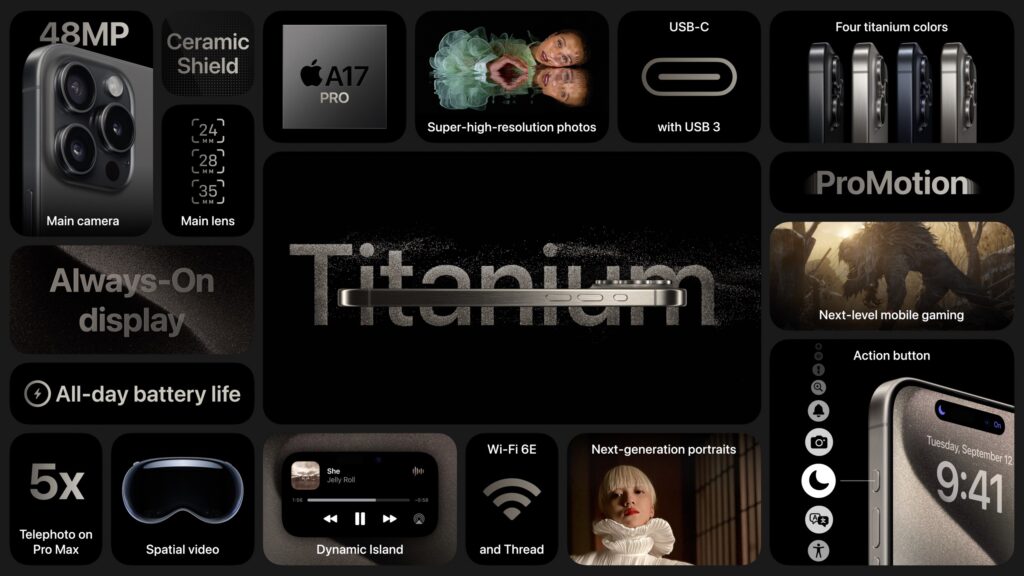
Last year, Apple moved to a four-part iPhone lineup that continues this year, with the 6.1-inch iPhone 15 and the 6.7-inch iPhone 15 Plus. On the high end, we get the iPhone 15 Pro and iPhone 15 Pro Max, again in those 6.1-inch and 6.7-inch sizes. The company updated the industrial design with slightly contoured corners. The iPhone 15 models come in five pastel colors with an aluminum enclosure and color-infused back glass, whereas the iPhone 15 Pro models now boast a titanium enclosure in four colors.
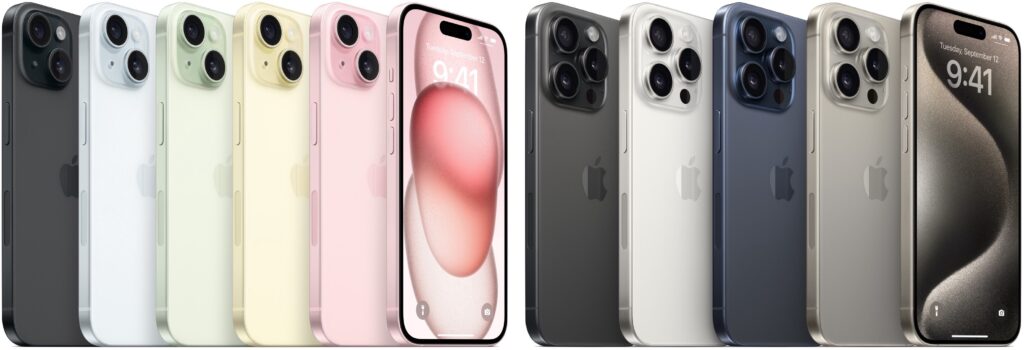
Along with the updated industrial design, all the iPhone 15 models share three notable changes:
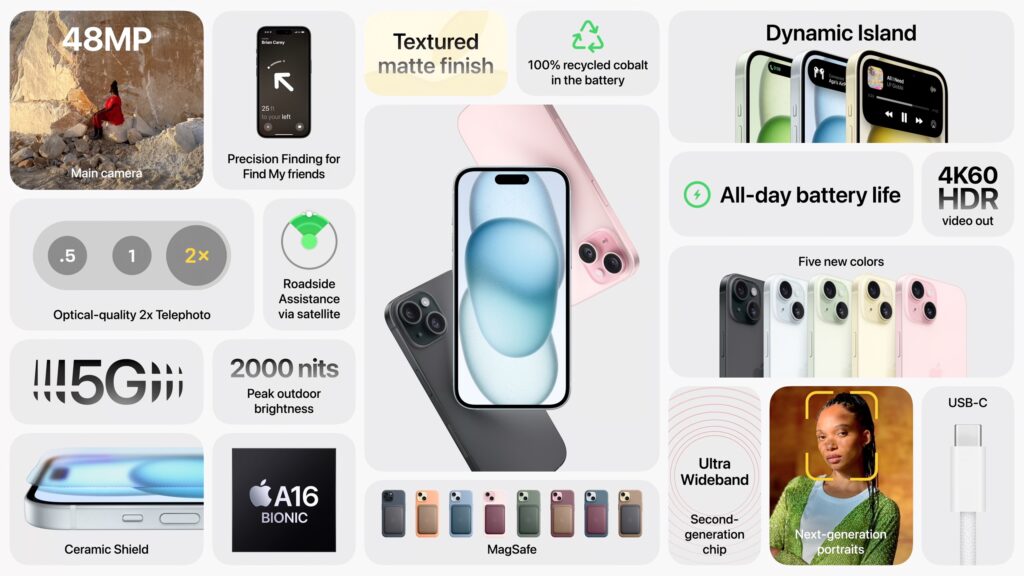
- USB-C for charging and data transfer: Driven by new European Union regulations, the iPhone 15 models all trade their Lightning port for a USB-C jack. Although it will be annoying to keep both Lightning and USB-C cables around until all Lightning devices have aged out, many Apple users already have USB-C cables and chargers for iPads and MacBooks.
- Roadside Assistance via satellite: This extension of Emergency SOS via satellite allows anyone experiencing vehicle difficulties in a cellular dead zone to get help using satellite messaging. Apple includes access to satellite services for 2 years, and AAA membership in the US includes the roadside service. Those who aren’t AAA members will be able to purchase service separately.
- Better Precision Finding: The iPhone 15 and new Apple Watch models all have a second-generation Ultra Wideband chip that lets users employ Precision Finding in the Find My app to locate each other accurately at a much greater range. Apple suggests you can use it to find iPhone 15-equipped friends in a crowd.
Although the iPhone 15 and iPhone 15 Plus aren’t as technologically capable as their Pro siblings, they’re more interesting than the iPhone 14 models they supplant. They receive increased performance thanks to the A16 Bionic chip from the iPhone 14 Pro, and the chip also enables computational photography improvements on top of a new 48-megapixel camera. Also inherited from the iPhone 14 Pro is the Dynamic Island, which displays alerts and Live Activities in the area surrounding the camera and sensor package at the top of the screen, eliminating the need for a notch.
Even though there’s more new on the Pro end, the iPhone 15 Pro and iPhone 15 Pro Max don’t make as significant a jump from their iPhone 14 Pro predecessors. The change everyone will notice is the new Action button that replaces the Ring/Silent switch. You can press and hold it to put an iPhone 15 Pro into silent mode or redefine it to activate Voice Memos, set Focus modes, access the camera or flashlight, enable Accessibility options, or launch a Shortcut.
The 48-megapixel main camera gains additional computational photography capability thanks to the new A17 Pro chip underpinning the iPhone 15 Pro models, but the most noteworthy enhancement is restricted to the iPhone 15 Pro Max. A tetraprism design enables its Telephoto camera to achieve a 5x optical zoom, an unprecedented capability available only for photographers who don’t mind the 6.7-inch form factor.
Several other improvements are technically impressive but likely of interest and utility only to media professionals. The iPhone 15 Pro’s USB-C port supports USB 3 transfer speeds up to 10 gigabits per second (the iPhone 15 is limited to USB 2.0’s pokey 480 megabits per second), and support for Wi-Fi 6e will enable faster wireless transfers. Both will be welcome to those transferring large image, audio, or video files.
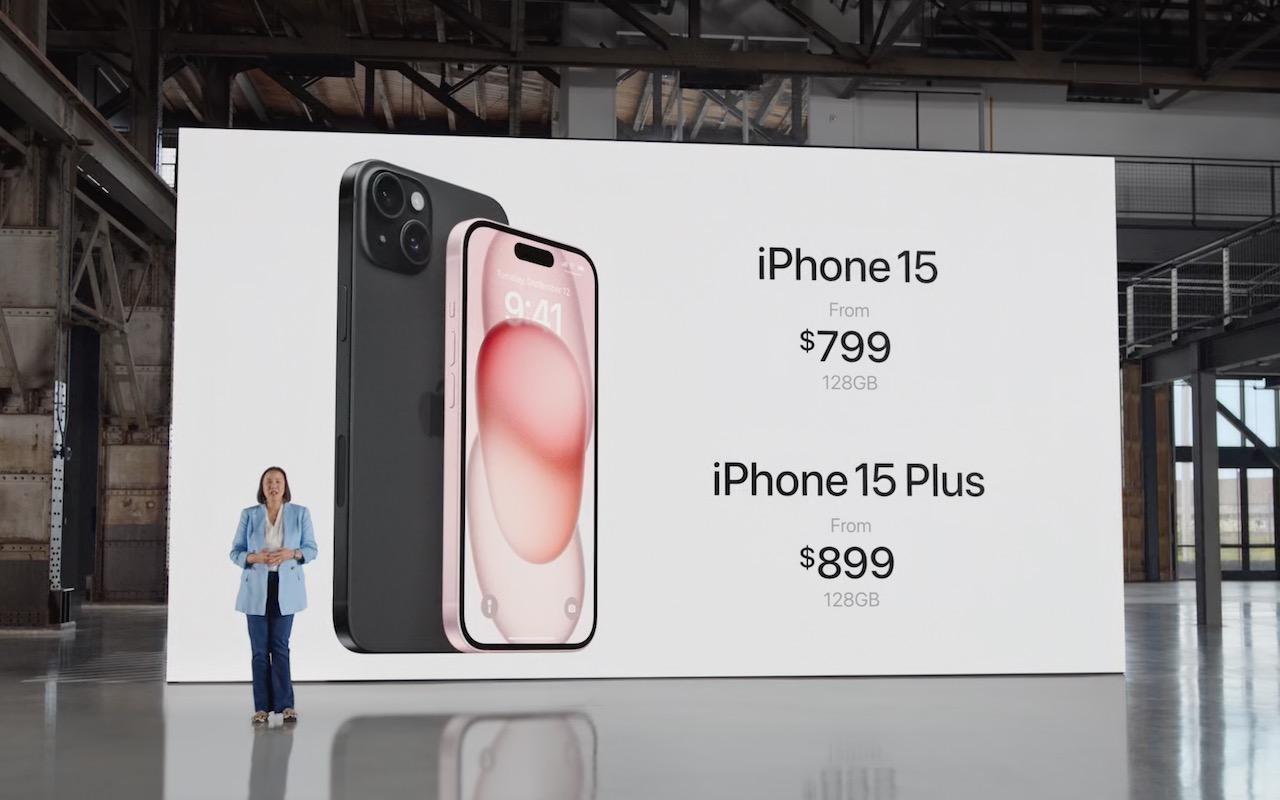
Pricing remains basically the same, with the iPhone 15 and iPhone 15 Plus starting at $799 and $899 for 128 GB of storage, with 256 GB and 512 GB options. The iPhone 15 Pro costs $999 for 128 GB, with 256 GB, 512 GB, and 1 TB storage options. The iPhone 15 Pro Max is $1199 for 256 GB, with 512 GB and 1 TB storage options. If those prices are too steep for your budget, the iPhone SE ($429), iPhone 13 ($599), and iPhone 14 ($699) all remain for sale.
It might be worth upgrading from an iPhone 14 to an iPhone 15 for the 48-megapixel camera and Dynamic Island, but it’s harder to recommend an upgrade from an iPhone 14 Pro unless you find the 5x Telephoto camera indispensable. Otherwise, the older your current iPhone, the more you’ll be impressed by the new models.
Apple Watch Series 9 and Apple Watch Ultra 2
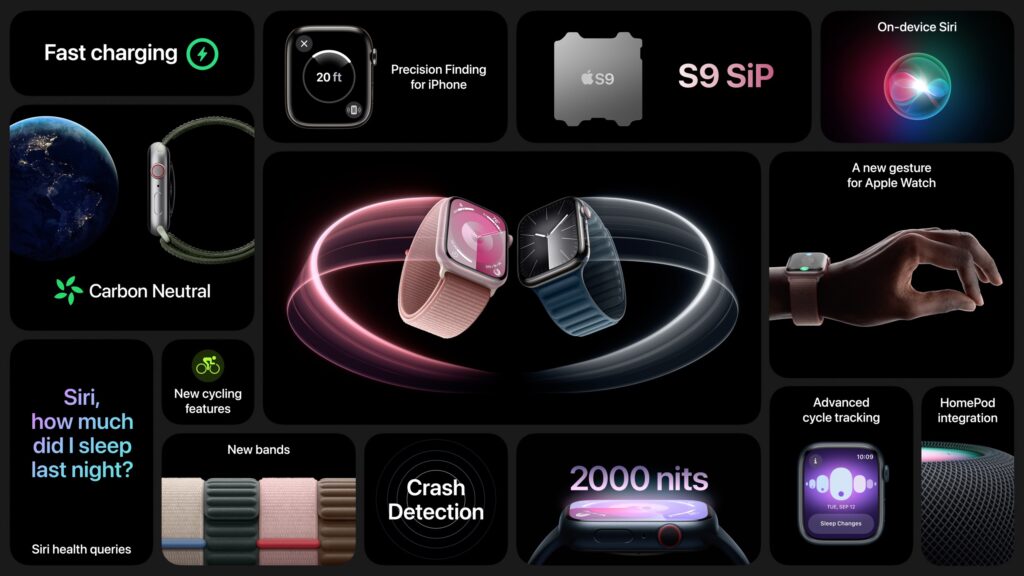
Last year brought the release of the beefy Apple Watch Ultra, so it wasn’t surprising that Apple gave us the Apple Watch Ultra 2 this year alongside the Apple Watch Series 9. They have no industrial design changes, and their improvements are driven by the increased performance and efficiency of Apple’s new S9 SiP (a package containing multiple chips).
Most notable among the changes is a new double tap gesture, which relies on the S9’s faster Neural Engine to detect when your index finger and thumb perform a double tap. watchOS 10 interprets the gesture as activating the primary button in an app, so it can be used to answer or end a phone call, stop a timer, play and pause music, snooze an alarm, take a photo, or open and scroll through the new watchOS 10 Smart Stack from the watch face. It will be available next month.
Other S9-driven improvements include:
- Brighter displays: The Apple Watch Series 9 can now display up to 2000 nits, and the Apple Watch Ultra 2 can go up to 3000 nits, making them more readable in bright sunlight.
- On-device Siri: Siri requests that don’t require information from the Internet can now be processed on the Apple Watch locally, making Siri more helpful for starting workouts or setting timers when there’s no cellular or Wi-Fi connectivity.
- More capable and accurate Siri: You can now use Siri to access Health data such as sleep hours, Activity ring progress, and more. Plus, you can use Siri to log health data such as weight, period, or medications taken. These capabilities will be available later this year. Apple also claims 25% more accurate dictation.
- Precision Finding and HomePod integration: The second-generation Ultra Wideband chip in the S9 enables the Precision Finding feature that can direct you to a lost iPhone 15 rather than just playing a sound. Also, when you get close to a HomePod, the Apple Watch provides media controls or offers media suggestions in the Smart Stack.
Finally, both the original Apple Watch Ultra and the new model gain a new Modular Ultra watch face that uses the outermost edge of the large display to present real-time data like seconds, altitude, or depth.
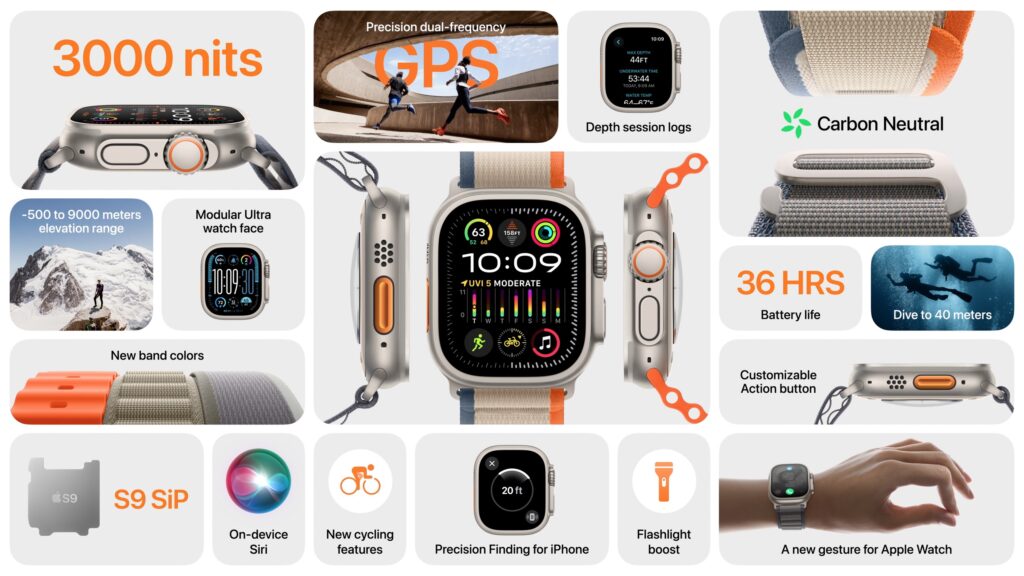
The Apple Watch Series 9 starts at $399 for a 41mm aluminum GPS-only model; 45mm models are $30 more, and cellular connectivity adds $100. It’s available in pink, midnight, starlight, silver, and PRODUCT(RED). In stainless steel, pricing starts at $699 for a 41mm model and includes cellular connectivity; the 45mm models are $50 more. Some textile bands and all stainless steel bands cost an additional $50 to $300. The Apple Watch Ultra 2 remains $799 with an Alpine Loop, Trail Loop, or Ocean Band.
While undoubtedly the most capable watches Apple has ever produced, these new models don’t offer enough new to warrant an upgrade from last year’s models. They’re great for those getting started with the Apple Watch or upgrading from a much older version. Don’t forget that Apple still sells the Apple Watch SE, which lacks the Always-On display and ECG capabilities of the Series 9 but is $150 less expensive. Apple’s comparison page can help you tease out the differences.
(Featured image by Apple)
Social Media: At its Wonderlust event, Apple introduced the iPhone 15 lineup, the Apple Watch Series 9, and the Apple Watch Ultra 2. For the most part, they’re incremental upgrades, making them most compelling to those upgrading from much older devices.