Upgrade Your iPad Experience with the Powerful New iPadOS
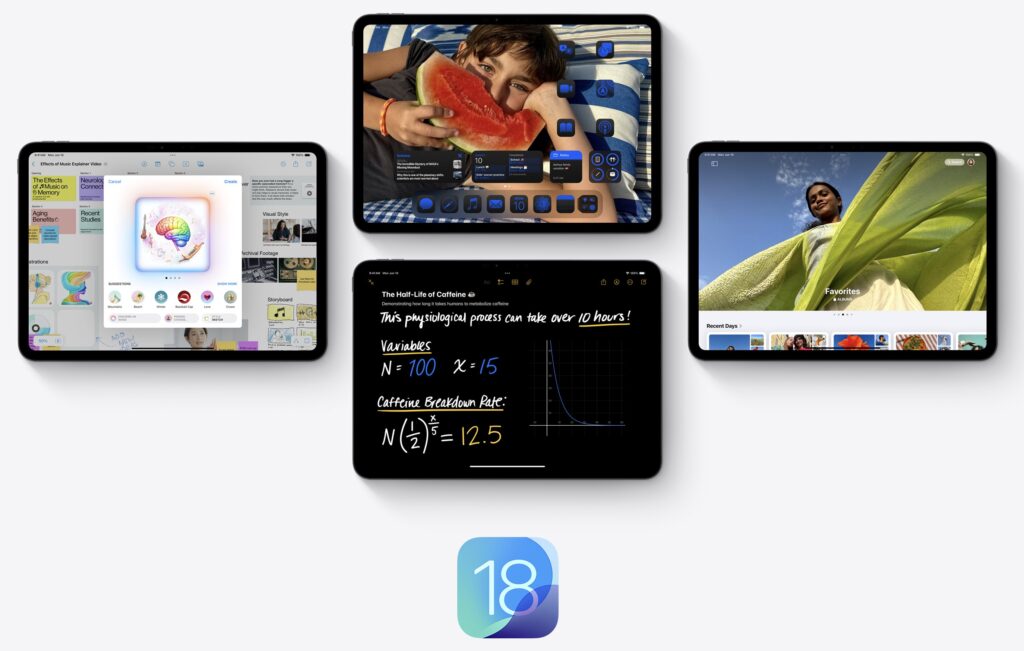
iPadOS 18 takes iPad to the next level with Apple Intelligence, the introduction of Calculator with Math Notes, new handwriting tools in Notes, additional ways to customize iPad, and more.
iPadOS 18, a major release that enhances the iPad experience, making it more versatile and intelligent than ever. With iPadOS 18, Calculator comes to iPad with Math Notes, along with new handwriting tools in Notes — all designed for Apple Pencil. iPad users now have more ways to customize the Home Screen and Control Center, and with iPadOS 18, users receive the biggest redesign of the Photos app to date and new ways to express themselves in Messages.
iPadOS 18 also introduces Apple Intelligence, the personal intelligence system for iPhone, iPad, and Mac that combines the power of generative models with personal context to deliver intelligence that’s incredibly useful and relevant. Built with privacy from the ground up, Apple Intelligence is deeply integrated into iPadOS 18. It understands and creates language and images, takes action across apps, and draws from personal context, simplifying and accelerating everyday tasks. Taking full advantage of the power of Apple, Apple Intelligence is supported on iPad models with an M-series chip.[1]
Calculator on iPad Delivers a New Way to Solve with Math Notes
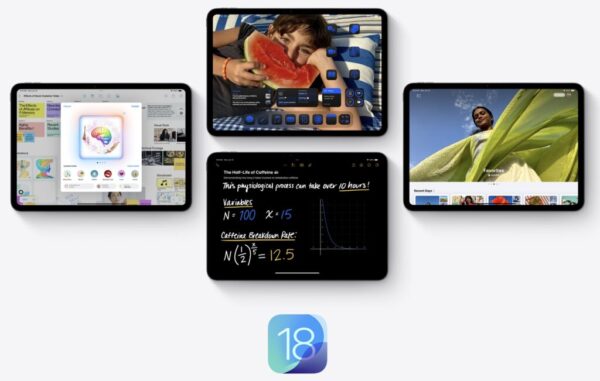
An all-new Math Notes calculator allows you to type or write out mathematical expressions and see them instantly solved in your own handwriting. You can also assign values to variables when learning new concepts in class, calculating a budget, and more. With a new graphing feature, you can write or type an equation and insert a graph with just one tap, and can even add multiple equations on the same graph to see how they relate. And Math Notes are automatically accessible in the Notes app in the new Math Notes folder.
The basic and scientific calculators on iPad make it easy to view complete expressions before completing them. History helps you keep track of previous calculations, and unit conversions let users quickly convert length, weight, currencies, and more.
More Flexible Handwritten Notes with Smart Script
With the power of Apple Pencil, Smart Script makes handwritten notes fluid, flexible, and easier to read, all while maintaining the look and feel of a user’s personal handwriting. Smart Script allows you to write quickly without sacrificing legibility by smoothing and straightening handwritten text in real time. And it makes editing handwritten text just as simple as editing typed text. With Apple Pencil, you can easily add space, scratch out a sentence, or even paste typed text in your own handwriting, and the paragraph will automatically reflow to fit the new content.
The Notes app brings enhancements to typed text, too. For added convenience, you can now organize the content of notes by collapsing sections under headings or subheadings. And for information that needs to stand out, choose from five new text highlight colors.
More Ways to Customize iPad
iPadOS 18 introduces even more options for you to express yourself, including brand-new ways to customize the Home Screen and app icons as well as Control Center. App icons and widgets can be placed in any open position on the Home Screen to create the ideal layout and let your wallpaper shine through. They can be customized to appear exactly how you want — light, dark, or with a tint. You can also make all the app icons and widgets appear even larger, removing the name underneath, for a new streamlined look.
Control Center has been redesigned to provide easier access to many of the things you do every day, and it gets new levels of customization and flexibility. The redesign delivers quick access to new groups of your most-utilized controls, such as media playback, Home controls, and connectivity, as well as the ability to easily swipe between each. You can now add controls from supported third-party apps into Control Center all from one place.
A New Tab Bar Brings Easier Navigation
A redesigned tab bar floats above app content and complements the sidebar to help you stay focused on what matters most while keeping favorite tabs within reach. The new floating tab bar elegantly morphs into the sidebar so you can dive deeper into an app’s full functionality. With the redesigned tab bar, you can reorder or add other tabs from the sidebar, unlocking an entirely new way to customize in-app experiences.
A Redesigned Photos App to Relive Special Moments
The Photos app receives its biggest redesign yet — which takes advantage of the larger display on iPad — automatically keeping libraries organized so you can spend less time searching and more time enjoying the best moments. A simplified, single view displays a familiar grid, and new collections help browse by themes without having to organize content into albums. Plus, collections can be pinned to keep favorites easily accessible. A new carousel view presents highlights that update each day and feature favorite people, pets, places, and more. Autoplaying content throughout the app brings libraries to life, so past moments can be enjoyed while browsing. Because each user’s photo library is unique, the app is customizable, so you can organize collections, pin collections to access frequently, and include what’s most important to them in the carousel view.
New Ways to Stay Connected in Messages
Messages receives big updates to the ways you express yourself and stay connected. Text formatting like bold, underline, italics, and all-new animated text effects bring iMessage conversations to life, and with redesigned Tapbacks, you can react to a message with any emoji or sticker. Messages in iPadOS 18 introduces the ability to schedule messages to send at a later time, helping you stay fully in control of when and how you are connecting with your contacts.
Safari Enables Distraction-Free Browsing
Safari now offers an even easier way to discover information on the web with Highlights and a redesigned Reader experience. Using machine learning, Safari can surface key information about a webpage. For example, you can review a summary to get the gist of an article; quickly see the location of a restaurant, hotel, or landmark; or listen to an artist’s track right from an article about the song or album. Additionally, with a redesigned Reader view, there are even more ways to enjoy a streamlined presentation of an article and its summary.
New Privacy Controls
iPadOS 18 gives you even more ways to control who can see your apps, how you share contacts, and how your iPad connects to accessories. Locked and hidden apps offer peace of mind that information you want to keep private, such as app notifications and content, will not inadvertently be seen by others. You can now lock an app; and for additional privacy, you can hide an app, moving it to a locked, hidden apps folder. When an app is locked or hidden, content like messages or emails inside the app are hidden from search, notifications, and other places across the system.
You also have more control in managing how apps access information. When an app requires access to contact information, you can now allow access to specific contacts, not the full contact list. To keep other connections on the network private, developers can now seamlessly pair Bluetooth accessories without relying on other accessories nearby.
Apple Intelligence Makes iPad Even More Useful and Delightful
Deeply integrated into iPadOS 18 and built with privacy from the ground up, Apple Intelligence unlocks new ways to enhance your writing and communicate more effectively. With brand-new, systemwide Writing Tools built into iPadOS 18, you can rewrite, proofread, and summarize text nearly everywhere you write, including Mail, Notes, Pages, and third-party apps.
New image capabilities make communication and self-expression even more fun. With Image Playground, you can create playful images in seconds, choosing from three styles: Animation, Illustration, or Sketch. Image Playground is easy to use, built right into apps like Messages, and also available in a dedicated app. In Notes, you can access Image Playground through the new Image Wand in the Apple Pencil tool palette, making notes even more visually engaging.
Memories in Photos lets you create the stories you want to see just by typing a description. Apple Intelligence will pick out the best photos and videos based on the description, craft a storyline with chapters based on themes identified from the photos, and arrange them into a movie with its own narrative arc. In addition, a new Clean Up tool can identify and remove distracting objects in the background of a photo — without accidentally altering the subject.
With the power of Apple Intelligence, Siri takes a major step forward, becoming even more natural, contextually relevant, and personal. Additionally, you can type to Siri, and switch between text and voice to communicate with Siri in whatever way feels right for the moment.
With Private Cloud Compute, Apple sets a new standard for privacy in AI, with the ability to flex and scale computational capacity between on-device processing and larger, server-based models that run on dedicated Apple silicon servers. When requests are routed to Private Cloud Compute, data is not stored or made accessible to Apple and is only used to fulfill the requests, and independent experts can verify this privacy promise.
Additionally, access to ChatGPT is integrated into Siri and systemwide Writing Tools across Apple’s platforms, allowing you to access its expertise — as well as its image- and document-understanding capabilities — without needing to jump between tools.
Additional iPadOS 18 updates include:
- Built on the foundation of Keychain, Passwords is a new app that makes it easy to access credentials and have them securely stored in one place, including passwords, verification codes, and security alerts.
- SharePlay gets even better this year with powerful updates to screen sharing. You can tap and draw on their screen to point out what should be done. And for more direct assistance, you can ask for permission to remotely control a device.
- With Freeform, bringing ideas to life becomes even easier. You can create scenes to organize sections of a board by topic, or easily present content by moving around quickly.
- Gaming becomes even more immersive with features like Game Mode and Personalized Spatial Audio, which put players in the middle of the action in upcoming titles like Assassin’s Creed Shadows and RESIDENT EVIL 7 biohazard.
- Calendar becomes more helpful by showing both events and tasks from Reminders. You can create, edit, and complete reminders right from Calendar.
- Reminders gets new tools, including the ability to view, create, and edit directly from the Calendar app; access a recently deleted list; and find subtasks in Smart Lists for quick reference.
- In Apple Maps, you can browse thousands of hikes across national parks in the United States and easily create your own custom walking routes, which you can access offline. Maps users can also save their favorite national park hikes, custom walking routes, and locations to an all-new Places Library and add personal notes about each spot.
- Accessibility features include Eye Tracking, a built-in option for navigating iPad with just eyes, and Vocal Shortcuts that enable users to perform tasks by making a custom sound.
How to Update Your iPad to iPadOS 18
We suggest making sure you have a strong Wi-Fi connection, and that your plug in your iPad before updating your software.
To update an iPad’s software, you can do the following:
- Go to Settings
- Select General
- Select Software Update
- Tap Automatic Updates
- Turn on Download iOS Updates
- Turn on Install iOS Updates
If you need help updating your iPad, consider making an appointment with Nate in consulting. https://smalldog.com/pages/consulting-services
[1] Available on iPad Pro (M4), iPad Pro 12.9-inch (5th generation and later), iPad Pro 11-inch (3rd generation and later), iPad Air (M2), iPad Air 10.9-inch (4th generation and later), iPad (10th generation), and iPad mini (6th generation).