Anker Recalls Millions of Power Banks: Check Yours Today

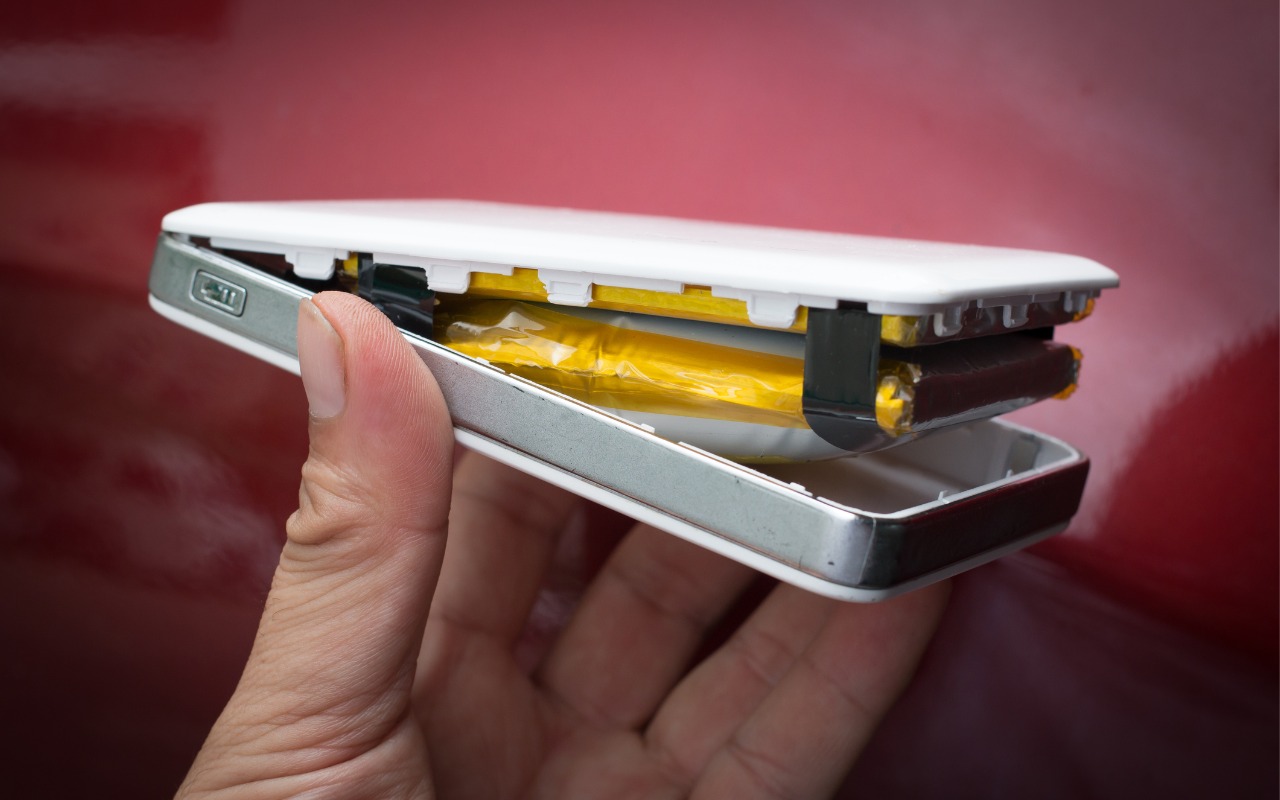
We recommend sticking with well-known brands when buying accessories, and a recent example illustrates why this is important. Anker, a highly regarded accessory manufacturer, has initiated voluntary recalls of power bank models sold from 2016 to the present due to the risk of overheating, melting, smoke, and fire. In mid-June, the company recalled 1.1 million PowerCore 10000 power banks; it has now issued another recall for more recent models of its Power Bank, MagGo Power Bank, and Zolo Power Bank. If you own one of these products—even if it’s working fine—go to Anker’s product recalls page for more information and a serial number checker. If your power bank is affected, stop using it immediately and contact your municipal household hazardous waste collection center for disposal guidance—neither the trash nor standard recycling boxes at retail stores are acceptable. Anker will give you a free replacement or a gift card for use on the Anker website.

Screenshot

(Featured image by iStock.com/Pradit_Ph)


Social Media: Anker has issued major recalls for six power bank models due to fire risk. If you own an Anker power bank, check if yours is affected, even if it seems to be working fine. The company is offering free replacements or gift cards.

Similar Posts

  • Do you use iCloud for Safari?

    With all the news surrounding the government’s attempt to force Apple to write software that doesn’t exist to crack an iPhone, iCloud has been in the news, too! Do you use iCloud? Apple has some huge server farms to support this amazing technology and I thought it would be good to do a brief review of some of the features as they relate to Safari.

    iCloud has sort of settled to the back of my mind because it just does its thing in the background and serves up features that I take for granted. But this week, I ran into a dilemma that puzzled me for some time. I noticed that I had accidentally deleted one of my folders in my Safari favorites bar. These were important bookmarks and I needed them back. Well, like a good boy, I have a Time Machine backup and quickly went back in time and restored my Safari bookmarks from a time before I had deleted them. Good stuff, but when I went to look the next morning, the folder was gone again. This happened a few times with me going back in time to get the .plist file. Then I figured it out – I had Safari active in iCloud so my bookmarks were being synced in the cloud. So, every time I restored it, it would eventually be overwritten by iCloud. The solution? Really sort of simple, I turned off Safari in iCloud preferences and turned it back on, problem solved.

    Activating Safari in iCloud gives you some great tools. You can start browsing on your iPad and pick up seamlessly from your Mac or you iPhone. It syncs your bookmarks and tabs and if you also use iCloud Keychain it will remember all those passwords for the websites you visit. If you use the reading list function of Safari it will also keep those current across your devices.

    As with the other features of iCloud, the features only work if you are signed on with the same Apple ID on all of your devices. It won’t know that you are signed onto one AppleID with your Mac and another with your iPhone. Most common issues with iCloud come down to this simple issue. Apple has not made it easy to merge Apple IDs so at least for iCloud you should be consistently using the same Apple ID. Open the iCloud System Preference on your Mac and choose Safari to activate iCloud on your Mac or go to the iCloud Setting on your iPhone or iPad to activate.

    You can also access the Safari tabs that you have open on your Mac on your iPhone or iPad. It is a bit different looking on the iPhone or iPad. Open Safari on your iPhone or iPad and then tap the tabs icon. You will see all of your open Safari windows but if you scroll down at the bottom will be all the tabs open on your Mac and you can click on any of those to make it active.

  • _Dear Friends,_

    I had a great trip up to Jasper, GA to pick up the 2003 Victory motorcycle. I took almost all two-lane roads and the weather cooperated although it was a bit chilly in the mornings. It got busier as I headed south in Florida but all in all it was a great way to spend the weekend.

    Small Dog Electronics is finishing up our 20th year in business and we are going to be changing out the 20-year anniversary banners and signs. Now that we are going to be 21 we are renewing our commitment to walking the walk as a socially responsible business. We feel that how we treat people, customers, employees, vendors or strangers is an equal measure of our success as to how we treat the planet and the profit we hope to make. Did you know that 100% of the electrical power for our S. Burlington store and about 85% of the power for our Waitsfield headquarters is generated from solar energy?

    When you form a “corporation”, if you tear down the word to its Latin base, it means to “form a body”. My high school latin teacher would be proud. As a body in society, a business has a bigger footprint than any individual. We have buildings, we consume resources, we generate waste and we have a huge impact on peoples lives. With that larger footprint comes a larger responsibility and that is the basis for our commitment to always measure our success by the triple bottom line of People, Planet and Profit.

    This week’s Kibbles & Bytes exclusive features the iPad mini 4. This model in Space Gray includes 64GB of storage and cellular capability. With the Retina display and Touch ID this incredibly thin and light iPad could be a complete solution. Because this model has cellular capability (cell contract required) you can use it anywhere where there is Wi-Fi or Cellular coverage. The iPad Mini 4 is my iPad of choice. I like the way it fits in one hand and is perfect for reading. It feels like you are holding a paperback book. This week, exclusively for Kibbles & Bytes readers we are offering the “iPad Mini 4 in Space Gray with AppleCare Plus”:http://www.smalldog.com/wag900002167 for a special price. AppleCare Plus for the iPad extends the 1-year warranty to 2-years and also provides for coverage for accidental damage (i.e. broken screen, etc.) for up to two incidents for a $49 deductible. It also extends the 90-days of free Apple technical support to 2-years. Normally, this bundle is $729.98 but we are giving Kibbles & Bytes readers the opportunity to save $40 on this bundle. You get the iPad mini 4 64GB Cellular model with AppleCare Plus for only “**$689.98!**”:http://www.smalldog.com/wag900002167

  • Your Kibbles & Bytes Team,

    _Don, Emily & Dean_