Take Quick Videos with the Camera Control

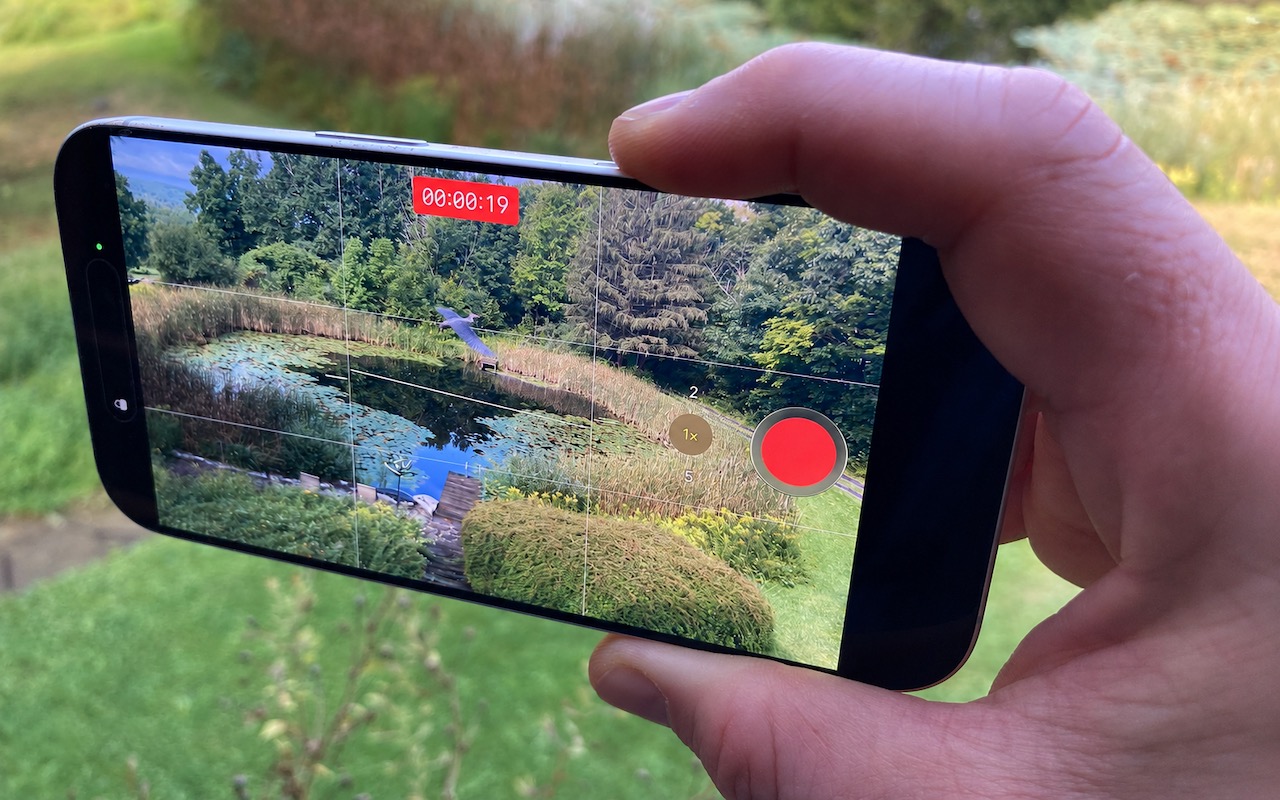
Sometimes you need to start recording video instantly—to document an incident, capture a fleeting moment, or preserve evidence. Apple has provided a shortcut that reduces the effort to just two presses of the Camera Control on the iPhone 16 and later. Press it once to open the Camera app, then press and hold again to start recording a video instantly—it keeps recording as long as you hold the Camera Control down and stops when you let up. If you don’t want to hold the Camera Control the entire time, you’ll need to switch the Camera app to video mode, after which a press of the Camera Control starts recording, and another press stops it.

(Images by Adam Engst; heron added by ChatGPT)


Social Media: Need to capture a moment fast? On iPhone 16 and later, press the Camera Control once to open the Camera app, then press and hold to start recording video instantly.

Similar Posts

  • A first look at Mojave

    I swore I was going to wait for the third developer beta to upgrade my Mac to Mojave but I could not resist….

  • _Hello Friends_,

    It is hard to believe that it is February already. There is almost no snow up in Vermont and Artie is reporting that farmers are already gathering sap from the maple trees to make syrup. The Iowa caucuses have come and gone and on Tuesday the first in the nation primary is next door in New Hampshire. Being a leap year my granddaughter, Gracie, will have her 4th real birthday on the 29th. She was recently chosen as guest composer on Vermont Public Radio. You can hear her interview and one of her “**compositions**”:http://digital.vpr.net/post/student-composer-showcase-gracie-bangoura#stream/0 online. 

    February is also Black History month and each week in Kibbles and on our “**blog**”:http://blog.smalldog.com we will be honoring Black History. It is fun researching and writing these little bios of Black American heroes and heroines.  

    Florida’s governor declared a state of emergency in four counties regarding the horrible tragedy unfolding in Brazil with the Zika virus. One thing that is not being widely reported is the apparent link to genetically modified mosquitos and the microcephaly disaster. Apparently, Brazil was the site of a massive experiment with genetically modified mosquitos that were released into the wild. They were proposing a similar release for here in the Florida Keys but it has not happened. The Zika virus has been around since 1947 and this is the first big outbreak of microcephaly. You can “**read more about it,**”:http://www.theecologist.org/News/news_analysis/2987024/pandoras_box_how_gm_mosquitos_could_have_caused_brazils_microcephaly_diasaster.html regardless of whether that analysis is true, I think releasing genetic mosquitos is a bad idea.

    I am happy to announce that Small Dog Electronics will be offering GoPro cameras and accessories in our stores this month. We have had lots of requests for these action cameras from our customers and we finally have secured the line for our stores. We will talk more about GoPro as we get them into stock.  

    This week’s Kibbles & Bytes special is a “**Hammerhead charging bundle**”:http://www.smalldog.com/wag900002149/special-save-20-on-hammerhead-charging-bundle As you know we manufacture rugged braided lightning cables that are certified by Apple with their MFI “Made for iPhone” designation. This means that our manufacturer has passed all the tests with Apple and use genuine Apple lightning connectors. You do not have to worry about compatibility with MFI designation. This bundle includes two of these braided cables, our Hammerhead 2-port home charger and Hammerhead 2-port car charger. Each of these chargers have the capacity to charge an iPhone and an iPad simultaneously. Sold separately, this bundle would be $72.96 but exclusively for Kibbles & Bytes readers this week you can have this handy bundle for only “**$49.99!**”:http://www.smalldog.com/wag900002149/special-save-20-on-hammerhead-charging-bundle 

  • _Dear Friends,_

    Baseball season is almost upon us as spring training wraps up and the real games begin next week. The hopes for the Chicago Cubs have never been higher with a great line-up and pitching. Could this be our year? To help matters along, Apple and MLB announced this week that they have struck a multi-year deal to supply 12.9 inch iPad Pros with special STM team-logoed cases and a custom app called MLB Dugout. This app will help managers see performance statistics, check videos from games and analyze how pitchers and hitters are likely to perform against each other.

    Baseball has become a game of statistics and until this deal laptops, iPads and iPhones were banned from dugouts. That ban is gone as iPad Pros will replace the notebooks and photographs in big binders. Each team’s data will be downloaded to the iPads before the games. I can see this really speeding up the research about how to play a certain batter or what kind of stuff a pitcher has. Cubs manager, Joe Maddon, is not so sure “This might sound nuts to you, bit it might slow down the process. If there’s that moment that permits time to look up something, it might be OK, but I think thats where the piece of paper has it all over the computer–in that moment.” Well, Joe you are a hell of a manager but I’ll put the iPad Pro up against your binder any day! Fortunately, MLB didn’t ban paper so Joe is all set.

    I have talked many times about being a socially responsible business but this week we saw the power for good that businesses can use. While not yet successful in overturning the North Carolina law that legalizes discrimination against LGBT people, business pressure stopped a similar law in Georgia and the list of businesses lining up for repeal in NC is impressive. It was business that turned the tide when civil unions were first introduced in Vermont and it can be business again that dope-slaps some sense into these backwards legislatures, too.

    This week’s Kibbles & Bytes exclusive features the iPad mini 4 in Space Gray. This 64GB model features Wi-Fi and Cellular and comes with the AppleCare+ protection plan that increases the hardware warranty from 1 to 2 years, technical support from 90-days to 2-years and provides for accidental damage coverage. This is the latest iPad mini that features the Retina display. With 64GB of ram and cellular capability you will never be out of touch. Normally, this bundle is $730 but this week exclusively for Kibbles & Bytes readers you get the “**iPad mini 4 64GB Wi-Fi and Cellular with AppleCare+ for $50 off**”:http://www.smalldog.com/wag900002186 at “**$679.99!**”:http://www.smalldog.com/wag900002186/

  • Do you use iCloud for Safari?

    With all the news surrounding the government’s attempt to force Apple to write software that doesn’t exist to crack an iPhone, iCloud has been in the news, too! Do you use iCloud? Apple has some huge server farms to support this amazing technology and I thought it would be good to do a brief review of some of the features as they relate to Safari.

    iCloud has sort of settled to the back of my mind because it just does its thing in the background and serves up features that I take for granted. But this week, I ran into a dilemma that puzzled me for some time. I noticed that I had accidentally deleted one of my folders in my Safari favorites bar. These were important bookmarks and I needed them back. Well, like a good boy, I have a Time Machine backup and quickly went back in time and restored my Safari bookmarks from a time before I had deleted them. Good stuff, but when I went to look the next morning, the folder was gone again. This happened a few times with me going back in time to get the .plist file. Then I figured it out – I had Safari active in iCloud so my bookmarks were being synced in the cloud. So, every time I restored it, it would eventually be overwritten by iCloud. The solution? Really sort of simple, I turned off Safari in iCloud preferences and turned it back on, problem solved.

    Activating Safari in iCloud gives you some great tools. You can start browsing on your iPad and pick up seamlessly from your Mac or you iPhone. It syncs your bookmarks and tabs and if you also use iCloud Keychain it will remember all those passwords for the websites you visit. If you use the reading list function of Safari it will also keep those current across your devices.

    As with the other features of iCloud, the features only work if you are signed on with the same Apple ID on all of your devices. It won’t know that you are signed onto one AppleID with your Mac and another with your iPhone. Most common issues with iCloud come down to this simple issue. Apple has not made it easy to merge Apple IDs so at least for iCloud you should be consistently using the same Apple ID. Open the iCloud System Preference on your Mac and choose Safari to activate iCloud on your Mac or go to the iCloud Setting on your iPhone or iPad to activate.

    You can also access the Safari tabs that you have open on your Mac on your iPhone or iPad. It is a bit different looking on the iPhone or iPad. Open Safari on your iPhone or iPad and then tap the tabs icon. You will see all of your open Safari windows but if you scroll down at the bottom will be all the tabs open on your Mac and you can click on any of those to make it active.